3 Hardware Installation
45
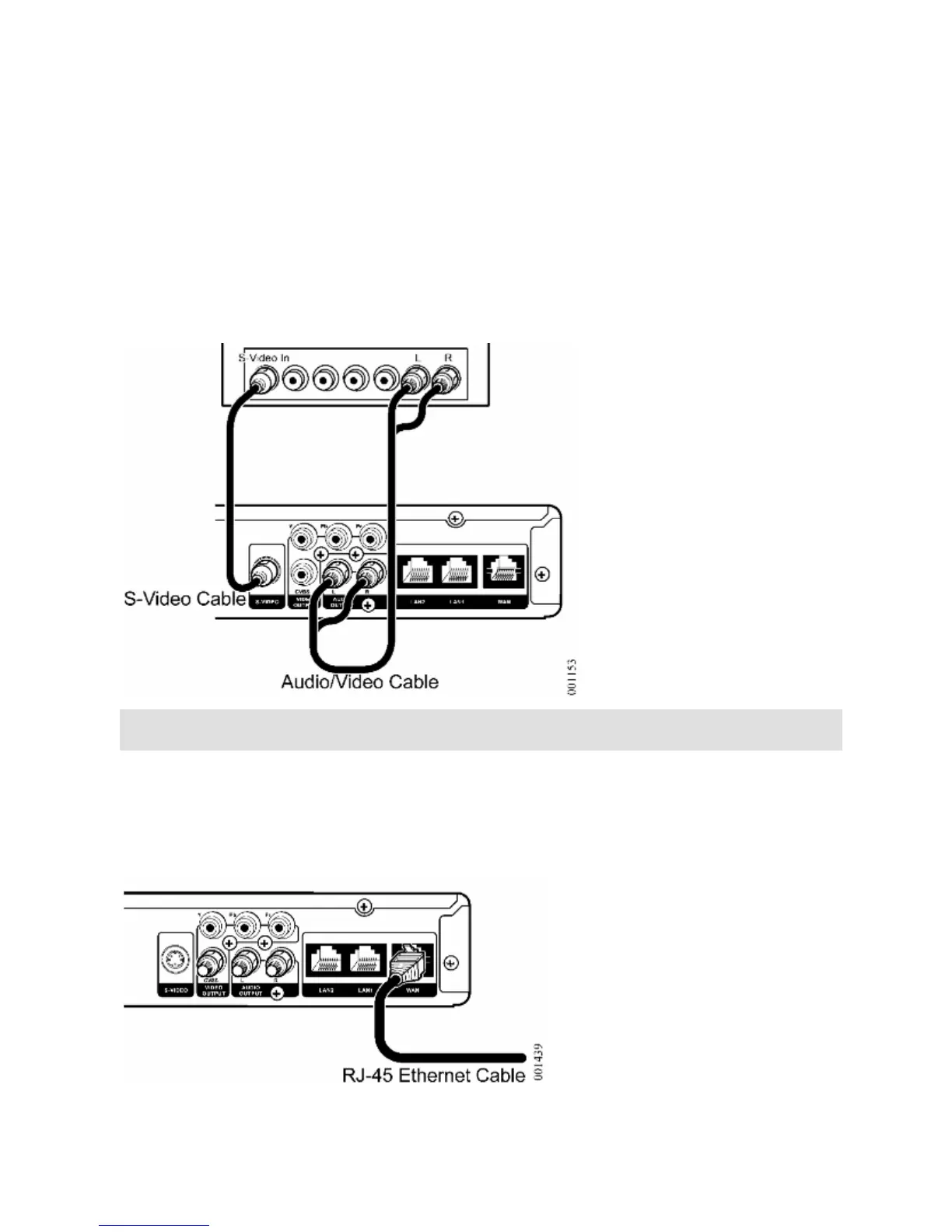
S-Video and Analog Audio
For a television with an S-Video connector, you can use the option shown
in Figure 9.
S-video offers a higher level of standard definition video
quality than CVBS video.
Figure 9 S-Video and Analog Audio
Connecting Network Cable
Use the RJ45 Ethernet cable to connect the WAN connector of the Media
Console (Figure 10 to an Ethernet port on a device connected to your
service provider’s network.
Figure 10 Network Connection


 To Next Page