EasyManua.ls Logo

Uwatec Aladin 2G - User Manual

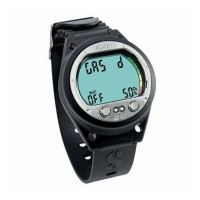
Uwatec Aladin 2G
73 pages
Print Icon
To Next Page IconTo Next Page
Loading...
®
Aladin 2G

Table of Contents

Question and Answer IconNeed help?

Do you have a question about the Uwatec Aladin 2G and is the answer not in the manual?

Summary

Safety Considerations

Guidelines for the use of Aladin 2 G

Rules for using the Aladin 2G dive computer, derived from medical research and recommendations.

2. System and Operation

2.2 Operation

Explains how to operate the Aladin 2G using its push buttons and water contacts.

2.2.1 Push Buttons

Details the functions of the push buttons for operating the Aladin 2G at the surface and underwater.

2.2.5 How to Navigate Aladin 2 G at the Surface

Guides users on navigating menus and options on the Aladin 2G at the surface.

2.2.6 Checking the Desaturation Time

Explains how to view the desaturation time and no-fly time on the Aladin 2G.

2.3 SOS Mode

Explains the SOS mode, its activation, and implications for diving.

3. Diving with Aladin 2 G

3.1.3 Nitrox Information (O₂ Information)

Details how Aladin 2G handles Nitrox dives, including O2%, ppO2 max, and CNS O2 toxicity.

3.2 Attention Messages and Alarms

Explains the attention messages and audible alarms used by Aladin 2G to warn divers.

3.2.1 Attention Messages

Lists situations triggering attention messages and their corresponding pages for more info.

3.3 Preparation for the Dive

Guides on checking and changing Aladin 2G settings before a dive.

3.3.1 Setting the Gas Mixture and ppO2 Max (O26)

Instructions for setting the gas mixture (O2%) and maximum partial pressure of oxygen (ppO2 max).

3.3.3 Preparation for Diving with Two Gas Mixtures

Prepares for dives using two different gas mixtures with the Aladin 2G.

3.4 Functions During the Dive

Details the various functions and displays available to the diver during a dive.

3.4.7 Partial Pressure of Oxygen (ppO2 max); Maximum Operating Depth (MOD)

Explains ppO2 max and its relation to Maximum Operating Depth (MOD) and oxygen poisoning warnings.

3.4.8 Oxygen Toxicity (CNSO2%)

How Aladin 2G calculates and displays oxygen toxicity (CNS O2%) and its associated warnings.

3.4.10 Decompression Information

Details how Aladin 2G displays no-stop time and decompression obligations, including stop depth and duration.

3.5 Functions at the Surface

Covers what happens when a dive ends and the computer returns to surface mode.

3.5.3 Desaturation Time, No-Fly Time and No-Dive Warning

Explains desaturation time, no-fly time, and the no-dive warning display and its implications.

4. Gauge Mode

Gauge Mode Operation

Explains how to operate the Aladin 2G in Gauge Mode, its features, and limitations.

6. Diving with Microbubble (MB) Levels

6.3.1 Setting the MB Level

How to set the desired microbubble (MB) level on the Aladin 2G before a dive.

6.4 Functions During the Dive with MB Levels

Explains the functions and displays available during dives using microbubble (MB) levels.

6.4.4 Level Stop and Deco Stop

Explains how level stops and decompression stops are displayed and managed with MB levels.

7. PDIS (Profile Dependent Intermediate Stop)

7.1 Introduction to PDIS (Profile-Dependent Intermediate Stop)

Introduces the PDIS feature, explaining its purpose in tracking nitrogen uptake and recommending intermediate stops.

7.2 How Does PDIS Work?

Explains the mathematical model behind PDIS and how it calculates intermediate stops based on nitrogen uptake.

7.3 Special Considerations When Diving with More Than One Gas Mixture (Aladin 2 G)

Discusses how PDIS works with multiple gas mixtures and the rules for displaying PDI depth.

8. Diving with Two Gas Mixtures

Setting the Gas Mixture and the Depth for Changing the Gas Mixture

Guides on setting gas mixtures (O2 fraction, ppO2 max) and the switch depth.

Functions During a Dive with Two Gas Mixtures

Details the functions and displays available to the diver during dives with multiple gas mixtures.

Changing the Gas Mixture

Step-by-step guide on how to change gas mixtures during a dive, including confirmations and warnings.

9. Dive Planner

Dive Planner Overview

Overview of the Aladin 2G's dive planner for planning no-stop and decompression dives.

10. Logbook

11. Settings

11.2 Menu Set 1

Details the settings available in Menu "set 1" for configuring dive functions.

Setting the Maximum Partial Pressure of Oxygen (ppO2 max)

How to adjust the maximum partial pressure of oxygen (ppO2 max) setting.

Enabling Two-Gas Diving

How to enable the two-gas diving feature on the Aladin 2G.

PDIS (Profile Dependent Intermediate Stop)

How to enable the PDIS feature on the Aladin 2G.

Resetting the Remaining Saturation

Instructions and warnings for resetting the remaining saturation data on the Aladin 2G.

11.3 Menu Set 2

Details the settings available in Menu "set 2" for configuring functions like alarm clock and UTC.

11.4 Menu Set 3” (Apnea)

Details the settings available in Menu "set 3" for Apnea mode functions.

12. Appendix

12.2.1 Replacing the Battery

Detailed instructions and warnings for replacing the battery in the Aladin 2G.

Summary

Safety Considerations

Guidelines for the use of Aladin 2 G

Rules for using the Aladin 2G dive computer, derived from medical research and recommendations.

2. System and Operation

2.2 Operation

Explains how to operate the Aladin 2G using its push buttons and water contacts.

2.2.1 Push Buttons

Details the functions of the push buttons for operating the Aladin 2G at the surface and underwater.

2.2.5 How to Navigate Aladin 2 G at the Surface

Guides users on navigating menus and options on the Aladin 2G at the surface.

2.2.6 Checking the Desaturation Time

Explains how to view the desaturation time and no-fly time on the Aladin 2G.

2.3 SOS Mode

Explains the SOS mode, its activation, and implications for diving.

3. Diving with Aladin 2 G

3.1.3 Nitrox Information (O₂ Information)

Details how Aladin 2G handles Nitrox dives, including O2%, ppO2 max, and CNS O2 toxicity.

3.2 Attention Messages and Alarms

Explains the attention messages and audible alarms used by Aladin 2G to warn divers.

3.2.1 Attention Messages

Lists situations triggering attention messages and their corresponding pages for more info.

3.3 Preparation for the Dive

Guides on checking and changing Aladin 2G settings before a dive.

3.3.1 Setting the Gas Mixture and ppO2 Max (O26)

Instructions for setting the gas mixture (O2%) and maximum partial pressure of oxygen (ppO2 max).

3.3.3 Preparation for Diving with Two Gas Mixtures

Prepares for dives using two different gas mixtures with the Aladin 2G.

3.4 Functions During the Dive

Details the various functions and displays available to the diver during a dive.

3.4.7 Partial Pressure of Oxygen (ppO2 max); Maximum Operating Depth (MOD)

Explains ppO2 max and its relation to Maximum Operating Depth (MOD) and oxygen poisoning warnings.

3.4.8 Oxygen Toxicity (CNSO2%)

How Aladin 2G calculates and displays oxygen toxicity (CNS O2%) and its associated warnings.

3.4.10 Decompression Information

Details how Aladin 2G displays no-stop time and decompression obligations, including stop depth and duration.

3.5 Functions at the Surface

Covers what happens when a dive ends and the computer returns to surface mode.

3.5.3 Desaturation Time, No-Fly Time and No-Dive Warning

Explains desaturation time, no-fly time, and the no-dive warning display and its implications.

4. Gauge Mode

Gauge Mode Operation

Explains how to operate the Aladin 2G in Gauge Mode, its features, and limitations.

6. Diving with Microbubble (MB) Levels

6.3.1 Setting the MB Level

How to set the desired microbubble (MB) level on the Aladin 2G before a dive.

6.4 Functions During the Dive with MB Levels

Explains the functions and displays available during dives using microbubble (MB) levels.

6.4.4 Level Stop and Deco Stop

Explains how level stops and decompression stops are displayed and managed with MB levels.

7. PDIS (Profile Dependent Intermediate Stop)

7.1 Introduction to PDIS (Profile-Dependent Intermediate Stop)

Introduces the PDIS feature, explaining its purpose in tracking nitrogen uptake and recommending intermediate stops.

7.2 How Does PDIS Work?

Explains the mathematical model behind PDIS and how it calculates intermediate stops based on nitrogen uptake.

7.3 Special Considerations When Diving with More Than One Gas Mixture (Aladin 2 G)

Discusses how PDIS works with multiple gas mixtures and the rules for displaying PDI depth.

8. Diving with Two Gas Mixtures

Setting the Gas Mixture and the Depth for Changing the Gas Mixture

Guides on setting gas mixtures (O2 fraction, ppO2 max) and the switch depth.

Functions During a Dive with Two Gas Mixtures

Details the functions and displays available to the diver during dives with multiple gas mixtures.

Changing the Gas Mixture

Step-by-step guide on how to change gas mixtures during a dive, including confirmations and warnings.

9. Dive Planner

Dive Planner Overview

Overview of the Aladin 2G's dive planner for planning no-stop and decompression dives.

10. Logbook

11. Settings

11.2 Menu Set 1

Details the settings available in Menu "set 1" for configuring dive functions.

Setting the Maximum Partial Pressure of Oxygen (ppO2 max)

How to adjust the maximum partial pressure of oxygen (ppO2 max) setting.

Enabling Two-Gas Diving

How to enable the two-gas diving feature on the Aladin 2G.

PDIS (Profile Dependent Intermediate Stop)

How to enable the PDIS feature on the Aladin 2G.

Resetting the Remaining Saturation

Instructions and warnings for resetting the remaining saturation data on the Aladin 2G.

11.3 Menu Set 2

Details the settings available in Menu "set 2" for configuring functions like alarm clock and UTC.

11.4 Menu Set 3” (Apnea)

Details the settings available in Menu "set 3" for Apnea mode functions.

12. Appendix

12.2.1 Replacing the Battery

Detailed instructions and warnings for replacing the battery in the Aladin 2G.

Uwatec Aladin 2G Specifications

General IconGeneral
BrandUwatec
ModelAladin 2G
CategoryDiving Instrument
LanguageEnglish

Related product manuals