English
35
VII Logbook
UWATEC
®
Smart dive computers
VII
2 Operation
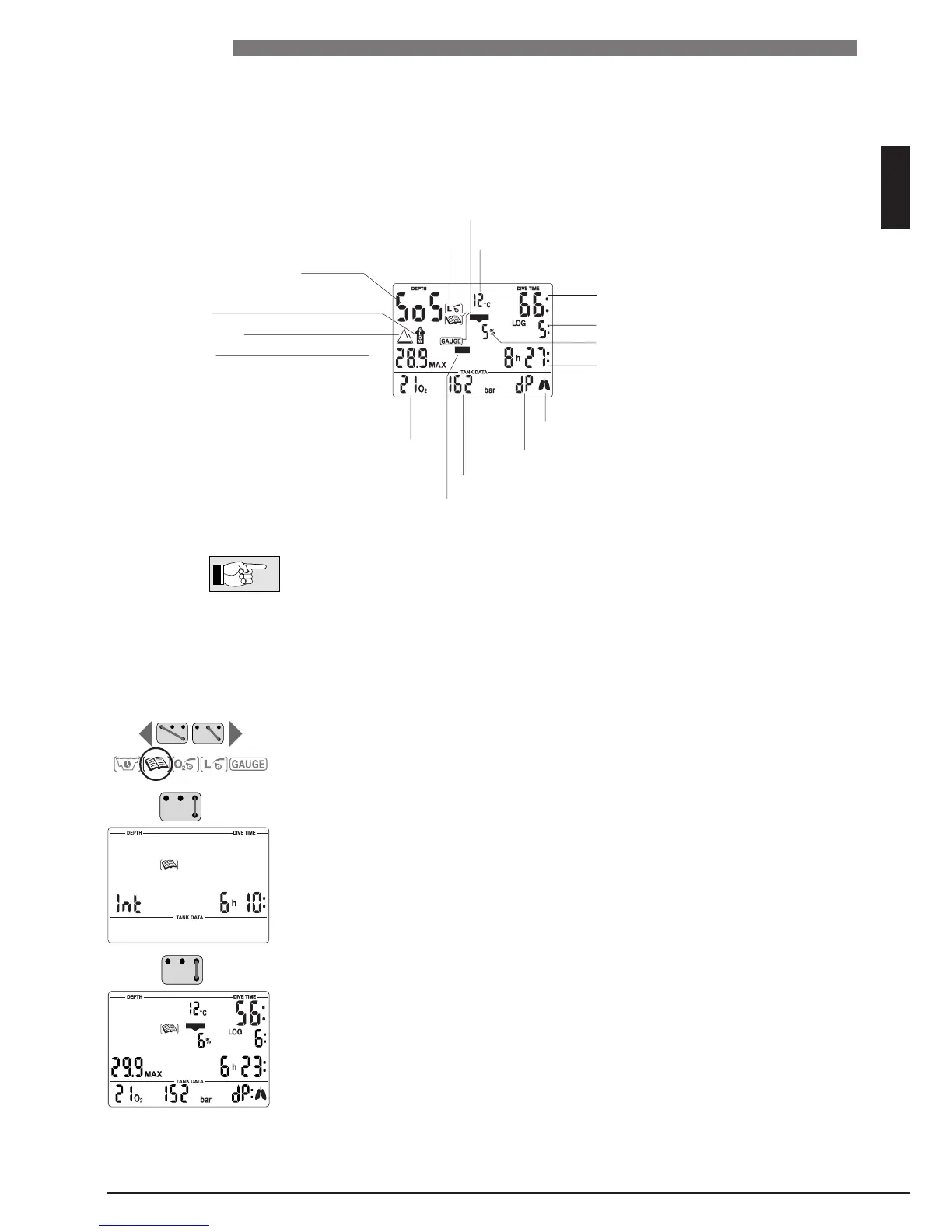
With the contacts B and + or B and – you can select the logbook. With B and
E you enter the logbook.
If there was a remaining desaturation time (DESAT) before selecting the log-
book,
the time since the last dive (surface interval) is displayed.
With B and E you get the most recent dive displayed (LOG 1).
Each bridging of B and + or B and – causes a jump to the next older or more
recent dive. Upon continuous bridging of the contacts all dives are displayed
successively
.
With the contacts B and E you can exit the logbook.
The logbook closes automatically after 3 minutes without operation.
1 Survey
A dive is entered in the logbook if the dive time is longer than 2 minutes. Smart Z records the profiles of
about 100 hours of diving. This information can be transferred to a PC with the standard infrared inter-
face
(IrDA) and the Windows
®
software SmartTRAK. Up to 99 dives can be displayed directly on the dive
computer.
The following information of the dive is displayed:
If a dive is started within adaptation time (after a change of altitude), the
adaptation time is displayed instead of the surface interval.
Ignored decompression stop* or
diving in SOS mode
Gas consumed (bar or psi)
Too fast ascent*
Ignored decompression stop*
F
raction of oxygen
Altitude range (if any)
Maximum depth
dP = differential pressure (gas consumed)
Lowest temperature
Logbook icon Diving in gauge mode
MB level reduced*
Dive time
Dive number
Duration of surface interval
(only with repetitive dives)
CNS O
2 value at the end of the dive
Increased workload warning*
*Alarms during the dive
CNS O
2
%
DECO
%


 To Next Page