5. INSTRUCTION FOR USE
5.1 Before Weighing
Make sure that:
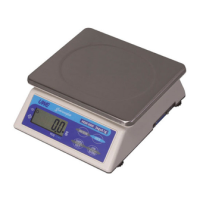
a. The upper platform cover is inserted
firmly into the platform.
b. The scale is placed on a level and strong
surface.
c. The scale is turned on.
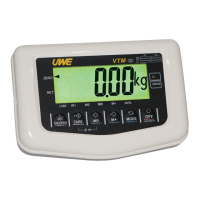
d. The ZEROINDICATORison. If not, press ZERO
to set weight displayed to zero.
5.2 Weighing
a. Always place an object onto the platform
gently. Excessive force applied to platform
may cause damages to sensor inside.
b. The weight of the object would be
displayed
automatically.
c. It is a good practice to remove all loads
from platform after weighing. It would
prolong the lifetime of scale.
5.3 Select Weight Unit
4._OFF
g. To enable the Auto Power Off Function,
press ZERO when 4._OFF appears.
h. To disable the Auto Power Off
Function,
press ZERO when 0._OFF appears.
i. After ZERO is pressed, the scale will



 To Next Page