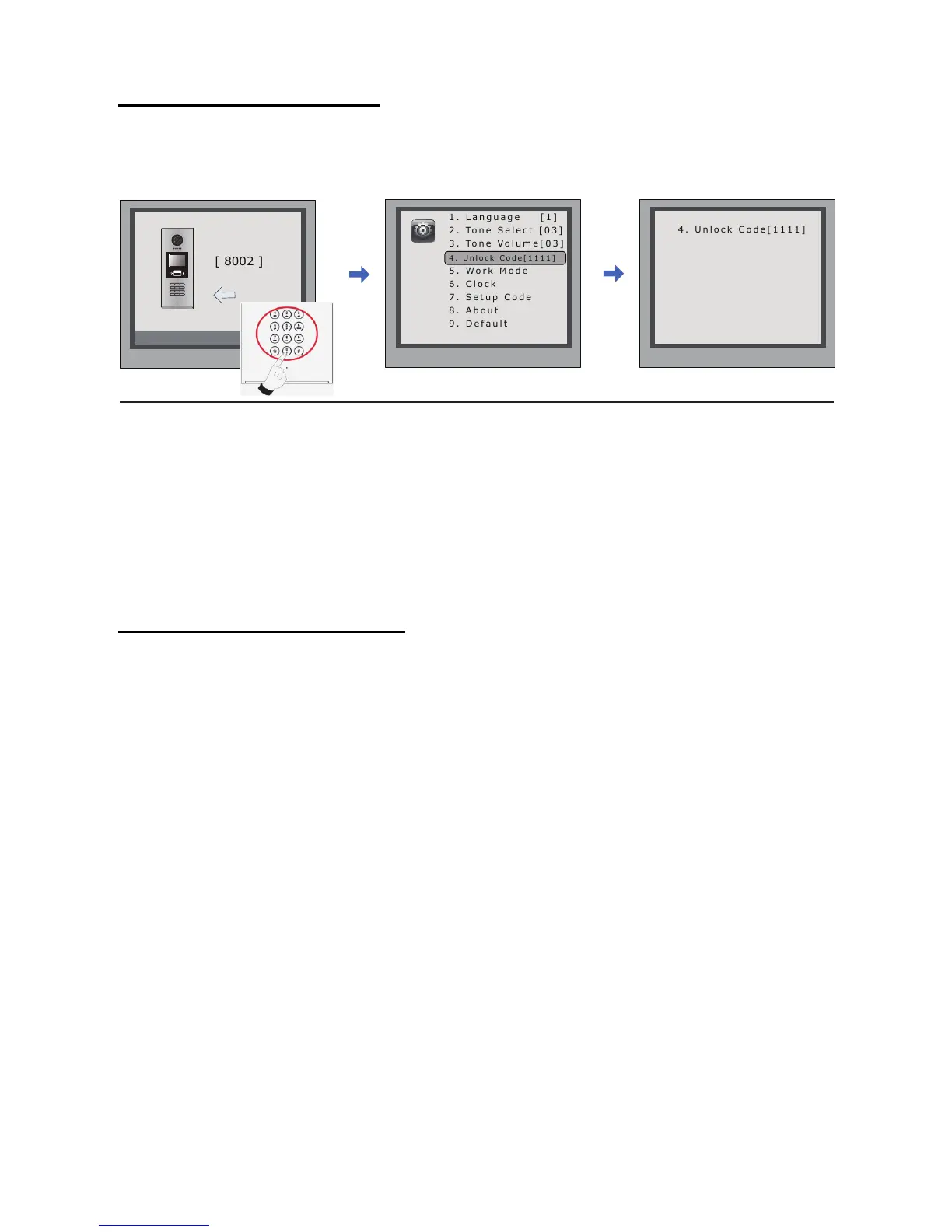
Press“#”,Input“8002”,
theninputSetupCodeor
AdminCode(88888888or
66666666bydefault)
Press“4”toenterunlock
codeitem.
5. Change Unlcok Code:
IfdoorstationrunsasDebugState,youcanpress“1#”toactivateToolsMenu,thenselect“2”
toentersetuppage,thenselect4item.IfitrunsasNormalState,followthesesteps:
Input4digitsnumber,
thenpress“#”toupdate
6. User Card Management:
ThissectionexplainshowtocongurethekeyfobfunctiononDMR18S,Thekeyfobisused
toopenthelock.Total320keyfobscanberegisteredwithonedoorstation.Whenswipingthe
fobtothedoorstation,thedistancemustbelessthan3centimeter.
KeyFobsmustberegisteredontheDoorstationthatcanbeusedtoopenthedoor.
Register the Key Fobs:
AlltheregisteredkeyfobsarecalledUserCards/UserKeyFobs.Newfobs/cardsneedto
beregisteredonebyonetotheDoorstationtobecomeavalidUserCard/UserKeyFob;and
everyUserCard/UserKeyFobisrelatedtoacertainMonitorAddress(Flatcode).
WhentheDoorstationisstandby,press[#]-->[9008]-->Password([66666666bydefault])
togetintotheDebugModeMenu,thenPress[1#]-->[3]CardManage-->[1]AddCardtoget
intotheAddCardpage.Pleaseseethefollowings.
-12



 To Next Page