1 2 3
4
7
5 6
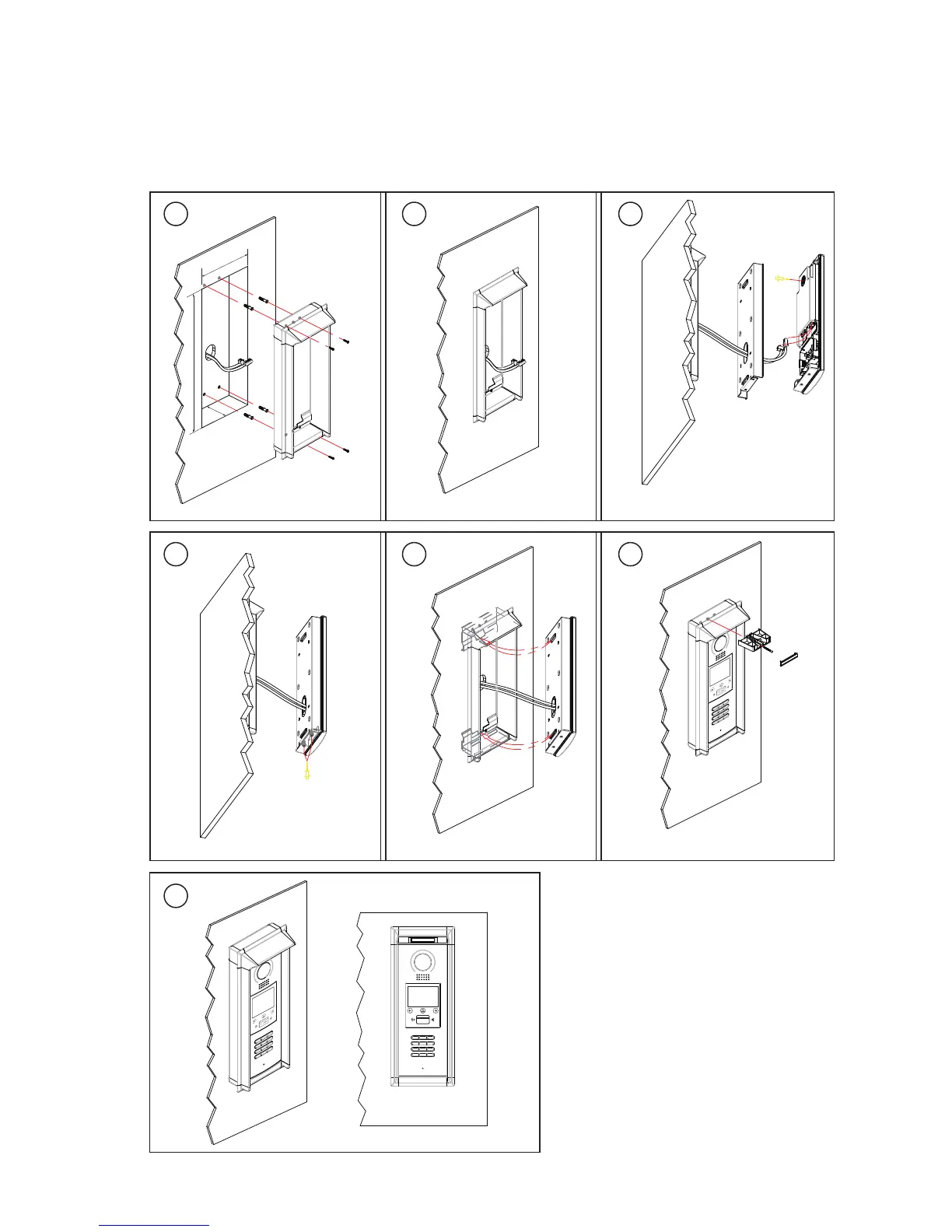
Drill a hole and attach the
rainy cover to it
Attach screws to fix the
metal box
Attach the unit to the rainy
cover correctlly
Attach the baffle to protect
the unit from droping
The last view for all mounting
The view for rainy
cover after mounted
Adjust the camera angle and attach the
metal to the panel and wire correctly.
Camera
angle
1
47
m
m
3
95
m
m
4
2mm
RF CARD
Flush mounting
-3-



 To Next Page