-8-
Restore?
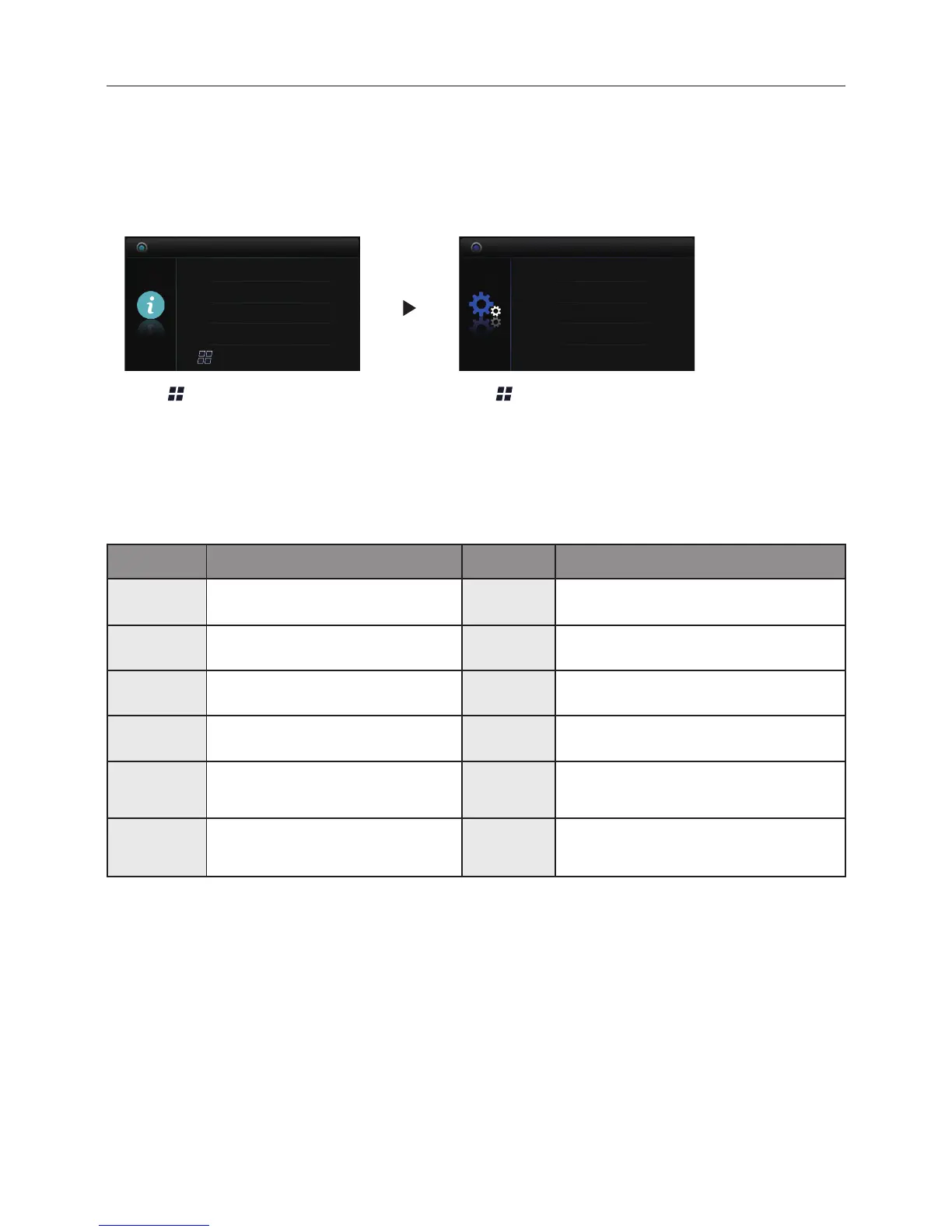
Press Menu button on About
page.
Press
Menu
button to confirm.
12.2 Restore to Default
The restore to default function allows the user to recover the settings to factory setting.
Follow the steps:
H/W : a1.1
About
Addr : 00.00
Video STD: AUTO
Restore
S/W : 00.01.00
A Monitor can be assigned as Guard Unit Monitor; when the Guard Unit Monitor
answers the call, conversation with the guard person is started..
The code number of 8004 is used to set the monitor as a guard unit monitor and 8005 is
used to cancel this function.
12.4 How to set the monitor as a Guard Monitor
12.3 The setting items and codes
Code Setting Item Code Setting Item
2412 Reset To Default Setting 8010-8011 Unlock Mode:Close/Open
2499 Restore Factory Settings 8016-8017 Bypass Enable/Disable
8000 Master Monitor 8018-8020 Video Display Standard
8001~8003 Slave Monitor 8201-8209 Unlock Time
8004-8005 Guard Unit / Not Guard Unit 9004-9005
Door Station Use Unied
/Independent ringtones
8006-8007
Setting Slave Monitor Panel
On/Off
9015-9016 Enable/Disable Intercom Call


 To Next Page