-4-
Inner Call: If multi Monitors are installed in the same apartment, select Inner Call,
all the other Monitors will ring at the same time, whichever Monitor answers the call,
conversation is started, and the other monitors will stop ringing at the same time.(note:the
DIP switches setting of all monitors must be same. )
Call Guard Unit: A Monitor can be assigned as Guard Unit Monitor; when the Guard
Unit Monitor answers the call, conversation with the guard person is started.
6. Intercom Function
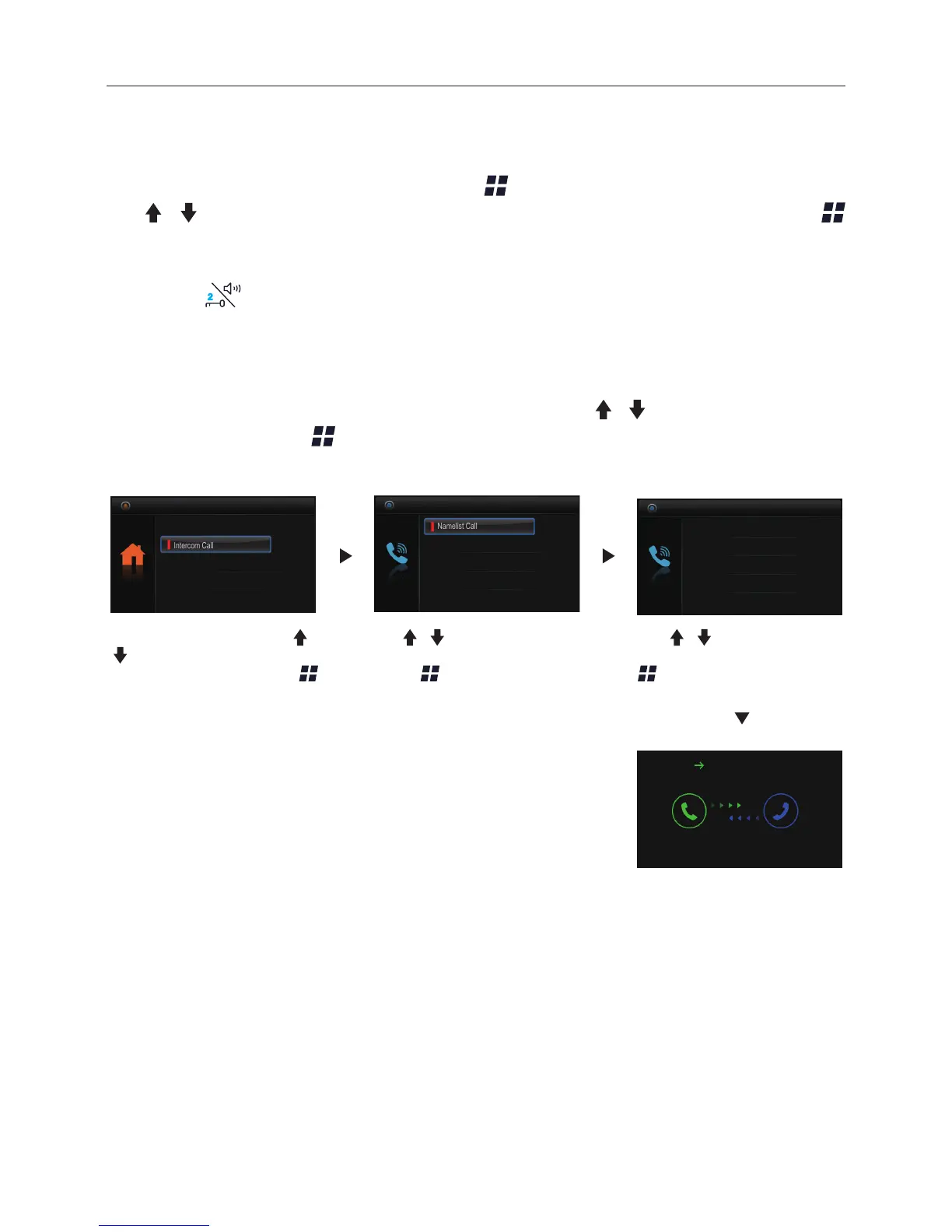
When the monitor is in standby mode, press Menu button to enter main menu page.
Use / button to move upward / downward to select Intercom Call item, press
Menu button to enter the select intercom page, you have 3 items to select.
*Note: Press Call button/Unlock 2nd button on panel in standby mode to enter the select
intercom page in shortcut.
Pick up handset, or use /
button to selete Intercom
Call item, then press
Menu button to conrm.
Use / button to selete
Namelist Call item,then
press Menu button to
conrm.
Use / button to selete
the item you want, then press
Menu button to call.
Calling.
Namelist Call
Select Intercom
Inner Call
Call Guard Unit
[01]
Namelist Call
[03]
[04]
[02]
[01]
Namelist Call: User in one apartment can call other apartments in the system. the
namelist will be created automatically by the system. Use / button to selete a name
on the screen then press Menu button to call.(Note:1. Press "MENU" button again to
redial. 2.The DIP switches code of the monitors are not the same.)
Monitor By Select
Main Menu
Playback
Don’t Disturb
Intercom Call


 To Next Page