-11-
1. Total 4 screen modes can be selected in sequence:
Contrast, Bright, Color
and
Volume.
2. The
Bright
and
Color
item is for the image quality
setting, adjust the value to get the best image you
like.
3. The
Volume
items are ring tone and talking
volume adjustment.
14. Screen and Volume Adjustment
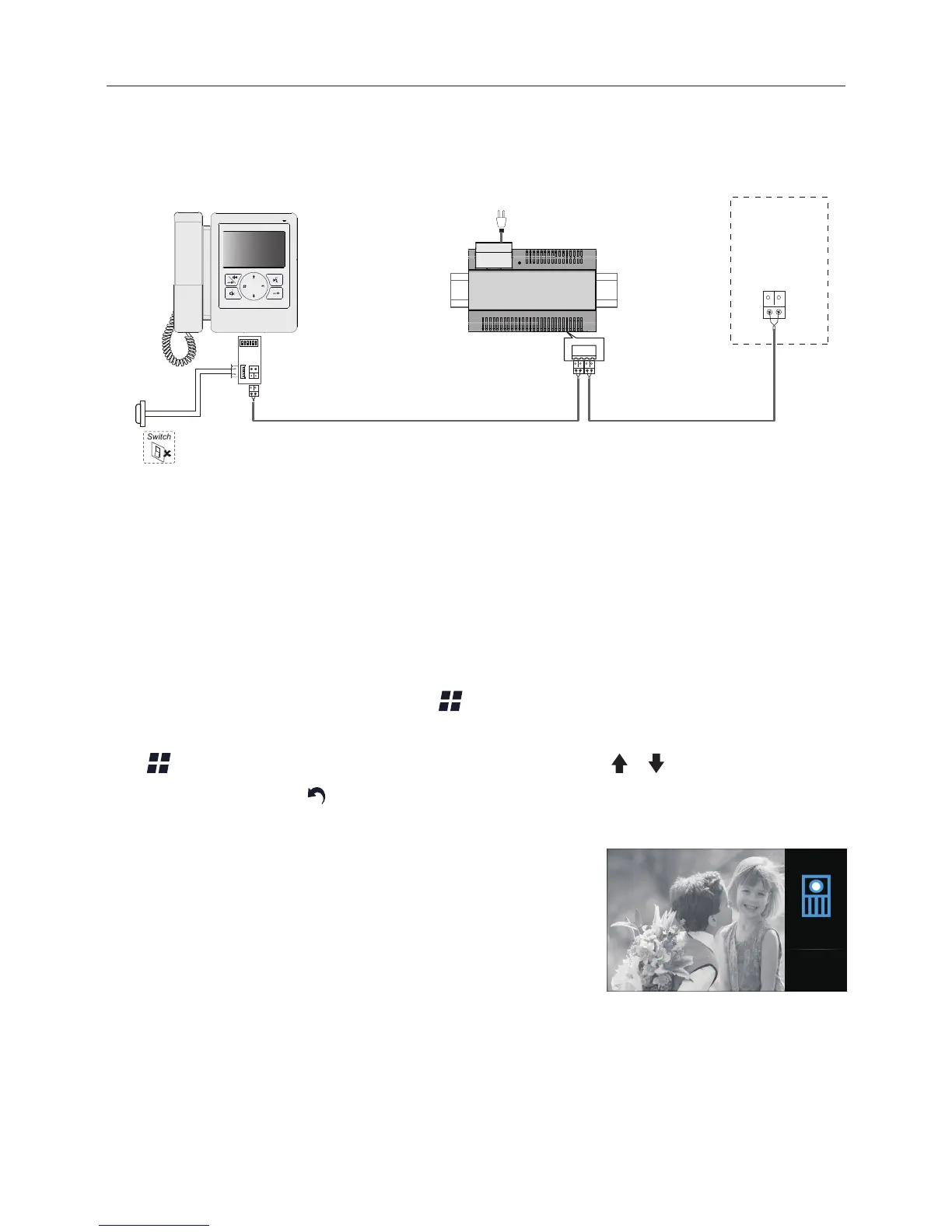
During monitoring or talking, press Menu button, the
ADJUST MENU
will be
displayed.
Use Menu button to select the adjustment item; use / button to decrease /
increase the value,
press
Return
button to quit the adjust page
.
Bright: 5
13. Basic Connection
door
station
BUS(IM) BUS(DS)
PC6A
AC~
Doorbell Button


 To Next Page