2 EASY
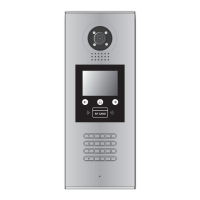
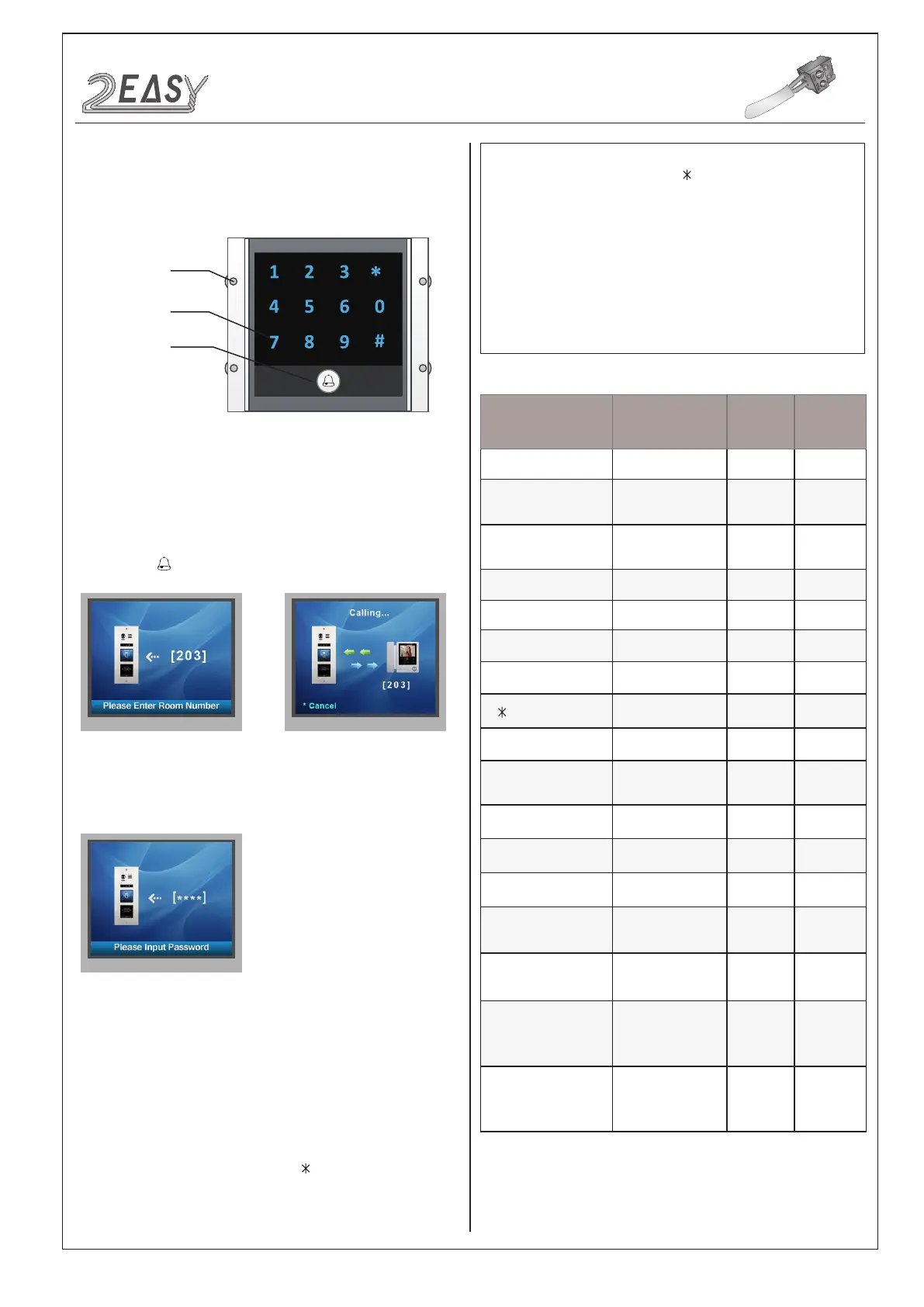
3) Keypad Module:
Input room number directly, the screen will be showed the room
number,press
to start calling.
Input password +”#” to unlock the door.
This section explains the settings of each function, please refer to the
following table:
About the setting mode:
Input the master code to switch to the setting mode, and input the cor-
responding setting code to perform the settings for the function you
want. After settings have been made, input the following setting codes
to continue the setting operation. Press "
" to exit the setting mode.
Touch sensor
keypad
Call button
Parts and functions
Keypad operation with TFT module
• Call Residents
• Password Unlocking
• Parameters Setting
• The example is set
as cancel button and # as
conrm button,please refer to */# function setting
for detail information.
• Forbid to slide to touch the digital keypad,it may
cause mistaken key,the correct operation is using
your nger to press the digital you desired.
• You should press“conrm”button after nish input-
ting the code number each time,otherwise,the
operation will be cancelled automatically in 10s.
Setting items Setting range Default
value
Setting
code
Reset all settings 1,2,3,4
-
00
Setting the master code
1 ~ 12 digits
Valid keys:0 ~ 9
1234 01
Setting the key
illumination time
10 to 99 seconds/
continually lit
10 seconds 02
Setting the unlock time 01 to 99 seconds 1 seconds 03
Setting the unlock mode 0:opened/1:closed opened 04
Operation tone settings 0,1,2 on 05
Reset code settings 1,2,3,4 - 06
&# function settings 0:Normal/1:Reverse Normal 07
Call tone settings 0:Enable/1:Disable Enable 08
Interference resistant
grade settings
Valid keys:0 ~ 5 2 09
SPK Adjustment Valid keys:0~9 5 11
Night light level Valid keys:0 ~ 5 4 13
Reserve Reserve Reserve 14~17
Setting the code
forTemporary1
1 ~ 12 digits
Valid keys:0~9
- 18
Setting the code
forTemporary2
1 ~ 12 digits
Valid keys:0~9
- 19
Setting the code for
user group1
1 ~ 12 digits
Number of codes:40
Valid keys:0~9
- 20~59
Setting the code for
user group2
1 ~ 12 digits
Number of codes:40
Valid keys:0~9
- 60~99
Mounting
screw
DT System Test Manual-6-


 To Next Page
 Loading...