
 Need help?
Do you have a question about the V.TOP AVC05 and is the answer not in the manual?
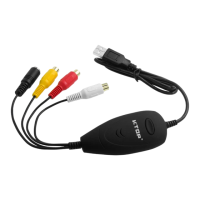
Illustrates how to connect video sources (Composite/S-Video) to the AVC05 AV Cable.
Describes inserting the disk, running setup.exe, and proceeding through the InstallShield Wizard.
Explains how to confirm successful driver installation using the Device Manager.
Guides through selecting language, entering license key, and completing the ArcSoft ShowBiz installation.
Details setting source to "USB2.0 VIDBOX FW", video input, and audio device.
Explains adjusting video standard and aspect ratio for optimal capture quality.
Guides through extracting the pkg file, accepting terms, and inputting user credentials for installation.
Describes checking the System Report under USB to confirm the "USB VIDBOX FW Audio" is recognized.
Covers selecting the digitizer, previewing video, and setting up snapshot parameters.
Details configuring video/audio inputs and starting the recording process.
Addresses common issues like failing to install software or not getting a video signal.
Covers device compatibility and potential audio problems like noise or mono input.
 General
| Model | AVC05 |
|---|---|
| Category | PCI Card |
| Type | Video Capture Card |
| Interface | PCI |
| Video Capture | Yes |
| Audio Capture | Yes |
| Maximum Resolution | 720x480 (NTSC), 720x576 (PAL) |
| Input Connectors | Composite, S-Video |
| Supported Video Standards | NTSC, PAL |
| System Requirements | Windows XP |
| Included Software | Capture software included |

 To Next Page