ENGLISH
32
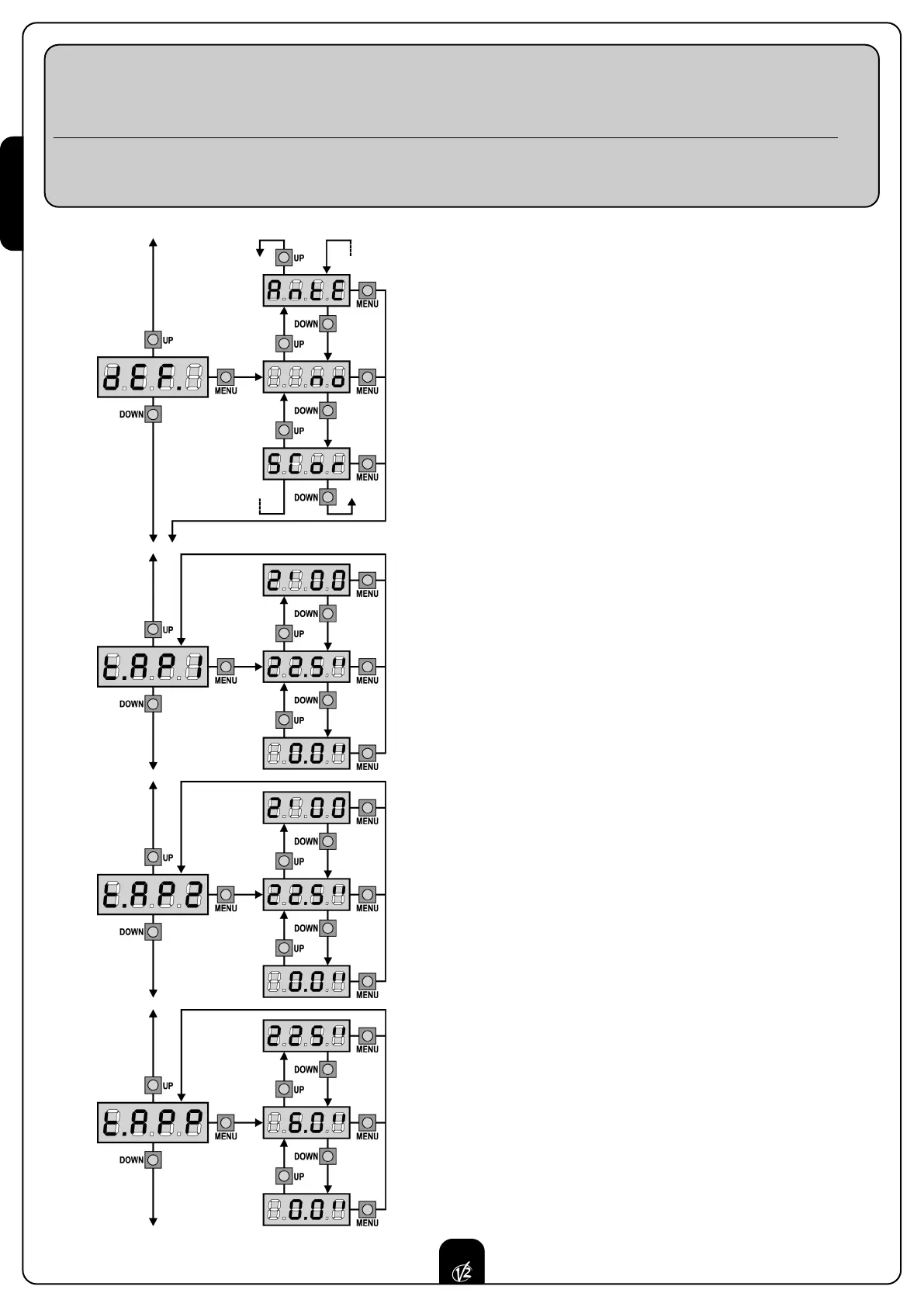
Default value loading
The value of all menu items can be brought to a standard value (see
final recap table) by means of only one command. There are two sets of
v
alues available:
AntE Values for a two-leaf gate equipped with a lock.
SCor Values for a one-leaf sliding gate without lock.
After loading default values, the other menu items can be scrolled and
each parameter can be changed; exit from default menu will cause the
automatic selection of the next item.
Leaf 1 opening time
Motor 1 will be operated for the setup time in the opening phase;
in case there is an obstacle or the end of stroke operates, the control
unit can stop the opening phase before the relevant time expires.
Leaf 2 opening time
Motor 2 will be operated for the setup time in the opening phase;
In case there is an obstacle or the end of stroke operates, the control
unit can stop the opening phase before the relevant time expires.
WARNING: if motor 2 is not connected, this time must be set to
zero; in this circumstance, the control unit will not consider all
configurations of motor 2 and door phase difference times as well.
Partial opening time (pedestrian access)
When the control unit receives a Start Pedestrian command, it will open
leaf 1 only, for a shorter time. Max allowed time to be setup is t.AP1.
C
ONTROL UNIT CONFIGURATION
This paragraph concerns the step-by-step procedure to set all operation parameters of CITY1 control unit. You can either
follow all procedure steps and perform a complete control unit configuration or select and adjust interesting items only.
As for both cases, you will have to perform the right exit procedure through item
FinE, in order to activate your new configuration.
C
ITY1 control unit provides for a self-learning procedure of working times; therefore, we recommend that you set up a standard
configuration first (see previous paragraph), then you carry out the self-learning and finally you change any unsatisfactory items.


 To Next Page