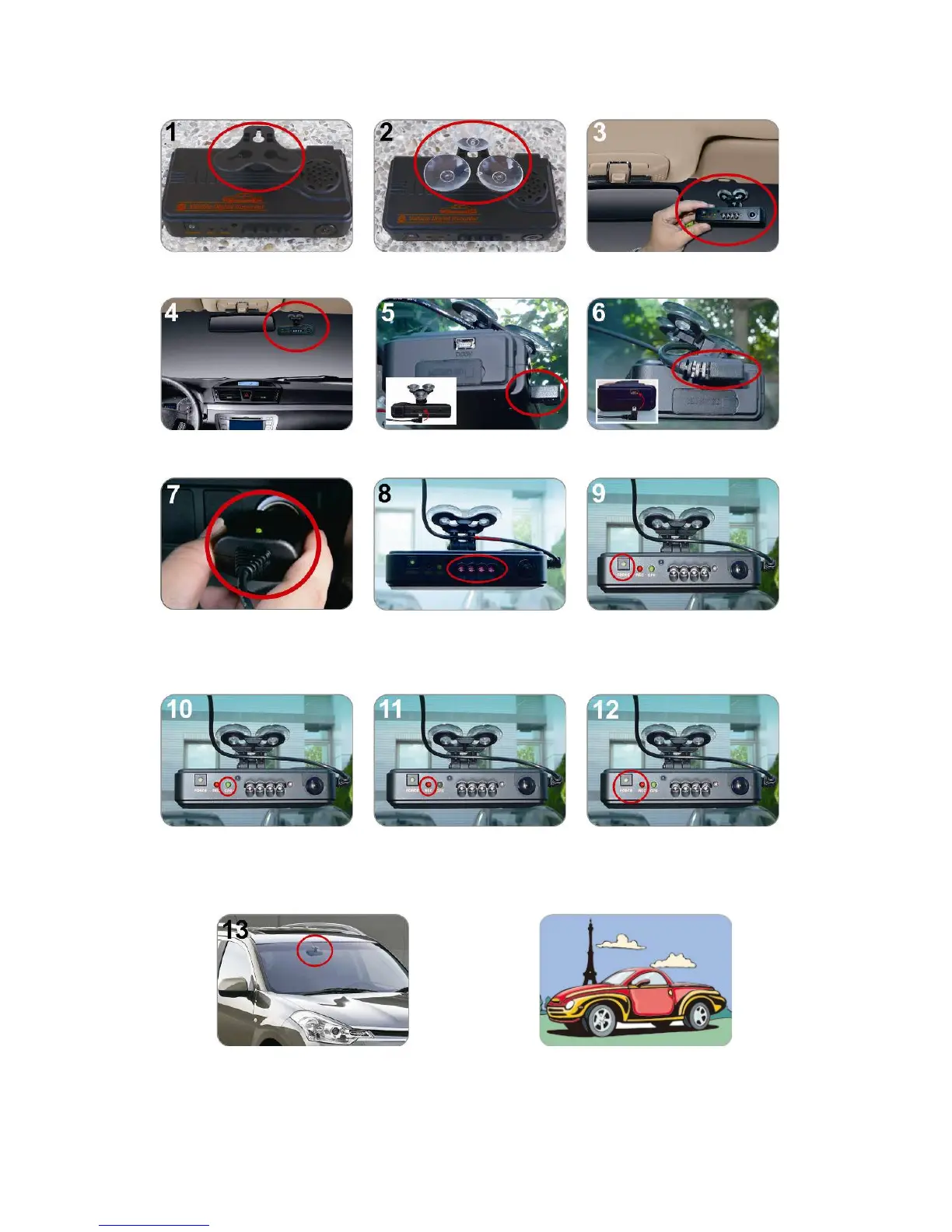
Make the bracket facing
upward.
Assemble the suction cups. Set up the machine in proper
position.
Adjust the viewing angle. Plug the power cable to socket on photo No. 5 or No. 6,
please do not plug in both sockets at the same time)
successfully connected, the
IR LED will light on for 10
sec.
Force Record button: Light
on when power is
connected successfully.
Green: flashing while GPS is
positioning, Light on when
GPS is ready.
recoding, Fast flashing in
emergency mode.
Force Record Button: When
press down, the red light will
flashing rapidly. In the night
its LED will light on as



 To Next Page