EasyManua.ls Logo

Vacron CDR-E07 - 3 G Remote Surveillance; System Login and Configuration

Vacron CDR-E07
40 pages
Print Icon
To Next Page IconTo Next Page
To Previous Page IconTo Previous Page
Loading...
25
L. 3G Client Remote Surveillance (optional)
1. Log In
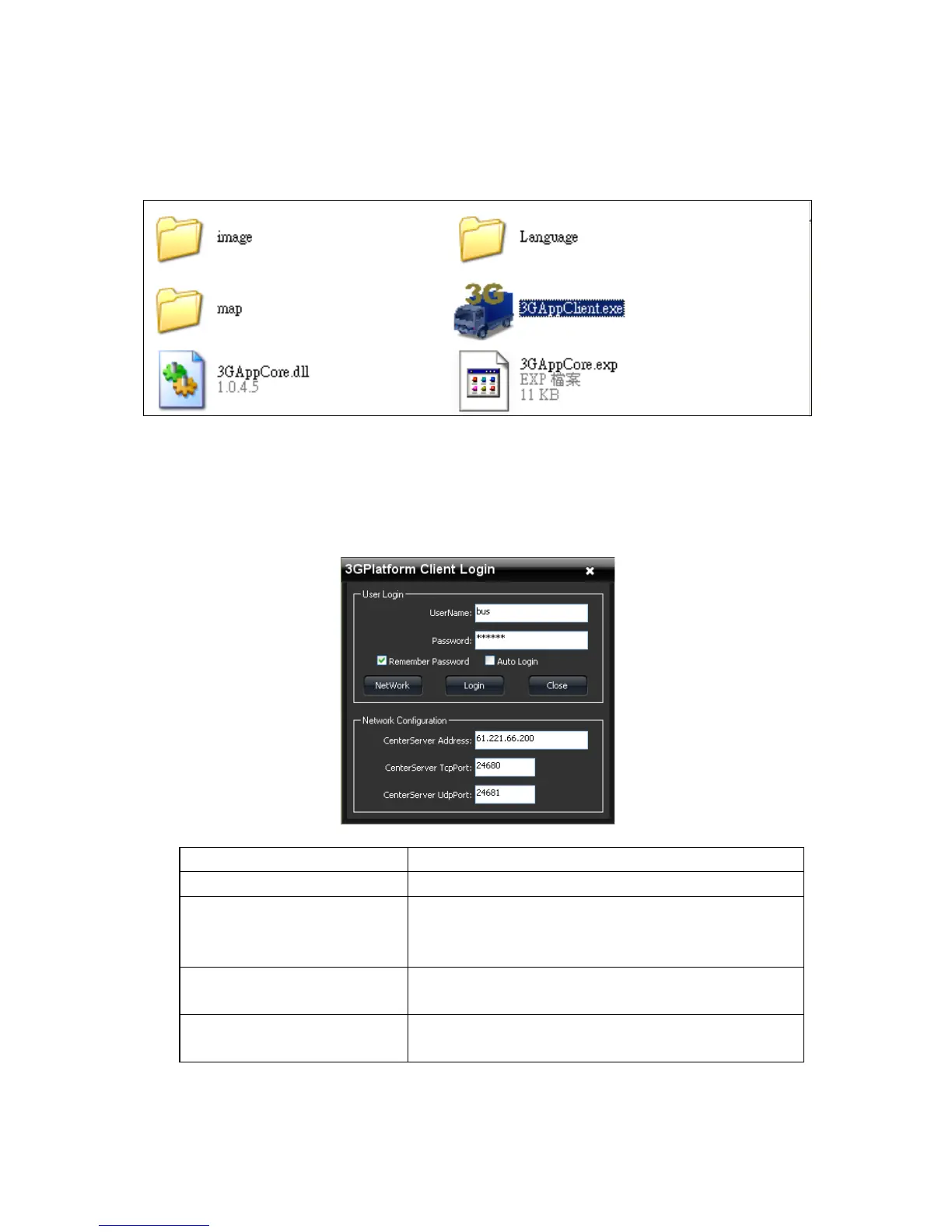
Please execute 3GClientApp.exe and log in.
Log in page shown as below figure, key in the user account and
password to log in the system.
Notice: The version of executed software must be installed DirectX
9.0 or latter.
User Account
User Account
Password
User Password
Central Server IP
Server IP setting on the local device
Default setting is Taipei Server
IP:61.221.66.200
Central Server TCP
Port
Server TCP Port(Default Setting:24680)
Central Server UDP
Port
Server UDP Port(Default Setting:24681)

Other manuals for Vacron CDR-E07

Related product manuals