23
K. Restoring Memory Card
When you have backup the recorded files into PC and want to use the
Micro SD card for other purposes, you have to restore it first so it can
be used correctly.
Notice:
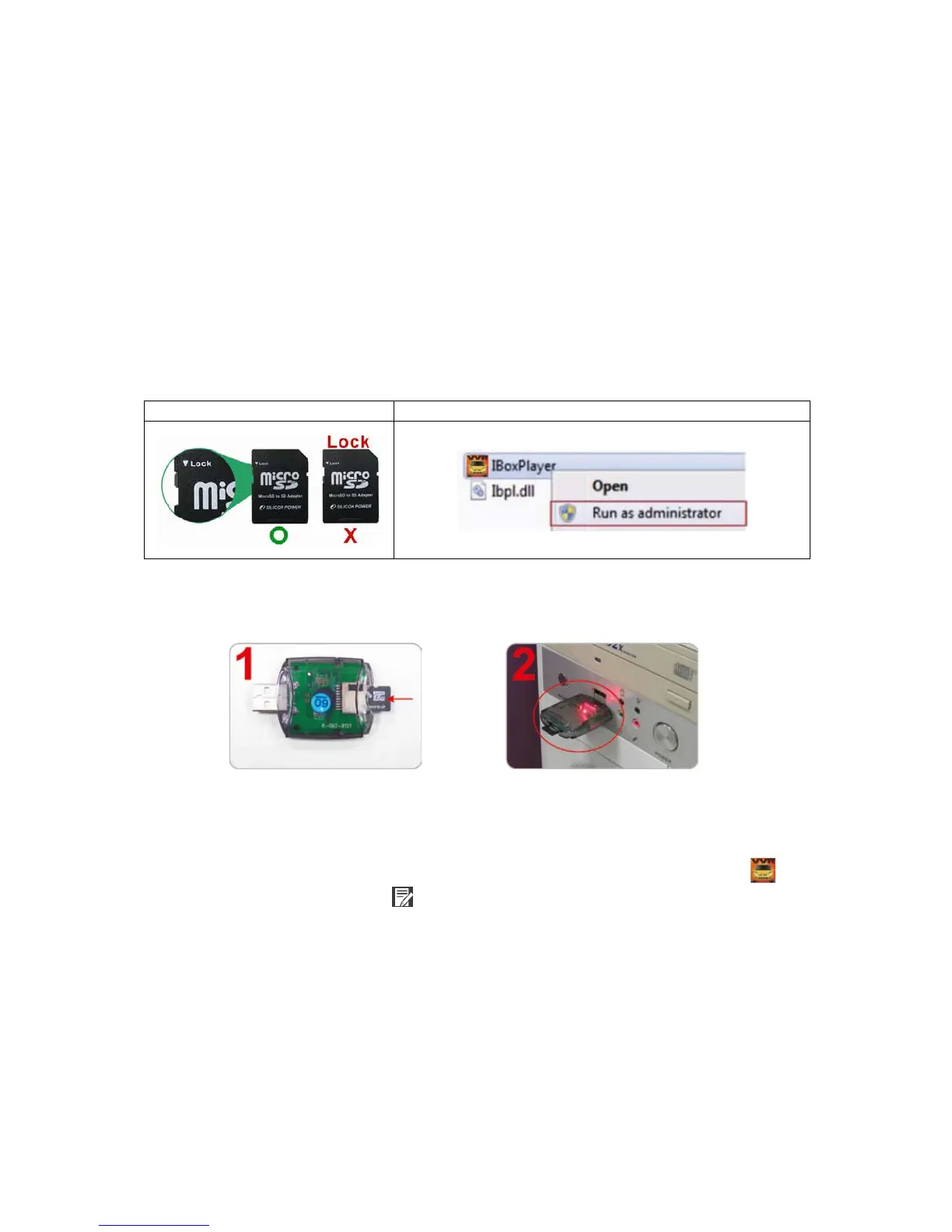
1. Before formatting Micro SD card, please ensure to unlock it first.
2. If the card is unlocked but still cannot be formatted, this might be
caused by Window Vista / 7 security restrictions. Please run the
program as Administrator to prevent from this problem.
with the PC
3. Insert the CD in your PC and open the directory Find and run
program and click on “Format Micro SD Card”.
4. Click on『Restore』to restore the Micro SD card. Please see the
following steps as reference. After finished, you can use the
memory card for other purposes.



 To Next Page