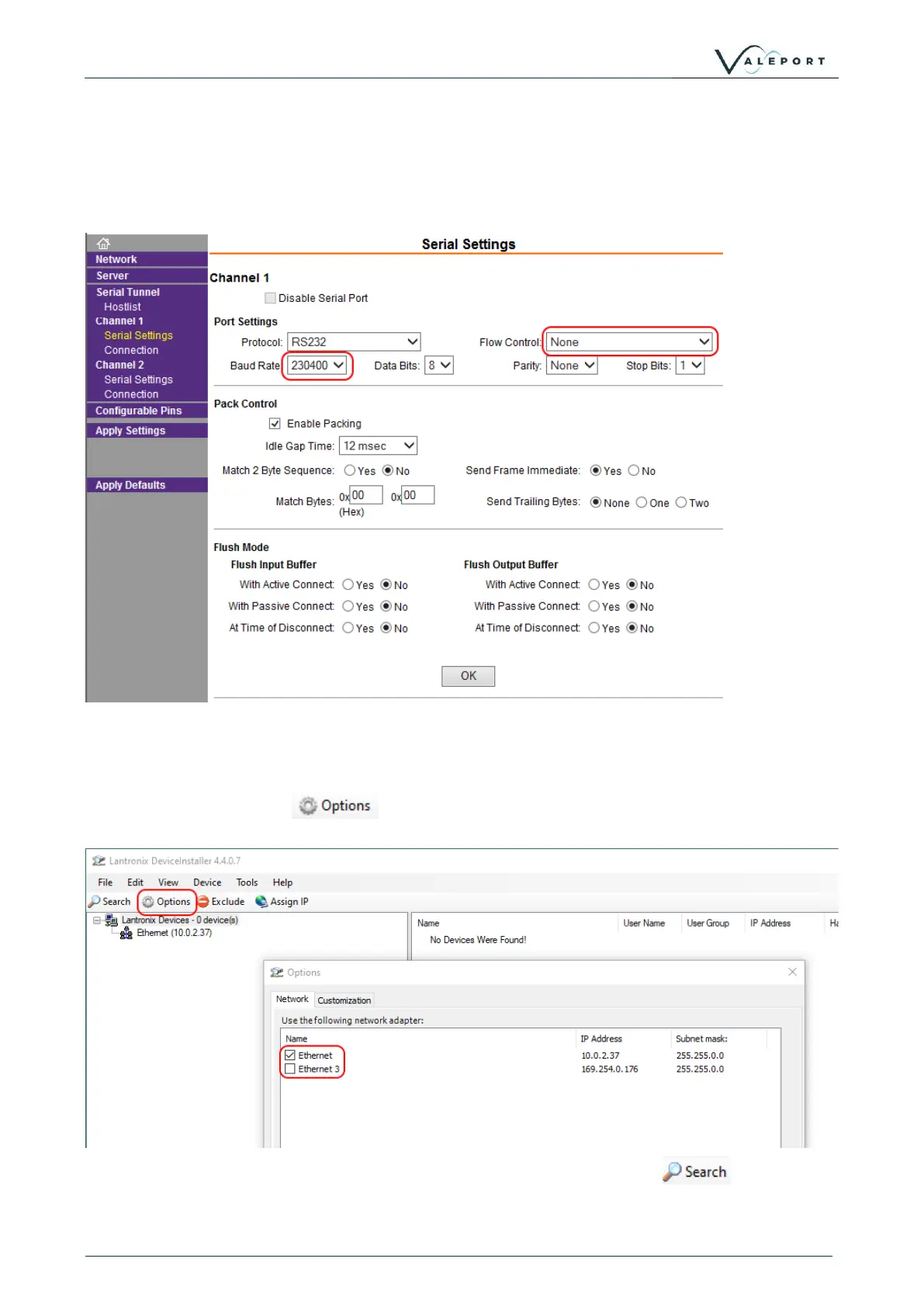
Select: Serial Settings
Baud Rate on Channel 1: 230400
Flow Control: None
Click on: Apply Settings
Perform a new search after the settings have been applied to ensure they have been saved.
4.2.1.1 If No Lantronix Devices are Found
If no Lantronix devices are found, this can happen if you are using an Ethernet to Serial converter,
click on the Options button: and check that you have the correct network adaptor
selected.
Once a new network adaptor has been selected, click on the Search button: to locate and
interface to the uvSVXe.



 To Next Page