uvSVX and uvSVXe Operating Manual: MANUAL-857569191-11 | issue 1.7
5 Setting Up the uvSVX
5.1 Start / Stop
When power is applied to the uvSVX, it will immediately begin to operate according to the settings
already programmed. The most basic level of Start / Stop control is, therefore, by switching power
on and off.
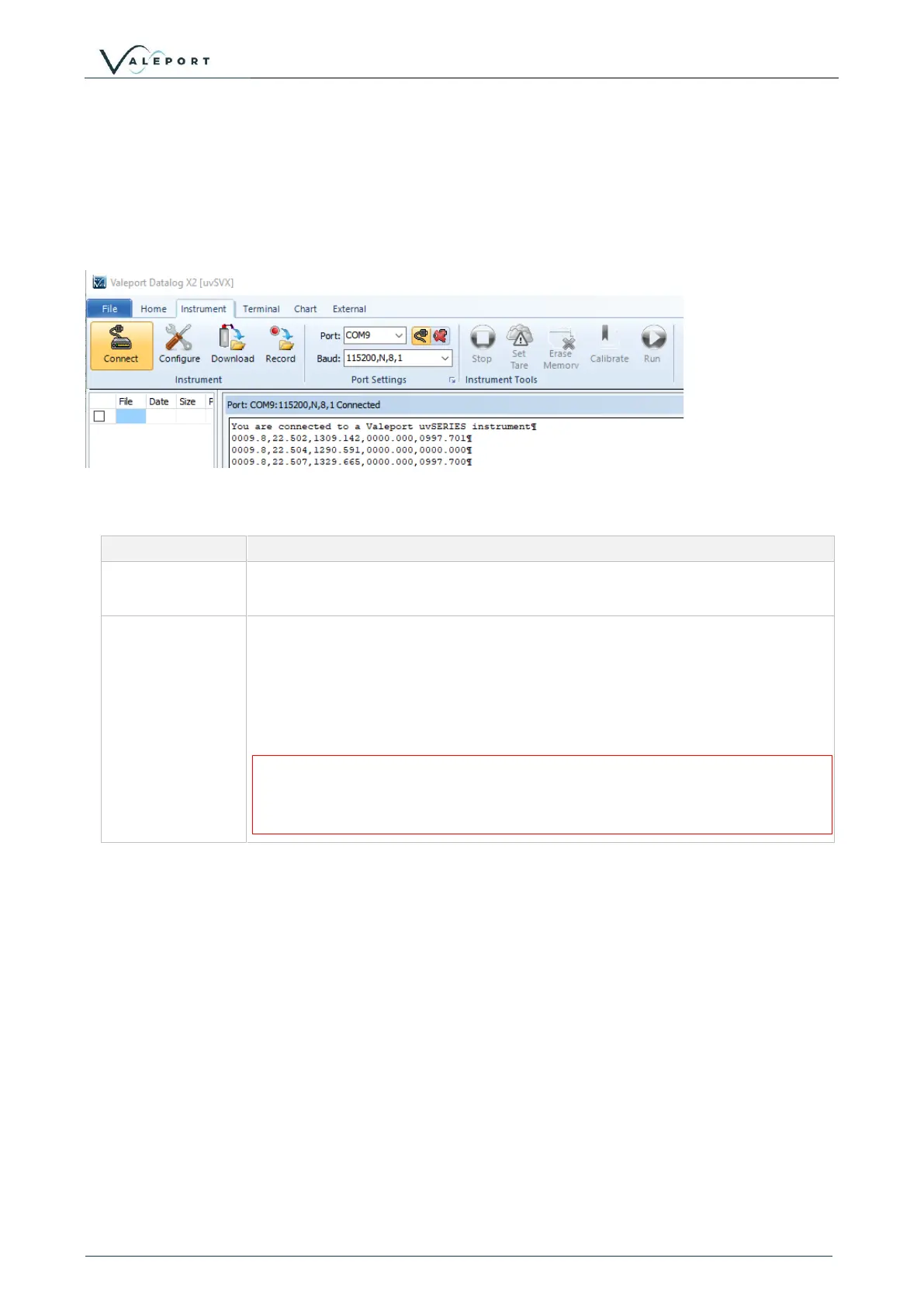
A Welcome message is transmitted, shown below in DataLog X2 followed by a data string:
To put the uvSVX into run mode:
Starts sampling in the mode set, or takes a single reading if unit is in “Single”
sampling mode.
When the instrument is running, the uvSVX may be put into set up mode at
any time by typing the ‘#’ character. The device will respond with a
command prompt ‘>’ and wait the next instruction.
When interrupted an error is often seen. This is generated due to the
<CR><LF> usually associated with the # and should not be interpreted as a
problem with the uvSVX
A “watchdog” function is in operation within the uvSVX
If the unit is interrupted with the ‘#’ character, and no further command is received
for a period of 5 minutes, the sensor will automatically begin sampling data using
the existing settings
5.1.1 Output Last Measured Reading
In order to read the last measured reading the command #015 can be used.
The data is output in the selected units and data telegram format.



 To Next Page