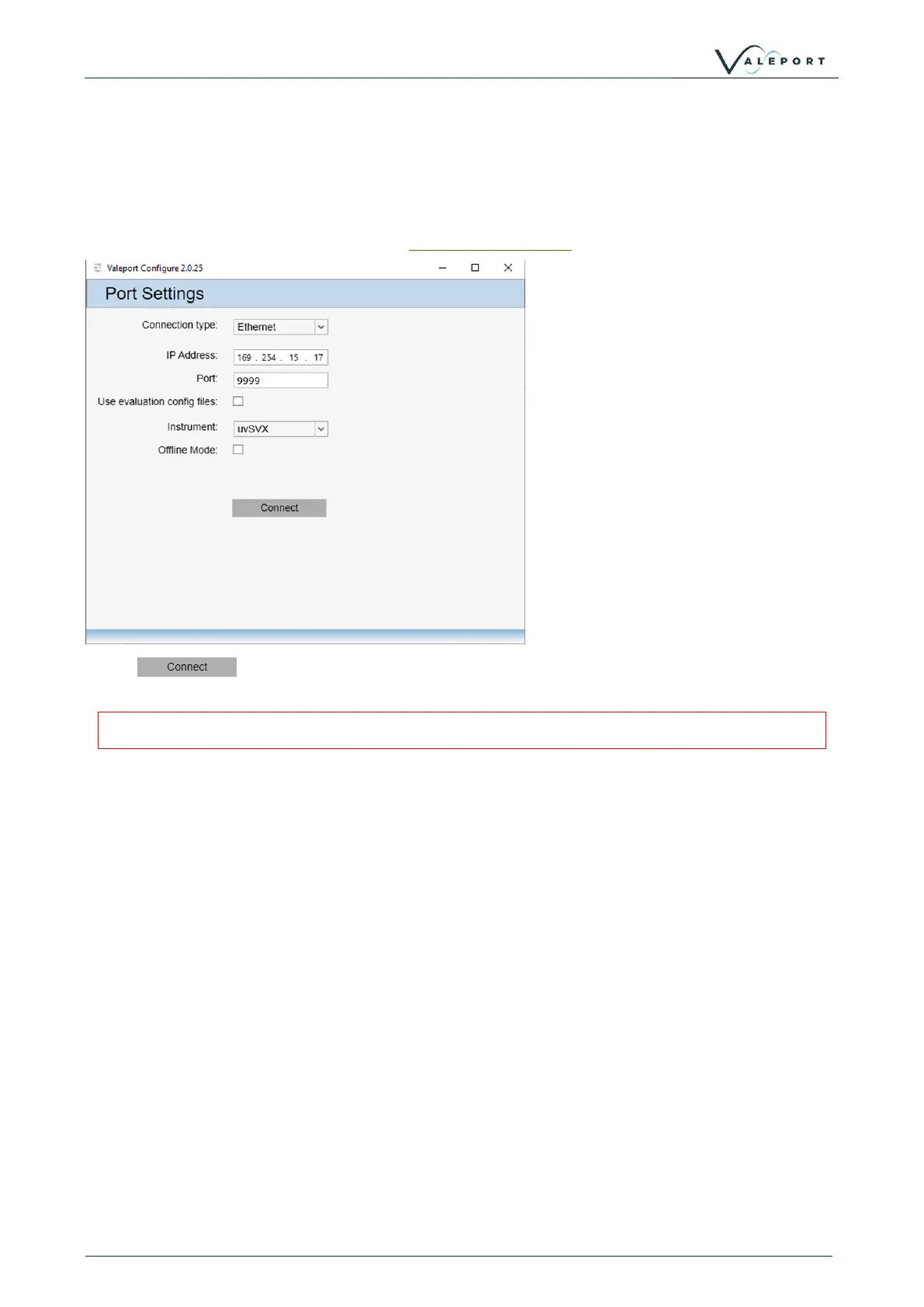
8.1.2 Interface to the uvSVXe – Ethernet
Use the provided Y lead to connect the uvSVXe to a PC ethernet port or a suitable COM port using
an ethernet to serial converter. You will also need to provide power.
Use the drop-down lists to select your IP Address and Port.
You can look up the IP Address and Port that the uvSVXe is configured with using the Landtronix
DeviceInstaller as described in section 4.2 Ethernet Connectivity
Click
the button.
recycling the power may cause the IP Address to be re-assigned



 To Next Page