8.1.2.1 Valeport Configure App Without an Instrument
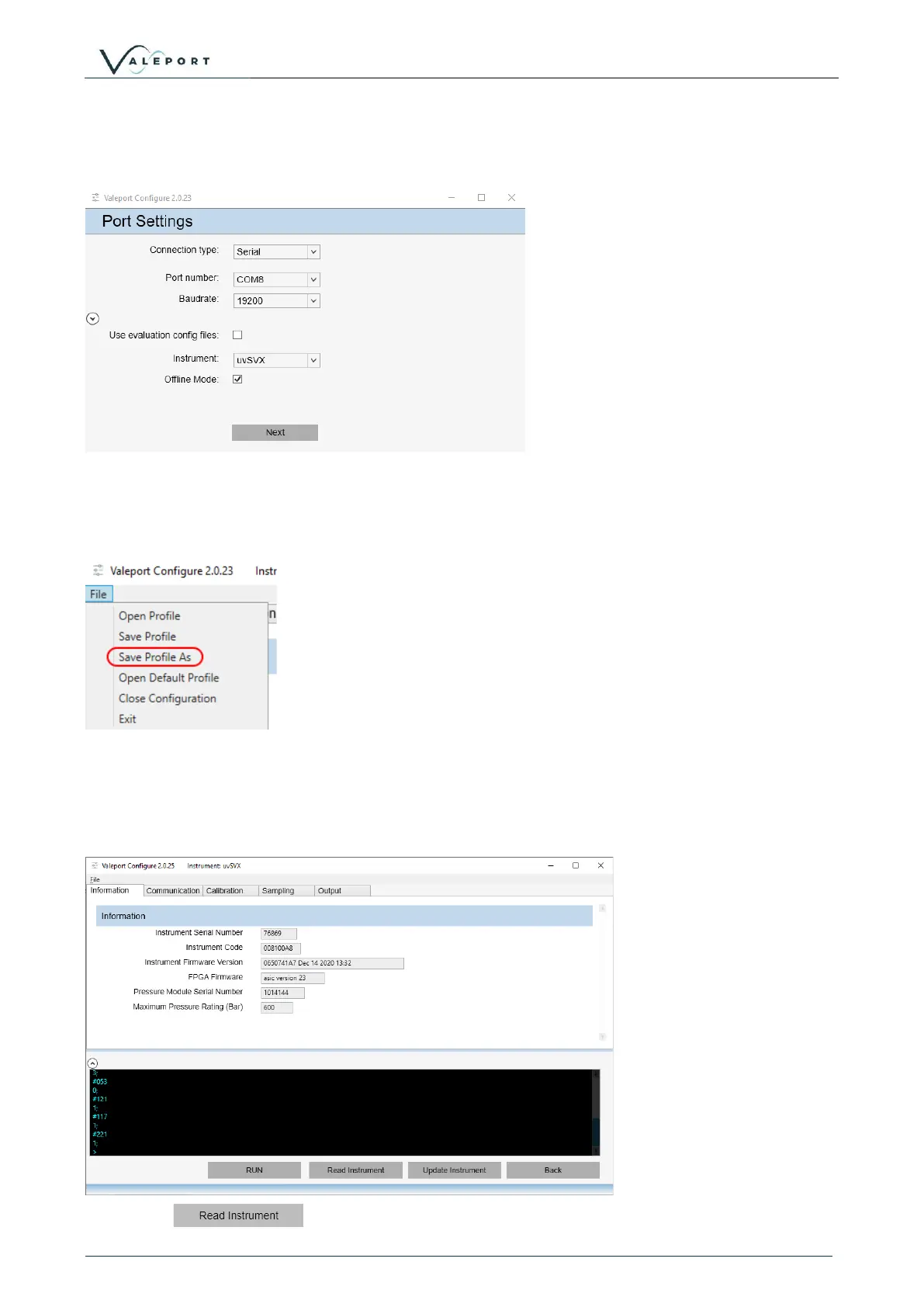
If you do not have an instrument or would like to setup a configuration file to load into another
instrument in preparation for a future deployment, select the tick box on the opening dialogue –
Offline Mode:
This will give you access to all the configuration options and allow you to store a configuration
profile (*.vps) file for later upload to an instrument.
Once you have prepared the Configure App configuration use the File menu to store the
configuration profile
8.1.3 Configure the Instrument
The Information Tab will open. It contains read only fields that will display relevant information on
the interfaced instrument
Press the
button to interrogate the instrument to upload all the current settings.



 To Next Page