22
Metal Detector VMH3CS – Operation Manual
© 2007 Vallon GmbH, D-72800 Eningen/Germany
5. When approaching the test piece to the search head
- the audio signal must increase.
- the vibration alarm must be perceptible.
- more and more illuminating diodes must be activated. Approx. 7 LEDs
must be illuminated when touching the center of search head.
6. Remove the test piece from the search head.
7. Turn off the Metal Detector.
Remarks:
For checking the compensation of the metal detector you can place the test
piece on the center of the search head.
In program „normal“ the strength of the audio signal is decreasing until it
disappears completely.
In program „mineral“ the strength of the audio signal remains unchanged and
disappears only after short pressing of button „C“ in the hand grip.
3.6 Checking the Battery Capacity Level
- Set the mode selector from OFF to „normal“ or „mineral“.
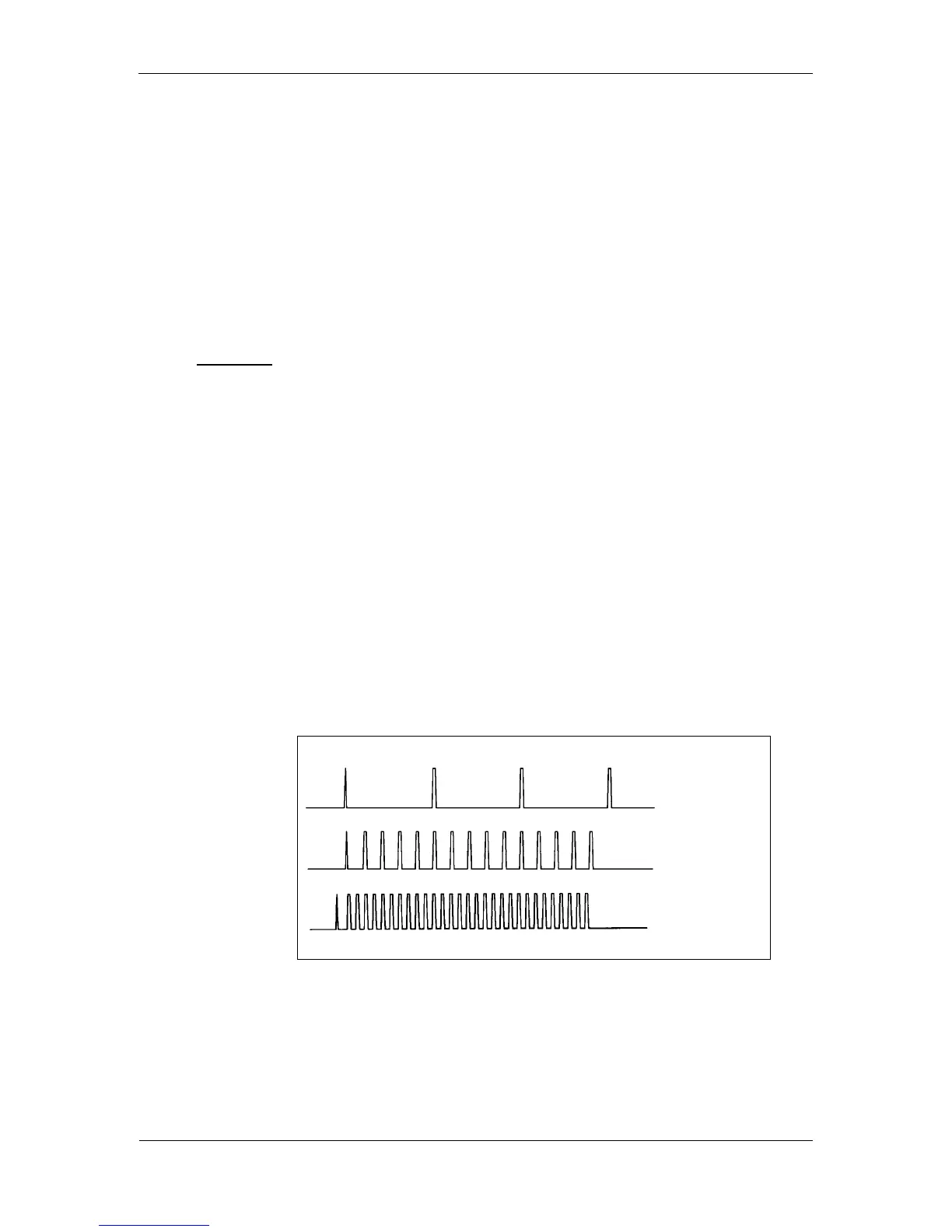
For approx. 5 seconds an interrupted audio signal respectively
vibrations are produced. The "faster" the signal, the fuller the batteries.
Fig. 3-7 Battery check signal
- Switch OFF the detector.
10%
Change
batteries.
50%
100%



 To Next Page