50
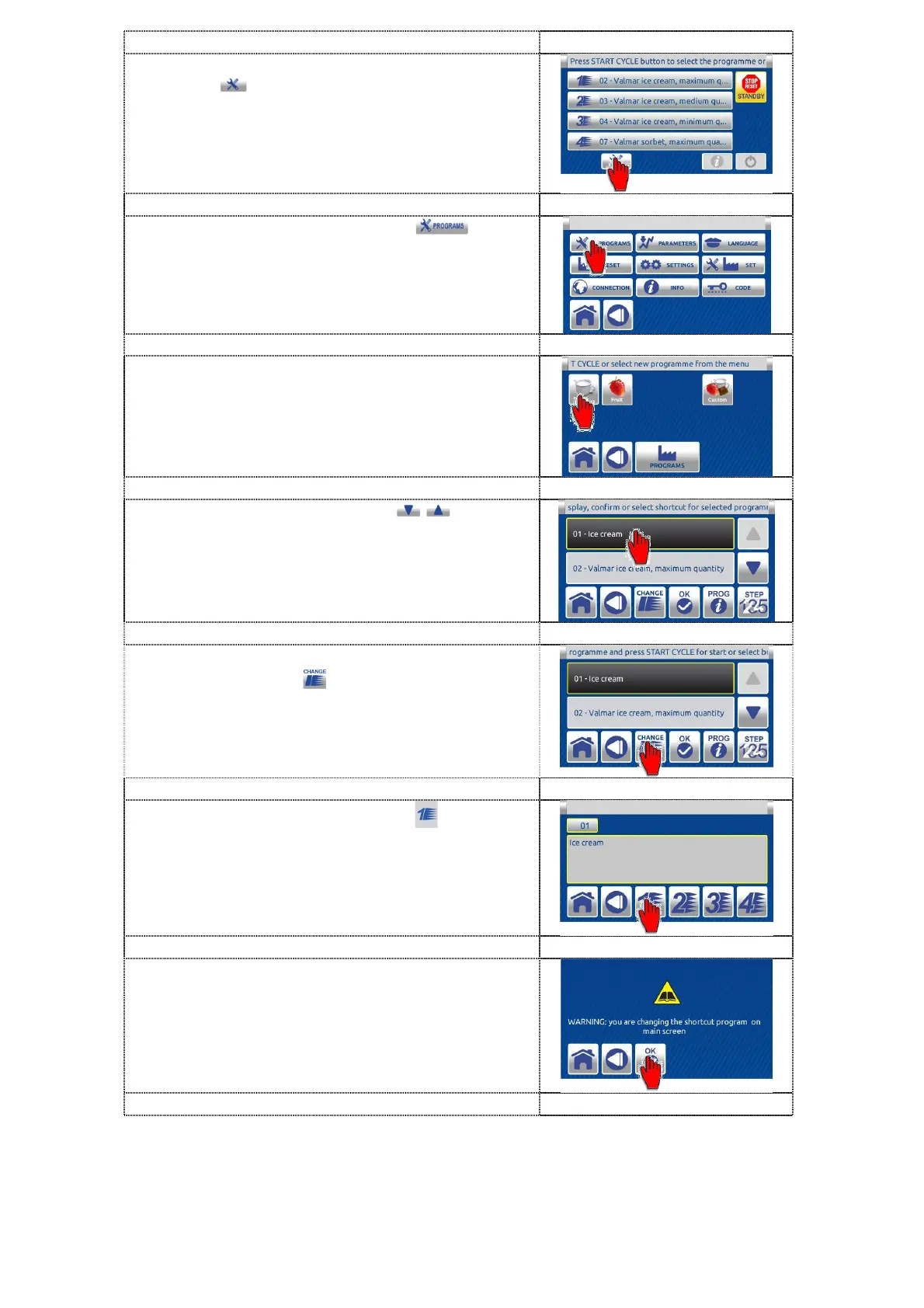
1. On inactive HOME screen press the TOOLS
button to enter in settings menu.
2. Press the PROGRAMS button to
enter the PROGRAM MENU.
T
ips: SHORTCUT to the program menu screen.
You can quickly enter the program menu by pressing
the START CYCLE button
3. Select one of the icons representing the
various menus to enter the list of available
programs.
4. Use the UP / DOWN arrows to scroll
the list of available programs.
Select the desired program by pressing the
relevant button (e.g. 01). When pressed, the
button changes color and becomes black.
5. After selecting the program, press the
CHANGE button to enter the following.
6. Press the shortcut button (e.g. ) to be
linked to the selected program.
7. First carefully read the text and then press
the OK button to confirm the changing.


 To Next Page