ProStar 210/215/ PrepStar 218/SD-1 SDM -12- 03-914947-20:5
Building a Method
Creating a New Method
The method contains parameters for instrument control, data
acquisition, chromatogram processing, and editing of final
results. To initially set up a method, it is not necessary to define
all of the sub-method sections; however, you must fill in the
instrument control section prior to starting an acquisition.
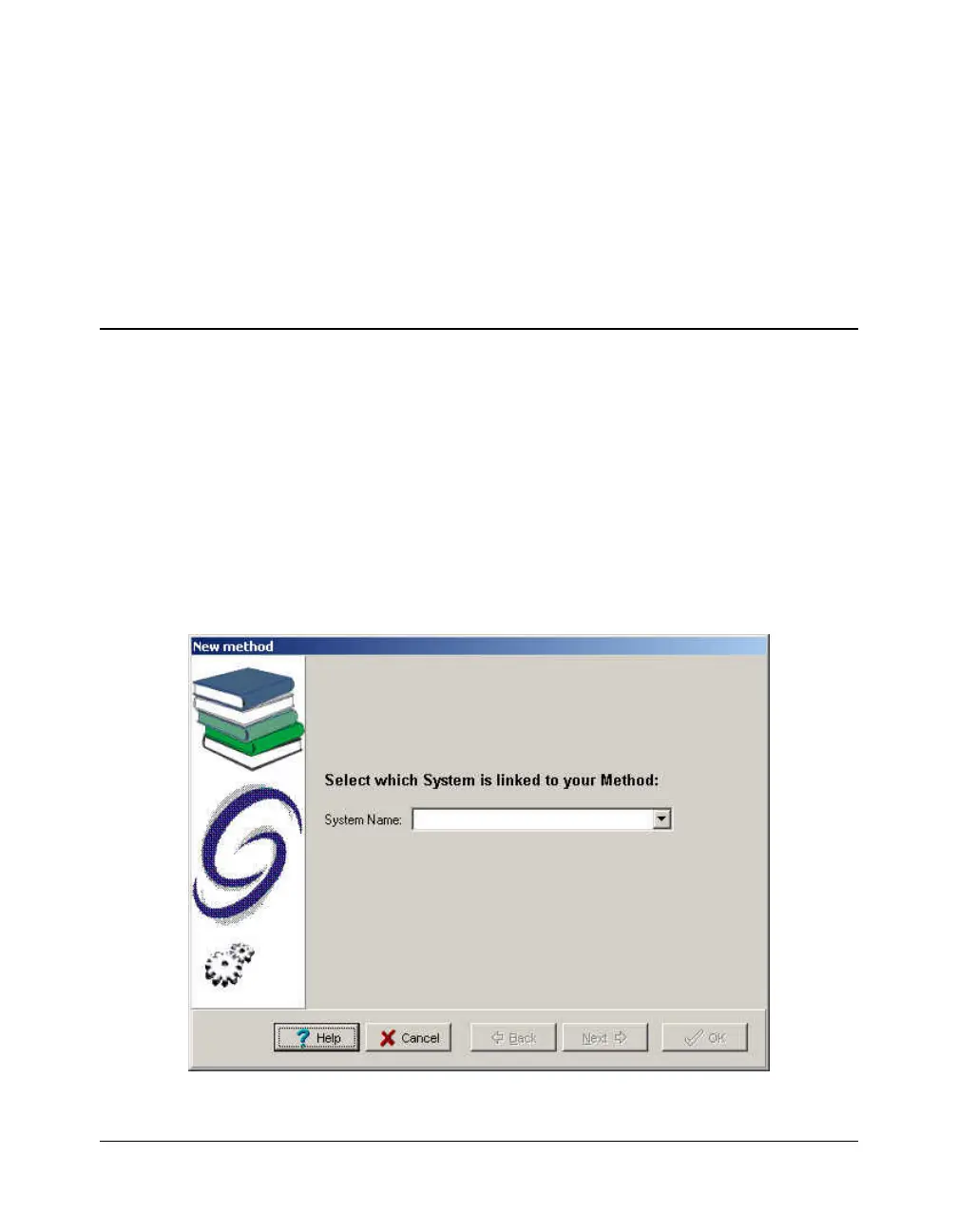
1. To create a new method, select the FILE / NEW METHOD
option from the Galaxie Chromatography Data System main
menu.
A wizard guide is displayed to provide assistance during the
first steps of method creation:
2. Choose the system (chromatograph) associated with the
method. A method is created for a particular system. When




 To Next Page