ProStar 210/215/ PrepStar 218/SD-1 SDM -24- 03-914947-20:5
number of lines (corresponding to the number of samples)
and the sequence name.
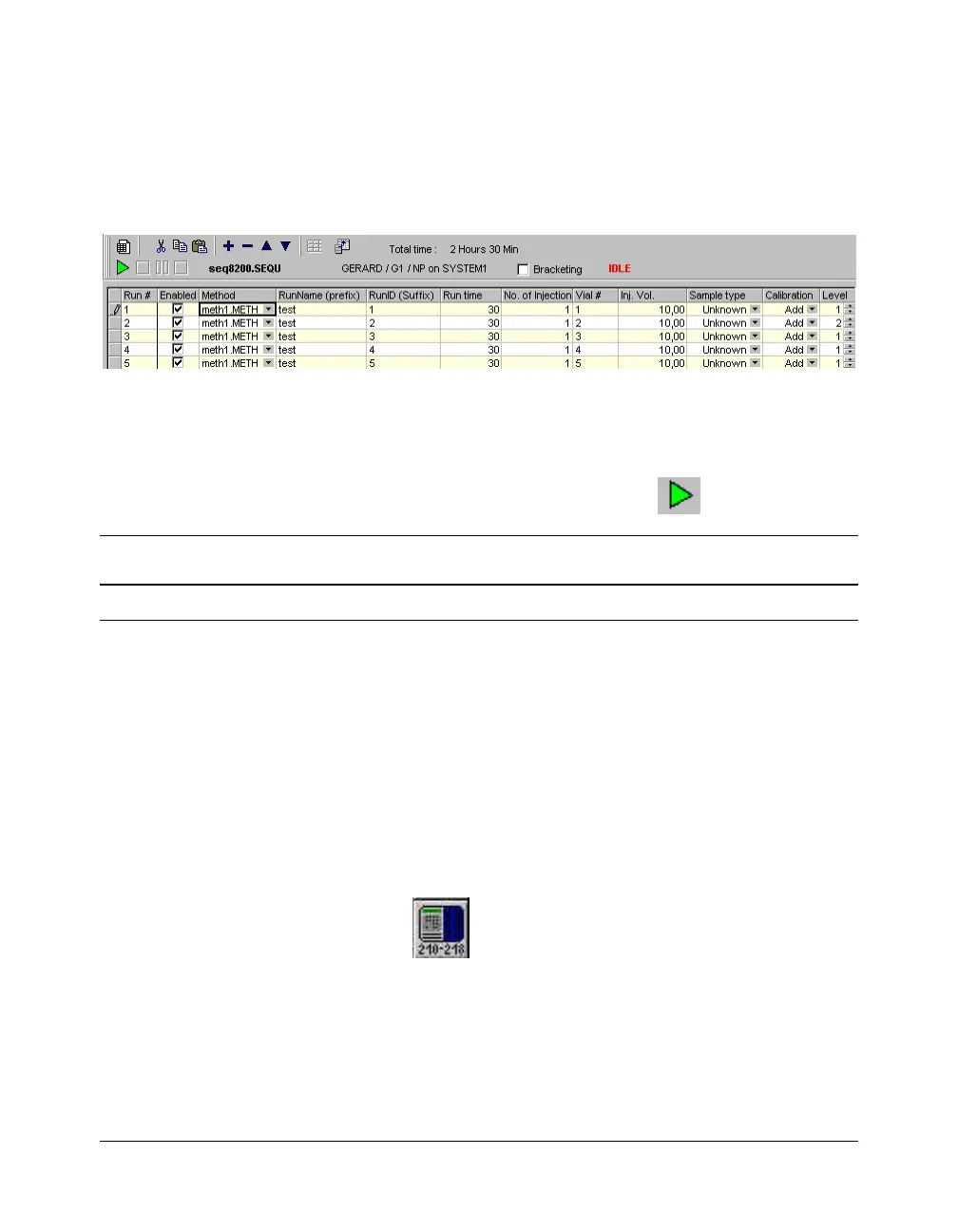
2. The sequence is displayed: complete the information
sequence columns (refer to Galaxie Chromatography Data
System User’s Guide).
The Method Name, the Run Name, the Run ID and the
Acquisition length must be filled in before starting the
analysis. All these fields are automatically imported from the
acquisition part if defined in the method.
3. Start the sequence by clicking on the
button.
NOTE: For more details about how to start an acquisition, refer to the Galaxie
Chromatography Data System User’s Guide.
Running Acquisition Status
Viewing a Running Acquisition
To view a running acquisition, click on the Systems tab then
select the running system. A window is activated which is
composed of two parts: the running chromatogram and the
status window where the driver modules are listed.
Status of the ProStar / PrepStar Pump
Click on the button corresponding to the ProStar /
PrepStar pump driver, and the pump status screens will appear.
It contains four sub-sections: Elution, Alarm, About and
Overview. Click on the required sub-section to display the
corresponding parameters that will be used during the
chromatographic run.




 To Next Page