ProStar 210/215/ PrepStar 218/SD-1 SDM -23- 03-914947-20:5
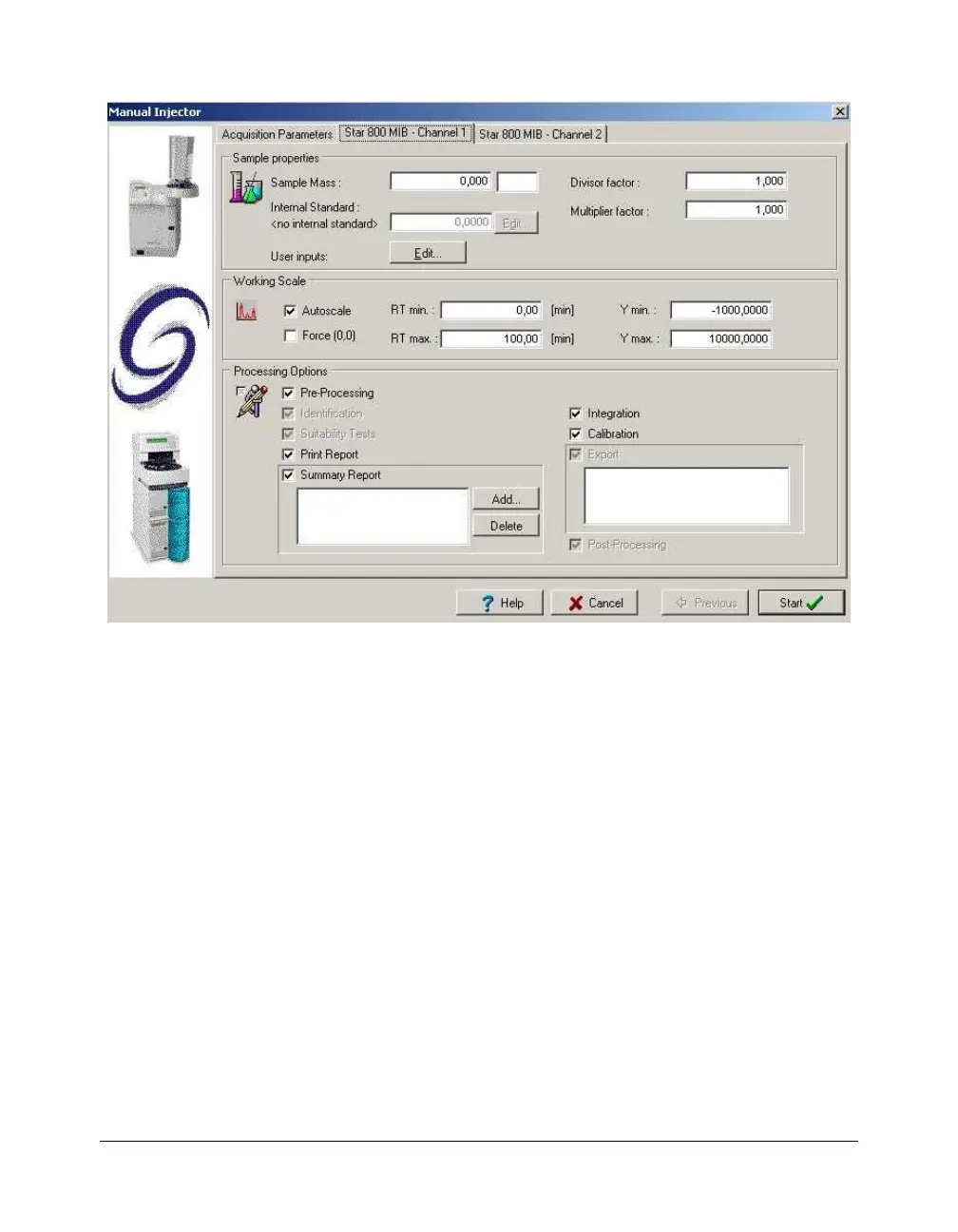
In the Acquisition parameters tab, required fields like the
Run Name, the Run ID and the Acquisition length must be
filled in before starting an analysis. If the system is equipped
with an autosampler controlled by the Galaxie
Chromatography Data System, the Injection Volume, the Vial
position and the Rack number (if required) must be entered.
Other parameters for each acquisition channel can be
entered in the Channel X tab.
Click on the Start button to start the acquisition if the system
is a single-injector system or click on the Next button if the
system is a multiple injector system. In a multiple injector
system, the same parameters as the ones entered for the
first injector must be entered before starting the acquisition.
Sequence
1. To create a sequence, select the FILE / NEW SEQUENCE
menu, complete the displayed creation wizard screen (refer
to Galaxie Chromatography Data System User’s Guide), by
entering the system name that will perform the analysis, the




 To Next Page