12
OPTIONS MENU
Use this section to make changes to the default settings for the current
Network. To access this Options menu you will need to be in a network
and in Game Mode.
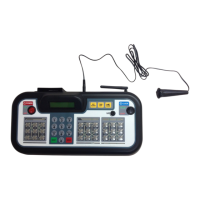
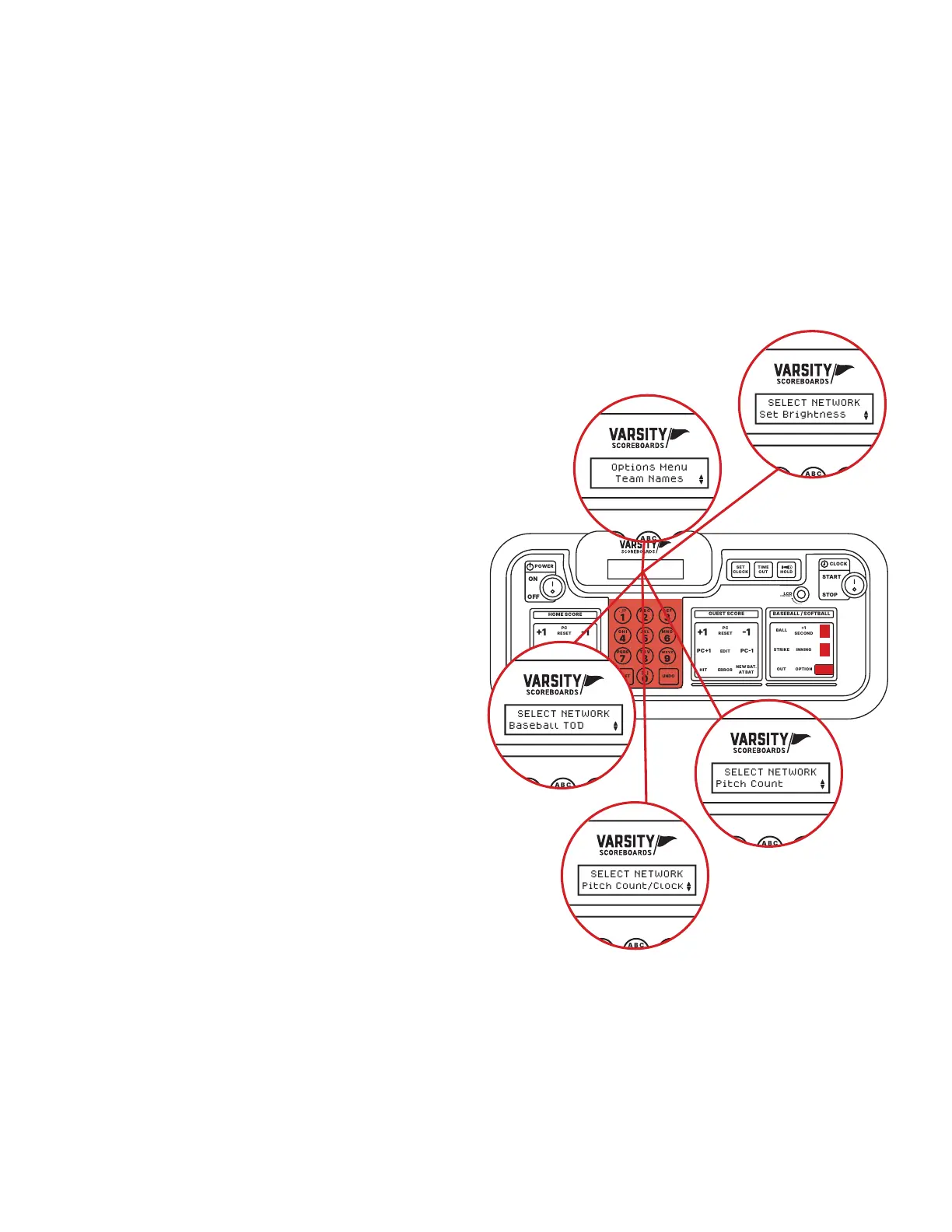
Press and hold the Option key to go the Options Menu.
Options are model specic.
BASEBALL/SOFTBALL OPTIONS
AND OPERATION
Team Names
Change the electronic team names
*
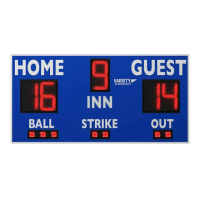
on the face of your baseball
scoreboard by using the key fob provided.
*Note: See electronic team names operation manual for further
instructions. Electronic team names are an option that can be
purchased at time of ordering.
Set Brightness
Change the brightness of your scoreboard’s digits.
Press Enter, then use the Up and Down keys to choose a specic
device or choose All Devices.
Once a selection is made, use the Up and Down arrow keys to
cycle between High, Medium, and Low brightness. Press Enter
to set the brightness.
Baseball TOD
This option allows you to turn the baseball time of day
*
off or
back on. Use the Up and Down arrow keys and then press
Enter to accept.
*Note: Refer to the scoreboard default section on page 10 for
directions on how to set time-of-day
Pitch Count
This option allows you to use the scoreboard’s At Bat and
H/E digits for pitch count displays. Press Enter to go into
this option and use the Up and Down arrow keys to select
between On and Off.
POWER
HOME SCORE
GUEST SCOREBASEBALL / SOFTBALL
ENTER
BALL
STRIKE INNING
EDIT
.,!? A B CD E F
G H I
RESETUNDO
J K LM N O
P Q R ST U V
_
W X Y Z
PC1PC1
1 1
ERRORHIT
OPTION
1
SECOND
PC
RESET
NEW BAT.
AT BAT
EDIT
PC1PC1
1 1
ERRORHIT
PC
RESET
NEW BAT.
AT BAT
OUT
ON
123
456
78
0
9
OFF
CLOCK
START
LCD
HOLD
TIME
OUT
SET
CLOCK
CONTRAST
STOP
POWER
HOME SCORE
GUEST SCOREBASEBALL / SOFTBALL
ENTER
BALL
STRIKE INNING
EDIT
.,!? A B CD E F
G H I
RESETUNDO
J K LM N O
P Q R ST U V
_
W X Y Z
PC1PC1
1 1
ERRORHIT
OPTION
1
SECOND
PC
RESET
NEW BAT.
AT BAT
EDIT
PC1PC1
1 1
ERRORHIT
PC
RESET
NEW BAT.
AT BAT
OUT
ON
123
456
78
0
9
OFF
CLOCK
START
LCD
HOLD
TIME
OUT
SET
CLOCK
CONTRAST
STOP
Options Menu
Team Names
POWER
HOME SCORE
GUEST SCORE BASEBALL / SOFTBALL
ENTER
BALL
STRIKE INNING
EDIT
.,!? A B CD E F
G H I
RESETUNDO
J K LM N O
P Q R ST U V
_
W X Y Z
PC1PC1
1 1
ERRORHIT
OPTION
1
SECOND
PC
RESET
NEW BAT.
AT BAT
EDIT
PC1PC1
1 1
ERRORHIT
PC
RESET
NEW BAT.
AT BAT
OUT
ON
123
456
78
0
9
OFF
CLOCK
START
LCD
HOLD
TIME
OUT
SET
CLOCK
CONTRAST
STOP
SELECT NETWORK
Set Brightness
POWER
HOME SCORE
GUEST SCORE BASEBALL / SOFTBALL
ENTER
BALL
STRIKE INNING
EDIT
.,!? A B CD E F
G H I
RESETUNDO
J K LM N O
P Q R ST U V
_
W X Y Z
PC1PC1
1 1
ERRORHIT
OPTION
1
SECOND
PC
RESET
NEW BAT.
AT BAT
EDIT
PC1PC1
1 1
ERRORHIT
PC
RESET
NEW BAT.
AT BAT
OUT
ON
123
456
78
0
9
OFF
CLOCK
START
LCD
HOLD
TIME
OUT
SET
CLOCK
CONTRAST
STOP
SELECT NETWORK
Baseball TOD
POWER
HOME SCORE
GUEST SCORE BASEBALL / SOFTBALL
ENTER
BALL
STRIKE INNING
EDIT
.,!? A B CD E F
G H I
RESETUNDO
J K LM N O
P Q R ST U V
_
W X Y Z
PC1PC1
1 1
ERRORHIT
OPTION
1
SECOND
PC
RESET
NEW BAT.
AT BAT
EDIT
PC1PC1
1 1
ERRORHIT
PC
RESET
NEW BAT.
AT BAT
OUT
ON
123
456
78
0
9
OFF
CLOCK
START
LCD
HOLD
TIME
OUT
SET
CLOCK
CONTRAST
STOP
SELECT NETWORK
Pitch Count
POWER
HOME SCORE
GUEST SCORE BASEBALL / SOFTBALL
ENTER
BALL
STRIKE INNING
EDIT
.,!? A B CD E F
G H I
RESETUNDO
J K LM N O
P Q R ST U V
_
W X Y Z
PC1PC1
1 1
ERRORHIT
OPTION
1
SECOND
PC
RESET
NEW BAT.
AT BAT
EDIT
PC1PC1
1 1
ERRORHIT
PC
RESET
NEW BAT.
AT BAT
OUT
ON
123
456
78
0
9
OFF
CLOCK
START
LCD
HOLD
TIME
OUT
SET
CLOCK
CONTRAST
STOP
SELECT NETWORK
Pitch Count/Clock
Pitch Count/Clock
This option allows you to choose between using your
scoreboard’s clock digits for the time or for a pitch count
display. Use the Up and Down arrow keys to select between
“Pitch Count” and “Clock”. Press Enter once you have made
your choice.


 To Next Page
 Loading...