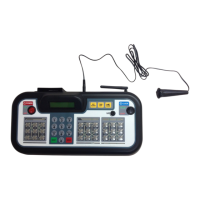
9
POWER
HOME SCORE
GUEST SCOREBASEBALL / SOFTBALL
ENTER
BALL
STRIKE INNING
EDIT
.,!? A B CD E F
G H I
RESETUNDO
J K LM N O
P Q R ST U V
_
W X Y Z
PC1PC1
1 1
ERRORHIT
OPTION
1
SECOND
PC
RESET
NEW BAT.
AT BAT
EDIT
PC1PC1
1 1
ERRORHIT
PC
RESET
NEW BAT.
AT BAT
OUT
ON
123
456
78
0
9
OFF
CLOCK
START
LCD
HOLD
TIME
OUT
SET
CLOCK
CONTRAST
STOP
SAVING THE NETWORK
1 /
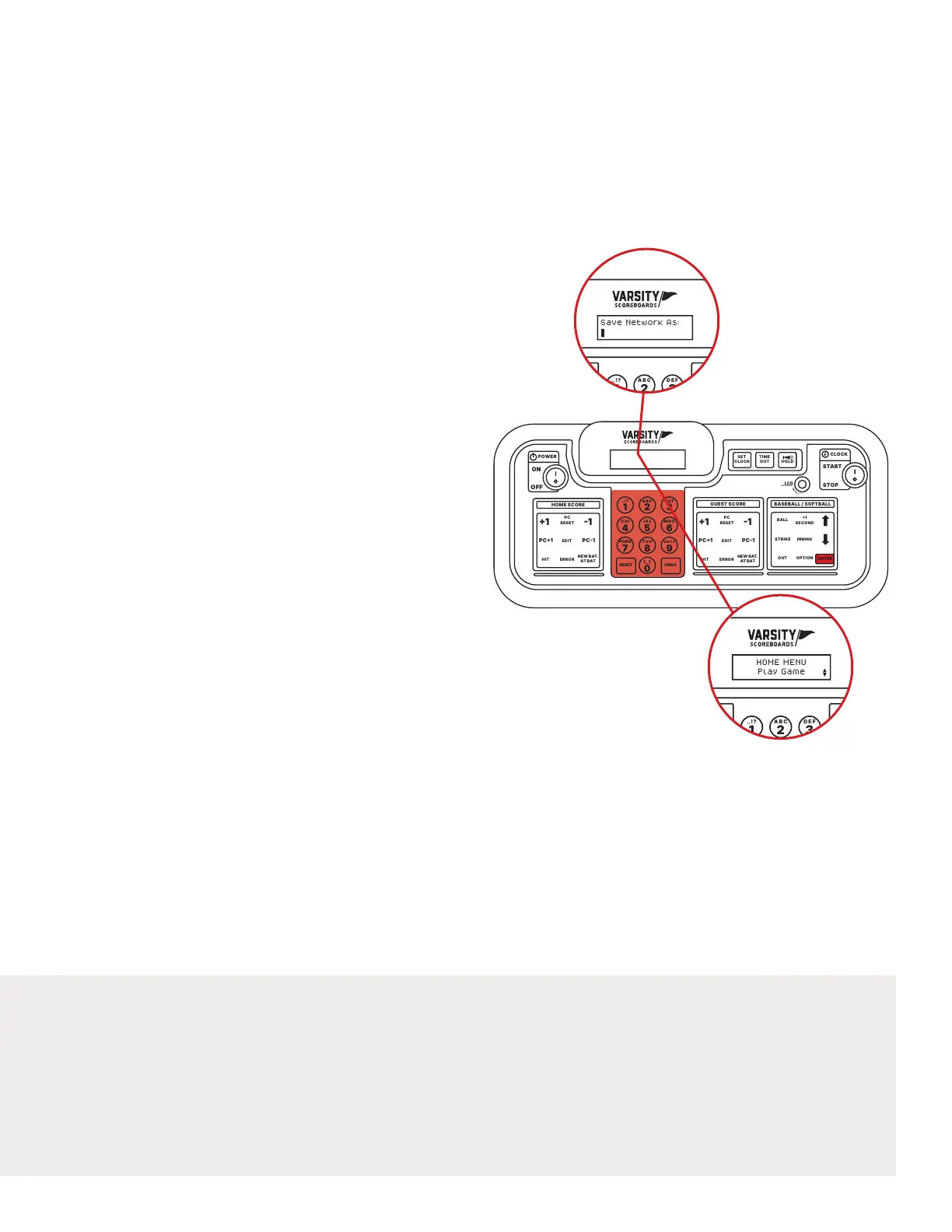
The LCD screen will display Save Network As:
Use the Number Pad to give the network a name (this could
just be the sport or something more specic such as Varsity
Basketball or Jr. Varsity Baseball).
Note: Default name will be the sport you chose. Use the Undo
key to back over existing letters and retype with the Number Pad.
It’s recommended that you back over the sport and create a name
that’s custom and identiable to you e.g. ‘Field 1’ or ‘North Field’ .
2 /
Press Enter when you’re done.
You will then be given the option to Add Another Network.
Choose No if you only have one sport to set up.
If you choose Yes you will be returned to the Select Sport screen
to repeat the process.
3 /
Whenever you have set up all of your networks, choose No and
you will be taken to the Home Menu screen.
Congratulations!
You’ve successfully set up your
Varsity Scoreboard!
POWER
HOME SCORE
GUEST SCORE BASEBALL / SOFTBALL
ENTER
BALL
STRIKE INNING
EDIT
.,!? A B CD E F
G H I
RESETUNDO
J K LM N O
P Q R ST U V
_
W X Y Z
PC1PC1
1 1
ERRORHIT
OPTION
1
SECOND
PC
RESET
NEW BAT.
AT BAT
EDIT
PC1PC1
1 1
ERRORHIT
PC
RESET
NEW BAT.
AT BAT
OUT
ON
123
456
78
0
9
OFF
CLOCK
START
LCD
HOLD
TIME
OUT
SET
CLOCK
CONTRAST
STOP
Save Network As:
POWER
HOME SCORE
GUEST SCORE BASEBALL / SOFTBALL
ENTER
BALL
STRIKE INNING
EDIT
.,!? A B CD E F
G H I
RESETUNDO
J K LM N O
P Q R ST U V
_
W X Y Z
PC1PC1
1 1
ERRORHIT
OPTION
1
SECOND
PC
RESET
NEW BAT.
AT BAT
EDIT
PC1PC1
1 1
ERRORHIT
PC
RESET
NEW BAT.
AT BAT
OUT
ON
123
456
78
0
9
OFF
CLOCK
START
LCD
HOLD
TIME
OUT
SET
CLOCK
CONTRAST
STOP
HOME MENU
Play Game
1
3


 To Next Page