18
BASEBALL / SOFTBALL OPERATION
GETTING STARTED
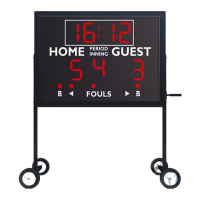
INNING, BALLS, STRIKES, OUTS, HITS, ERRORS
HOME SCORE
To add one to “HOME,” press the “HOME SCORE”
key once. To subtract one from “HOME,” press
the “-1 HOME” key once.
CLOCK OPERATION
To add minutes to the clock, stop the clock by pressing the “START/STOP CLOCK” key, then press
the “MINUTES” key once for each minute you want to add to the clock. To subtract one minute from
the clock, press the “-1 MIN” key once for each minute you want to subtract from the clock.
To add seconds to the clock, stop the clock by pressing the “START/STOP CLOCK” key, then press
the “SECONDS” key once for each second you want to add to the clock. To subtract one second from
the clock, press the “-1 SEC” key once for each second you want to subtract from the clock.
HOME AND GUEST SCORING
GUEST SCORE
To add one to “GUEST,” press the “GUEST
SCORE” key once. To subtract one from “GUEST,”
press the “-1 GUEST” key once.
INNING
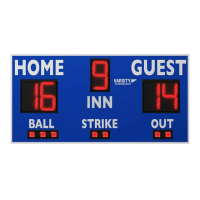
To increase “INNING,” press the “INNING” key. To
decrease “INNING,” press the “EDIT” key quickly
followed by the “INNING” key.
BALLS
To increase “BALLS,” press the “BALLS” key.
STRIKES
To increase “STRIKES,” press the “STRIKES” key.
After two strikes, “OUTS” automatically increases.
OUTS
To increase “OUTS,” press the “OUTS” key.
HITS
To display a “HIT,” press the “H/E” key once.
ERRORS
To display an “ERROR,’ press the “H/E” key twice.
NEW BATTER
To clear “BALLS” and “STRIKES” for the next
batter, press the “NEW BATTER” key.
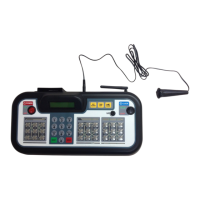
Put the scoreboard into “SOFTBALL” or “BASEBALL” mode. Make sure the appropriate “SOFTBALL”
or “BASEBALL” keypad insert is in the handheld controller.
NOTE: “SOFTBALL” mode has the same functions as “BASEBALL” mode, with a four-digit clock.
In “SOFTBALL” mode, the clock counts down in minutes only until it reaches two minutes. For
instructions on setting the game clock, please see “Setting the Game Clock”


 To Next Page