1. Imaging System Overview
8 Green X (PHT-75CHS) User Manual
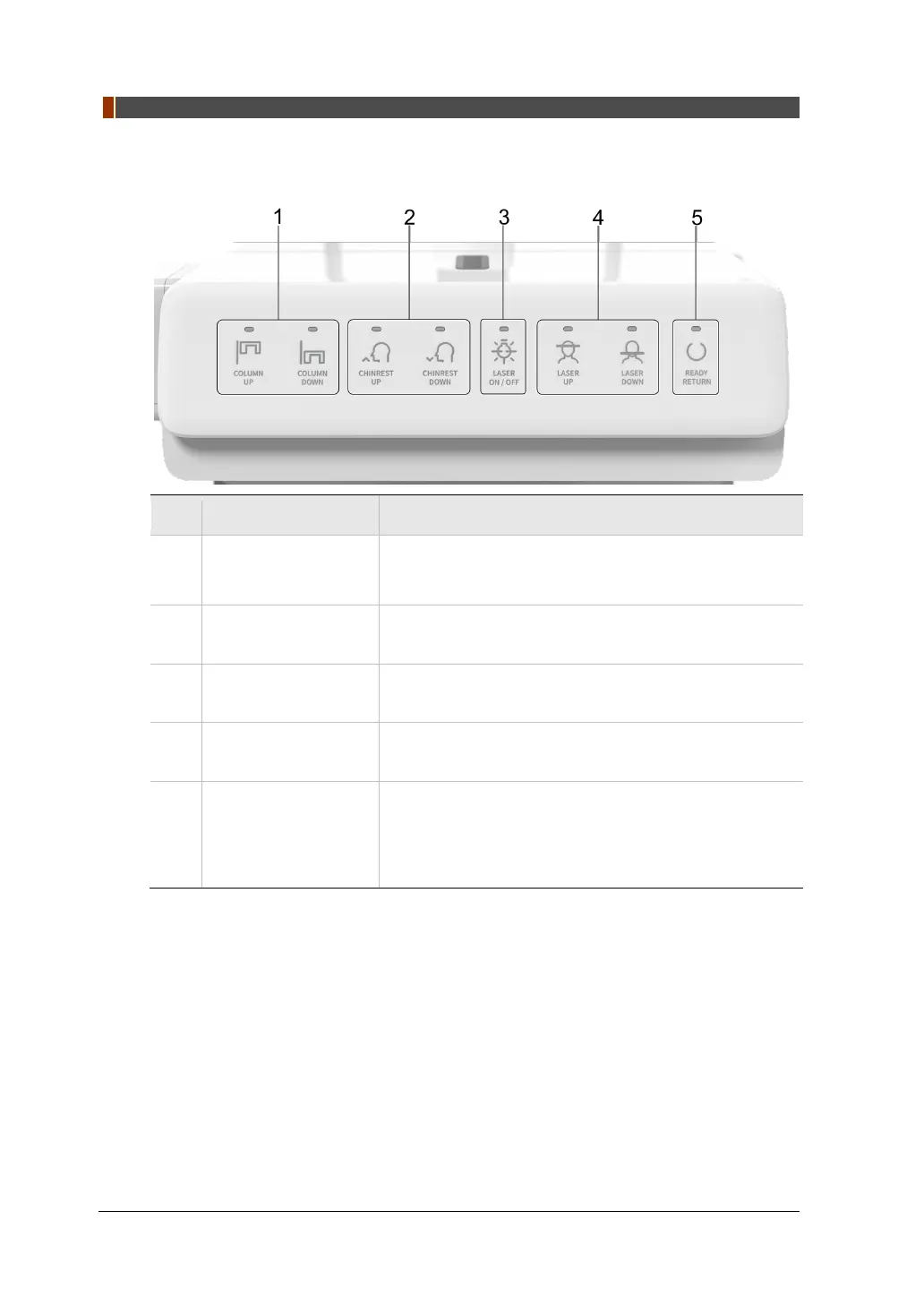
1.6.1 Control Panel
No. Buttons Description
1
COLUMN UP/DOWN
Button
Moves the Vertical Frame up or down.
(For adjusting the height of the Chinrest)
2
CHINREST UP/DOWN
Button
Adjusts the Chinrests for patient positioning.
3
LASER ON/OFF
Button
Turn the laser beam on or off for patient positioning.
4
LASER UP/DOWN
Button
Aligns the Horizontal Beam in PANO mode.
5
READY/RETURN
Button
Indicates that imaging is ready for X-
ray on after
parameter settings and the patient positioning is
complete.
Initializes the positioning of the Rotating Unit.


 To Next Page