2. Getting Started
14 Green X (PHT-75CHS) User Manual
2.2.2 Retrieving Patient Records
You can search through the patient database using a patient’s Chart Number, First
Name, or Last Name.
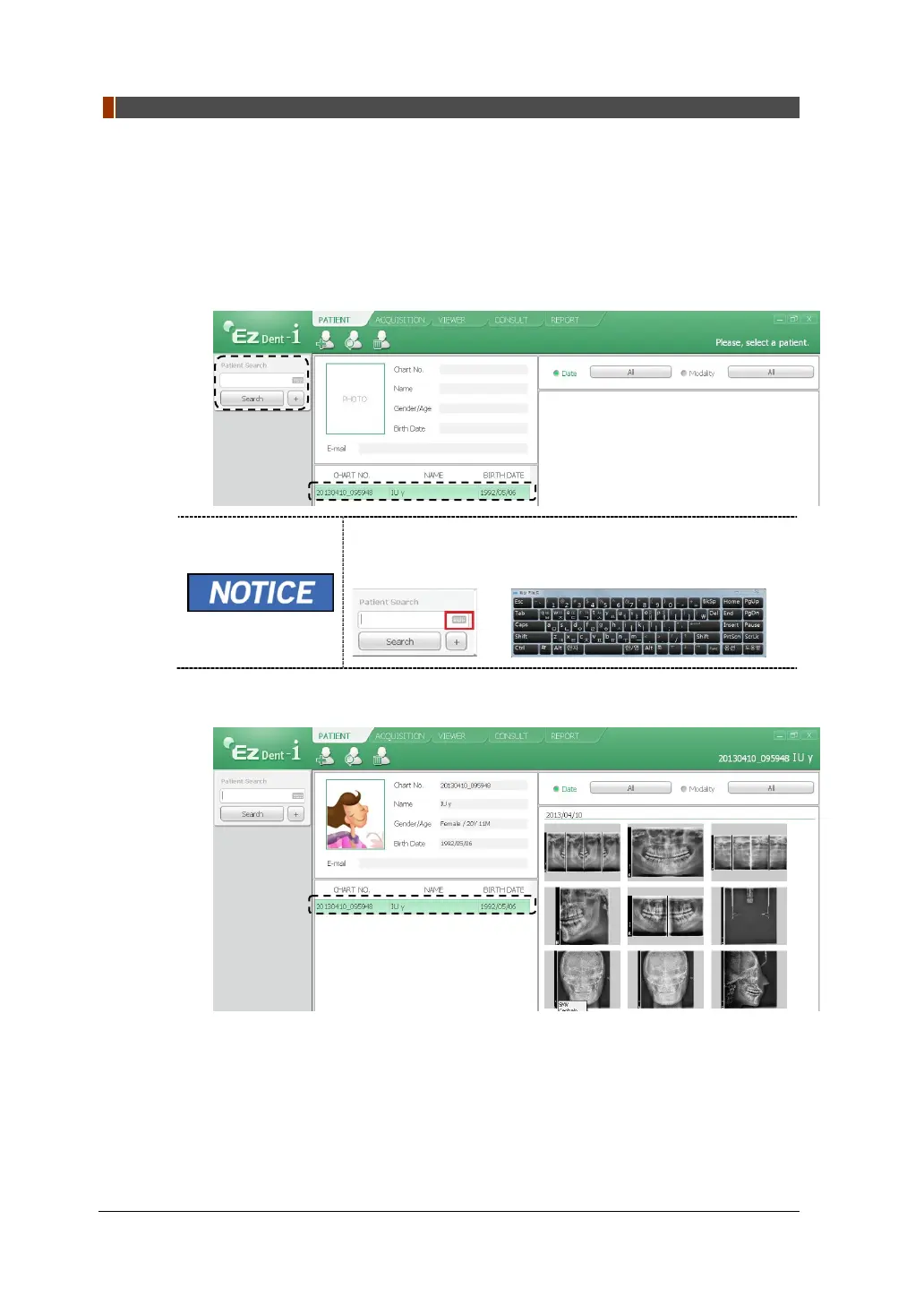
1. Enter the Name or Chart Number of the patient to be searched on the Patient
Search panel and then click the Search button. The information on the patient
that fits the search condition appears.
Double-click the Keyboard icon to display the virtual
keyboard. You may search for patient information using the
virtual keyboard.
2. Double-click the patient information to see more details about the patient as
shown below.



 To Next Page