4. Acquiring CEPH Images (Optional)
42 Green X (PHT-75CHS) User Manual
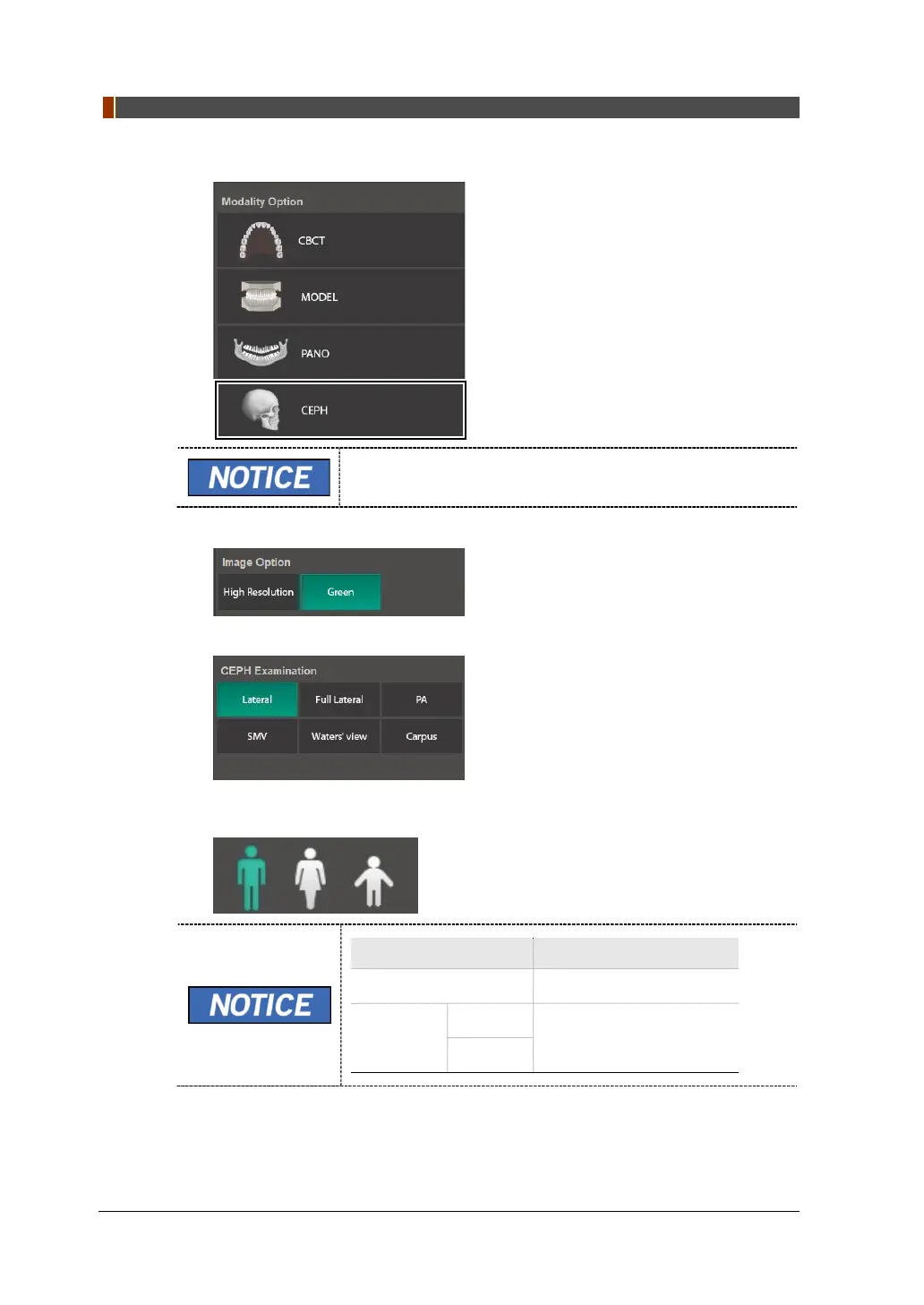
1. Click the CEPH button on the Main Screen.
The CEPH button exists only when the CEPH imaging
program is included in the equipment.
2. Select an Image Option.
3. Select an examination program in the CEPH Examination panel.
4. The Gender/Age group of the patient is selected automatically based on the
patient information. If necessary, you can select the option manually.
Gender /Age Group
VATECH’s Standard
Child 2 ~ 12 years of age
Adult
Man
> 12
years of age
Woman



 To Next Page