Automotive Short And Open Finder
3
Neither the V210 transmitter nor V210 receiver comes with 9V 6F22 batte. Please
purchase separately.
1.
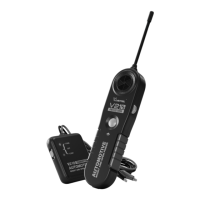
Probe Sensor: Black cylinder to detect electromagnetic signal for the V210 receiver.
2.
Probe: 6.7” long, exible, built of coiled steel and equipped with a sensor at the top
to t for congested or dicult areas.
3.
Speaker: Generates tone when signal is picked up by the V210 receiver.
4.
On/O & Sensitivity Rota Switch: Turn the switch clockwise to power on the V210
receiver and increase sensitivity level; turn anti-clockwise to decrease sensitivity level
and power o.
5.
TEST button: Press and hold TEST button to pick up audio signal.
6.
Red Test Lead: Red test lead of the V210 transmitter.
7.
Black Test Lead: Black test lead of the V210 transmitter.
8.
Mode Switch: Mode switch of the V210 transmitter.
9.
CONT Mode: Switch to CONT mode to test continuity or sho circuit.
10.
Power O: Switch to power o the V210 transmitter.
11.
TONE Mode: Switch to TONE mode to test open circuit or tracing wire.
2.3 Pas List
2.4 Turning On and O
Pa QuantityDescription
1 1V210 Transmitter
2 1V210 Receiver
3 1User Manual
4 1Packing Box
Open the batte cover at the back of the V210 transmitter, replace the exhausted batte
with a new one of 9V (6F22) and reinstall the batte cover.
2.5 Batte Replacement
2.5.1 V210 transmitter batte replacement:


 To Next Page