5
GB
MC
1.0
2. Initial set-up of your VDO MC 1.0
2.1 Basic information on how to operate your VDO MC 1.0
Make sure you are familiar with the computers basic operating instructions before the initial set-up and use.
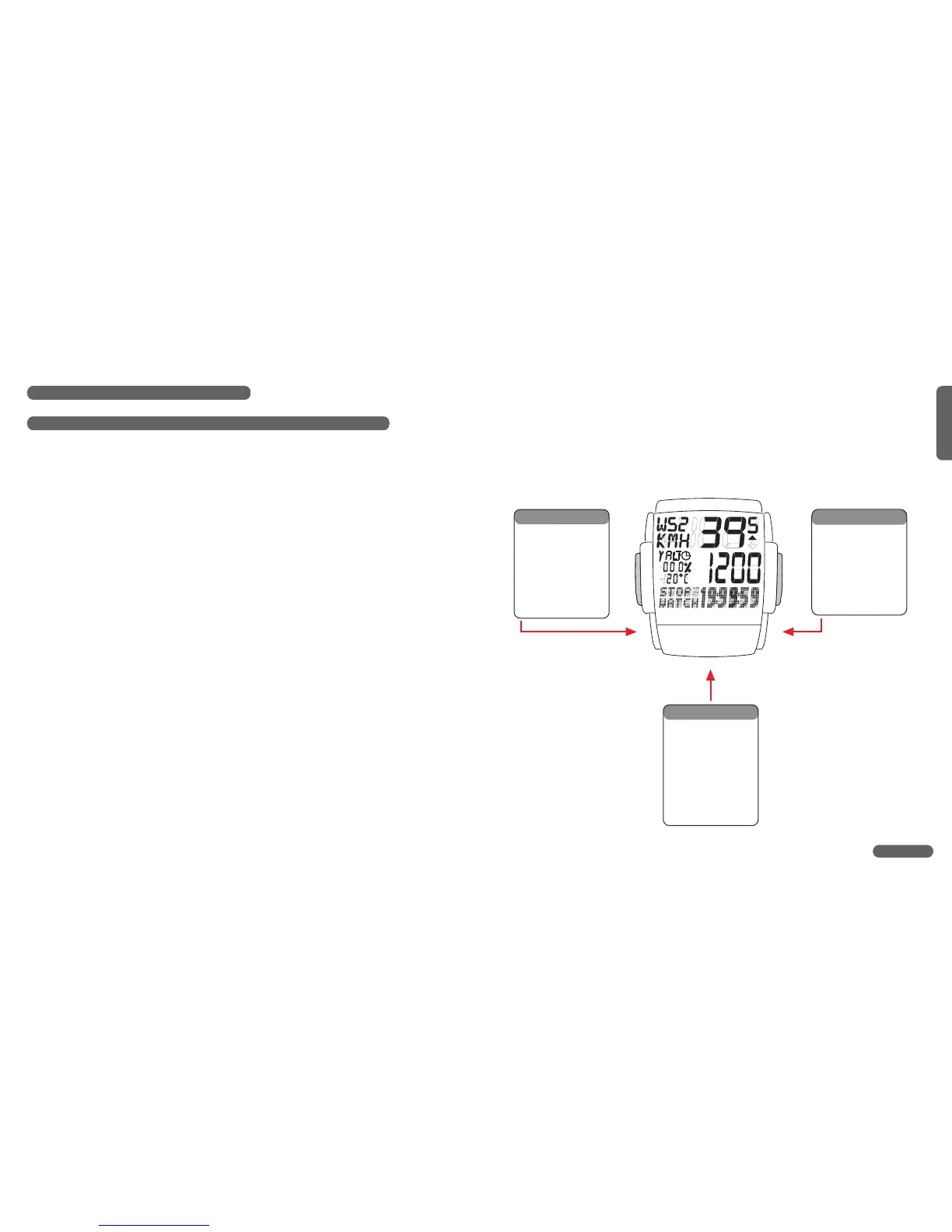
Your VDO MC 1.0 features 3 keys / buttons
Left ...... Center......Right
MODE1..... ALTI........ MODE2
The display
The following information is permanentely displayed:
• Current / actual speed in KMH or MPH accurate to +/- 0.5 KMH / MPH
• Symbol (MPH or KMH) for the measuring system selected,
• Wheelsize selected: Bike 1 (WS1) or Bike 2 (WS2)
• Symbols to compare actual speed and average speed (up-arrow, down-arrow, dot)
• ALTI - display of current / actual altitude
• Current grade / inclination climbed or descended in %
• Current temperature in °C or °F
2. Initial set-up of your VDO MC 1.0
2.1 Basic information on how to operate your VDO MC 1.0
Make sure you are familiar with the computers basic operating instructions before the initial set-up and use.
Your VDO MC 1.0 features 3 keys / buttons
Left ...... Center......Right
MODE1..... ALTI........ MODE2
The display
The following information is permanentely displayed:
• Current / actual speed in KMH or MPH accurate to +/- 0.5 KMH / MPH
• Symbol (MPH or KMH) for the measuring system selected,
• Wheelsize selected: Bike 1 (WS1) or Bike 2 (WS2)
• Symbols to compare actual speed and average speed (up-arrow, down-arrow, dot)
• ALTI - display of current / actual altitude
• Current grade / inclination climbed or descended in %
• Current temperature in °C or °F
2. Initial set-up of your VDO MC 1.0
2.1 Basic information on how to operate your VDO MC 1.0
Make sure you are familiar with the computers basic operating instructions before the initial set-up and use.
Your VDO MC 1.0 features 3 keys / buttons
Left ...... Center......Right
MODE1..... ALTI........ MODE2
The display
The following information is permanentely displayed:
• Current / actual speed in KMH or MPH accurate to +/- 0.5 KMH / MPH
• Symbol (MPH or KMH) for the measuring system selected,
• Wheelsize selected: Bike 1 (WS1) or Bike 2 (WS2)
• Symbols to compare actual speed and average speed (up-arrow, down-arrow, dot)
• ALTI - display of current / actual altitude
• Current grade / inclination climbed or descended in %
• Current temperature in °C or °F
Function
TRIP DIST
RIDE TIME
AVG SPEED
STOP WATCH
MAX SPEED
MODE 1
Function
NAVI GATOR
CLOCK
ODO 1 METER
ODO 2 METER
ODO TOTAL
MODE 2
Function
TRIP ALTI
MAX ALTI
AVG CLIMB
MAX CLIMB
TOTAL ALTI
TOP ELVTN
ALTI













 To Next Page