10
IDENTIFICATION NUMBER
The set has a unique identification number
shown on the security card (see separate ins-
tallation card).
Warning: Do not leave the Security
Card in your car. This one will
prove your ownership if the set is
stolen, the front lost or if the set
requires after-sales service.
CONFIGURATION
Calibrating the Speed
Use this function to manually calibrate the
speed value according to current car speed.
1- Switch ON the motor of your car with the
contact key.
2- Switch ON the car radio.
3- While the car is in stationary position, long
press on the COMPUTER key.
4- Select SPD CALIB. with the
keys.
5- Press ENTER to start the calibration: display
shows ‘DRIVE 0 km/h’.
6- Ensure that the car is still in stationary
position, press ENTER again : display shows
‘DRIVE 50km/h’.
7- Now, drive to 50km/h (30mph).
8- Once 50 km/h (30mph) is reached, press
ENTER to validate the speed.
Warning : Pay attention to the
local traffic regulations.
9- A message warns you if the calibration is
successful or failed: the SDVC level value is
set to 3 (see Sound menu).
Note : If you want to abort the calibration
before reaching the speed, press ESC.
Calibrating the Auto Equalizer*
This function measures the frequency curves
of the speakers and adjust the settings for
optimal reproduction by compensating the
weak areas of the car acoustic spectrum.
Those settings (a 5-bands curve for each spea-
ker) are stored in non-volatile memory.
1- Long press the SOUND button.
2- Select AUTO EQ with the
keys.
3- Press ENTER.
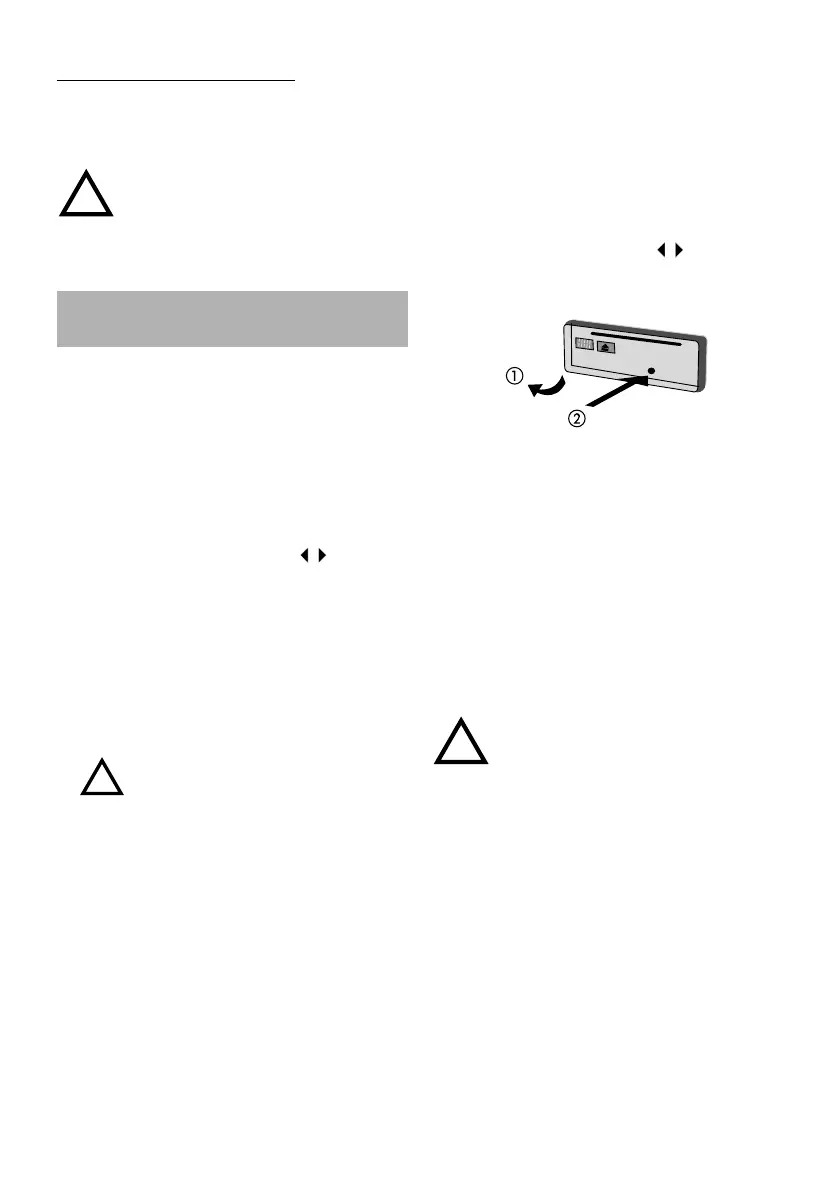
4- Remove the front.
5- Insert the microphone in the socket.
6- Position the microphone at the place you
want to listen to the radio.
A series of high beeps advise you to leave the
vehicle before the calibration starts. When the
autoequalization is completed, the set will
switch Off automatically: the EQ Style is
automatically set to Auto EQ.
Note : To be successful, the auto-equalization
acquisition needs 2 or 4 speakers to be
connected (direct or via an amplifier).
Warning: In case, you have
connected a subwoofer to your
installation, disconnect it before
launching the calibration process.
!
* For CD4403 only
!
!
AN2001-2L-Eng.pm7 11/20/02, 3:32 PM10



 To Next Page