27
English
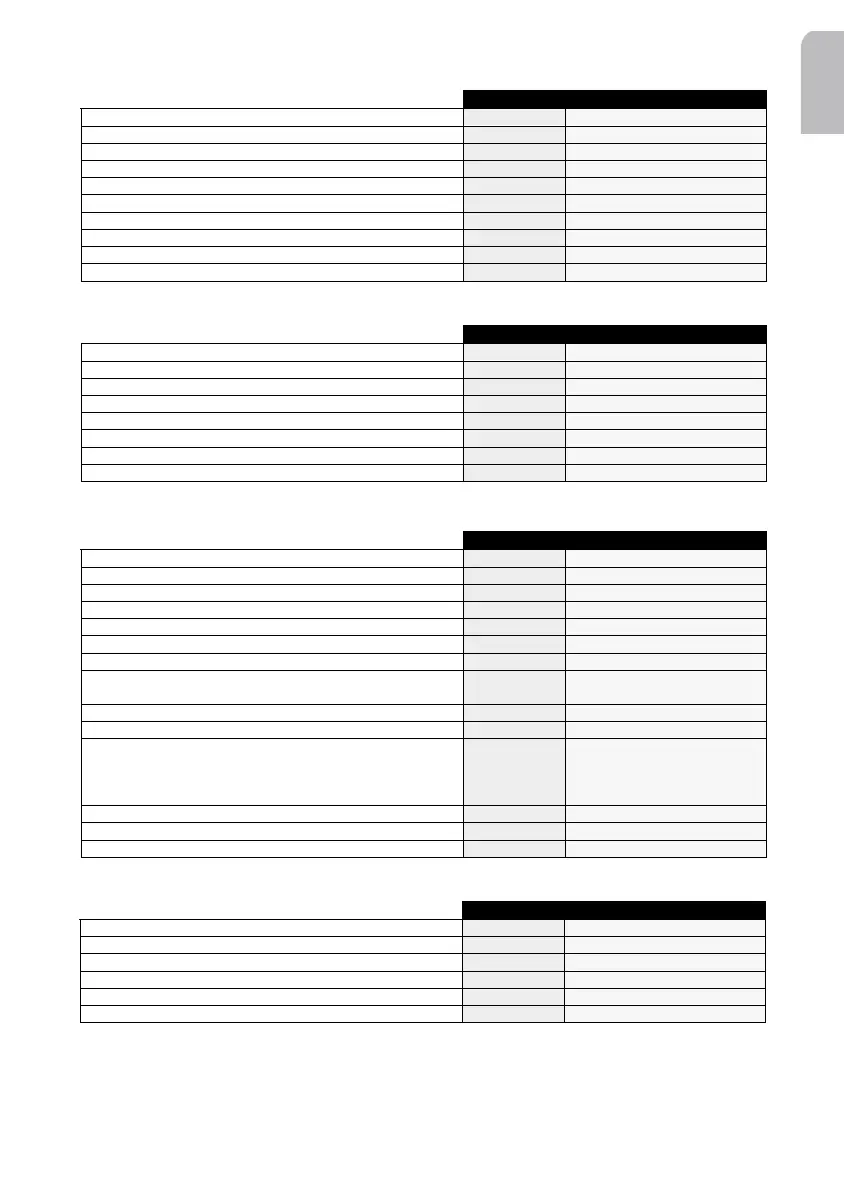
Sound Init Menu
Car Computer Menu
Car Computer Init Menu
Announce Menu
34
arrows
v
arrows
Reset the sound parameters
Reset
Amplification level to be activated (LOUDNESS in low freq.)
Loud Low
0 / Level 1 / Level 2 / Level 3
Amplification level to be activated (LOUDNESS in high freq.)
Loud High
0 / Level 1 / Level 2 / Level 3
Select bass frequency threshold
Bass Freq
40 Hz / 80 Hz
Select treble frequency threshold
Treb Freq
5 kHz / 7 kHz
Automatic audio source sound level balancing On/Off
Leveller
On / Off
Sub Woofer ON/OFF at frequency of 40 or 80 Hz
Subwoofer
Off / Freq 40 / Freq 80
Activate/Deactivate the Sub Amplifier
Sub Ampli
On / Off
Auto-equalizer
Auto EQ
To adjust the amplitude level of the speaker frequency band
Customize
Front speaker / Rear speaker
34
arrows
v
arrows
Display the time
Time
Tot / Trip
Display the current temperature
Temperat.
Display the current battery voltage
Battery
Adjust the time
Clock
Hour / Minutes
Select the speed unit
Speed (unit)
Km/h / mph
Display the distance covered (trip/total)
Dist (unit)
Trip / Tot
Move to the Car Computer Init Menu
Comp. Init
Move to the main menu
SAM
34
arrows
v
arrows
Set the hour
Set hour
Set the minute
Set minutes
Time display format
Clock type
24 h / 12 h
Activate the RDS clock mode
Clock mode
RDS / Manuel
Select the temperature units
Temp unit
°C / °F / No
Set the frost warning
Frost warn
On / Off
Select the speed units
Spd unit
Km/h / mph
Set the speed warning
Speed warn
100 km/h / 110 km/h / 120 km/h
/ 130 km/h / 140 km/h
Set the trip warning
Trip warn
On / Off
Set the battery warning
Bat. warn
On / Off
Select the information displayed
Info line
Temperature / Clock / Avg
speed / max speed / cur speed /
total time / trip time / total dist. /
battery
Start the speed calibration
Spd calib.
Start the PDC calibration
PDC calib.
Reset the parameters
Reset
34
arrows
v
arrows
Activate/Deactivate Dynamic RDS memory fill/update
RDSmem Dyn
On / Off
Activate/Deactivate Traffic Message Channel option
TMC
On / Off
Activate/Deactivate Traffic Announcement mode
Traffic
On / Off
Activate/Deactivate News mode
News
On / Off
Activate/Deactivate the automatic switch between FM/DAB
Optimize
On / Off
Move to the main menu
SAM
AN 2001 2L gb.qxd 16/07/01 14:55 Page 27



 To Next Page