56
6 Set up with the display and adjustment module
VEGAPULS 68 • Foundation Fieldbus
36538-EN-170405
Enter the requested parameters via the appropriate keys, save your
settings and jump to the next menu item with the [ESC] and [->] key.
Caution:
Note the following if instruments with appropriate approval are used
aspartofanoverllprotectionsystemaccordingtoWHG:
If a linearisation curve is selected, the measuring signal is no longer
necessarilylineartothellingheight.Thismustbeconsideredbythe
user especially when setting the switching point on the limit signal
transmitter.
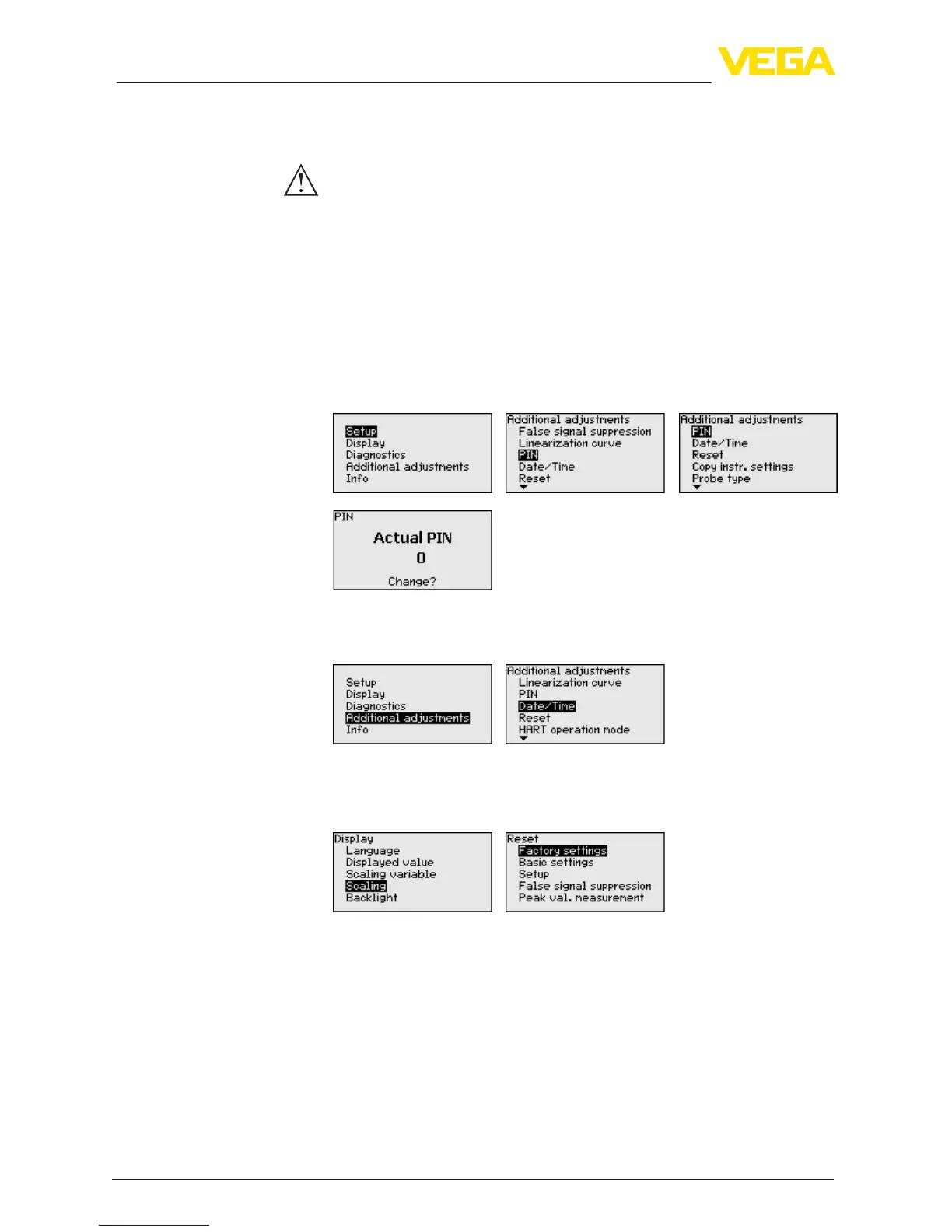
Enteringa4-digitPINprotectsthesensordataagainstunauthorized
accessandunintentionalmodication.Inthismenuitem,thePINis
displayed or edited and changed. However, this menu item is only
available if adjustment is enabled in the menu "Setup".
In delivery status, the PIN is "0000".
In this menu item, the internal clock of the sensor is set.
When a reset is carried out, all settings (with only a few exceptions)
are reset. The exceptions are: PIN, language, lighting, SIL and HART
mode.
The following reset functions are available:
•
Delivery status: Restoring the parameter settings at the time
of shipment from the factory. A created false signal suppression,
user-programmablelinearizationcurve,measuredvaluememory
as well as event memory will be deleted.
•
Basic settings: Resetting of the parameter settings incl. special
parameters to the default values of the respective instrument. Any
createdfalsesignalsuppression,userprogrammablelinearization
curve, measured value memory as well as event memory will be
deleted.
Additional settings - PIN
Additional settings - Date/
Time
Additional settings -
Reset


 To Next Page