4.2.3 FTP SERVICE SETTINGS
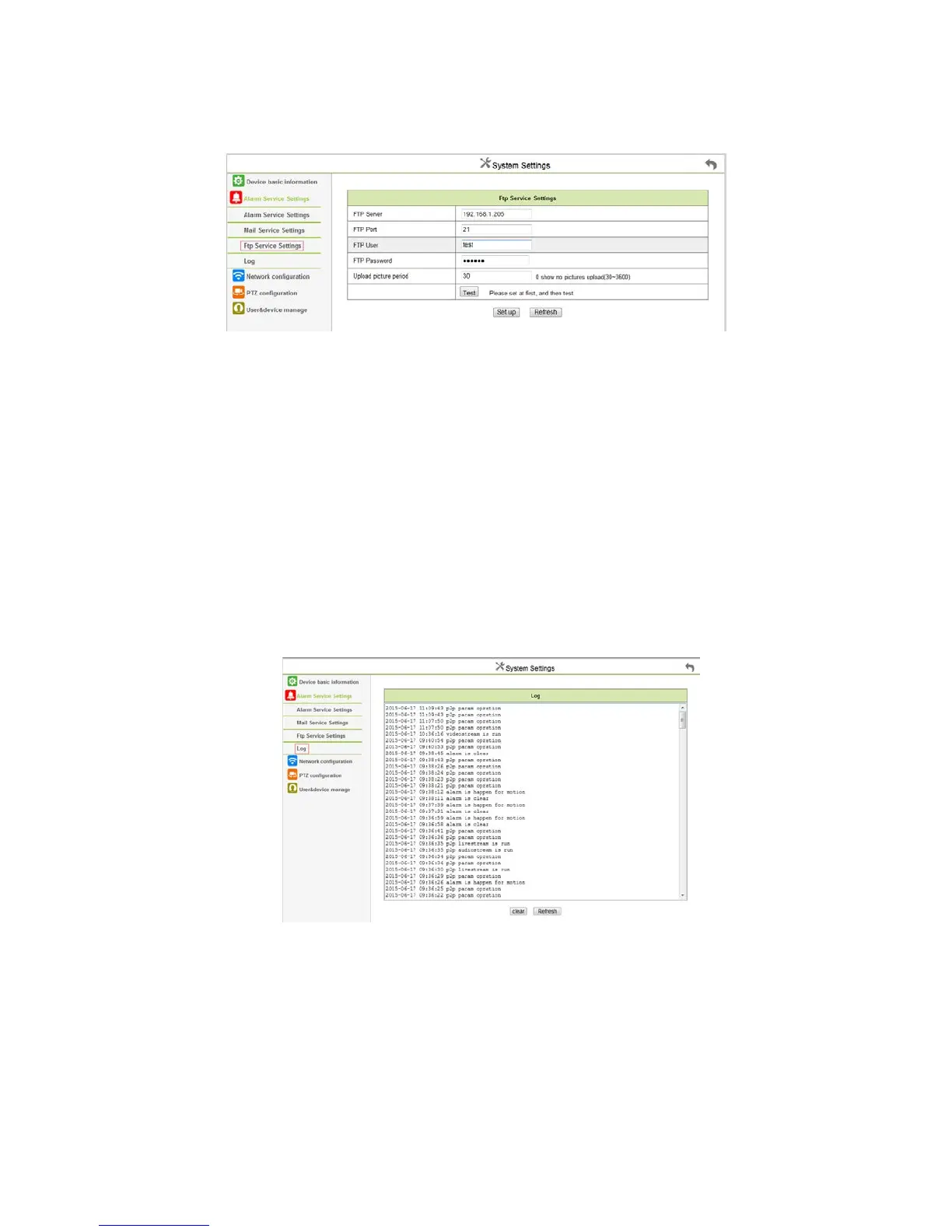
Click the “FTP service settings”, appears below interface:
Figure 4.10
When alarm been triggered, this feature is primarily to snap a picture to upload to the directory specified by the FTP server.
It need to access network(LAN) to make the setting.
“FTP SERVER”: Fill in the current IP address of the FTP server.
“FTP PORT”: The default value of 21, this port generally will not change which is determined according to actual FTP server.
“FTP USER”: FTP users;
“FTP PASSWORD”: FTP user password;
Click “ settings”, then the entry into force;
Click “test”, to test whether FTP was successful configured;
“Upload picture interval (seconds)”: Timing often automatically capture a picture to upload to the FTP server in seconds;
The PC installed the software of FTP server can accordingly set up a test.
4.2.4 Alarm Log
Click “ alert log”, appears below interface: which can view the alert log details:
Figure 4.12



 To Next Page