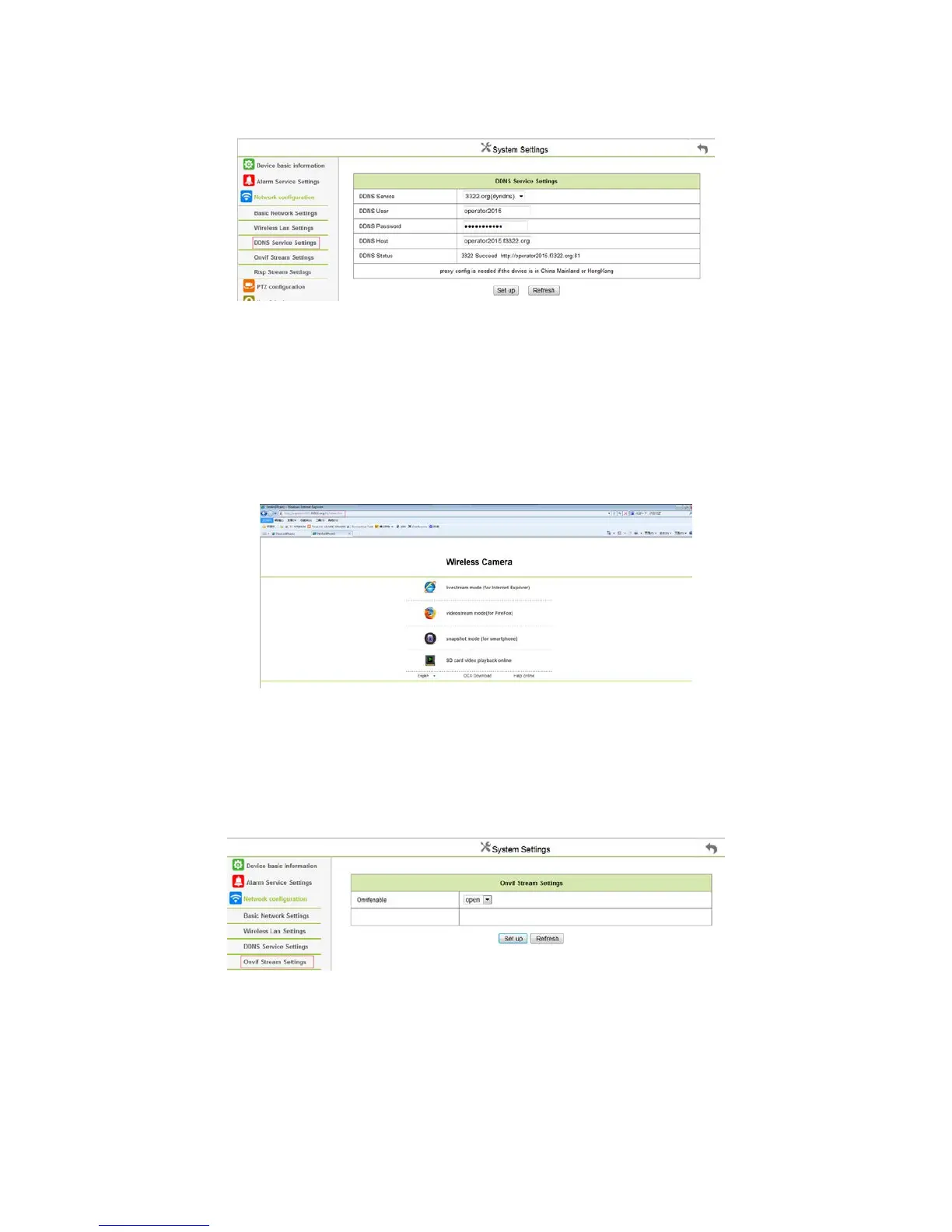
4.3.3 DDNS Configuration
Figure 4.15
“DDNS SERVER”:Select DDNS Server;
“DDNS USER”:Setting up DDNS username;
“DDNS PASSWORD”: Setting up DDNS Password;
“DDNS DOMAIN NAME”:Setting up DDNS Domain name;
To refresh it, once set succeed, DDNS will prompt state; The device IP needs to be done on the router maps and mapping out the Net; Setting up
successful, Copy the web site, Access through the website, such as:
Figure 4.16
4.3.4 Docking NVR Function
NVR need to open the ONVIF and RTSP Streaming Protocol docking port, then set the port;
1.ONVIF RELATED SETTINGS
Set the ONVIF Protocol ports open, then refresh and view to confirm the port is opened.
Figure 4.17



 To Next Page