THINPAR 64 USERS MANUAL
8
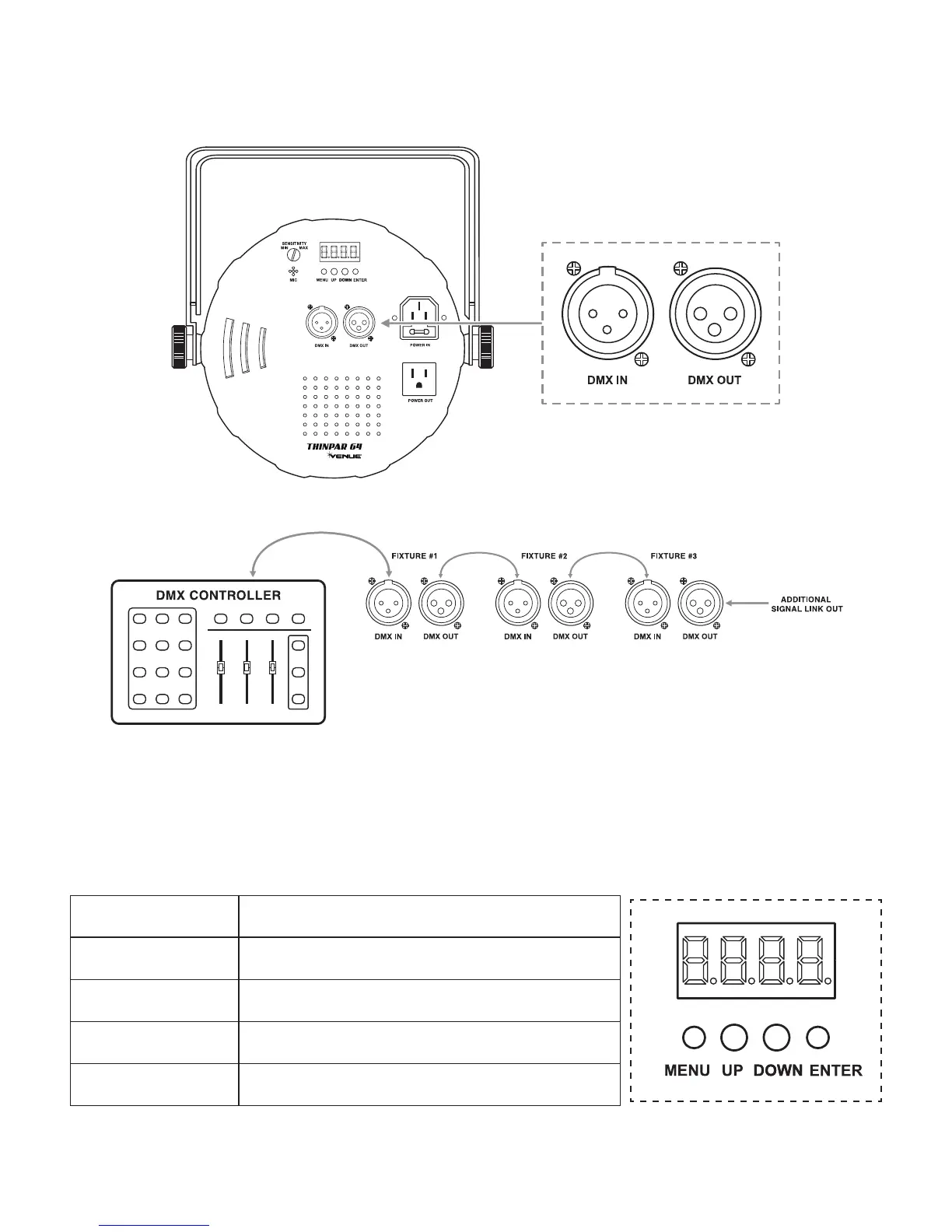
SIGNAL LINKING
InordertousethisxtureinaDMXormaster/slaveoperation,youmustdaisychainusingDMXcablestolinkfrom
one fixture to another.
5. OPERATING INSTRUCTIONS
CONTROL PANEL BUTTONS
AccessthesefunctionsusingthefourbuttonslocateddirectlyunderneaththeLEDControlDisplay.
BUTTON FUNCTION
<MENU>
Scrolls through the current operating mode, as well as back out of
the current menu option
<UP>
Selects increasing advancement in the value
<DOWN>
Selects decreasing advancement in the value
<ENTER>
Selectsavalueandstoreittomemory
AUDIO
SENSITIVITY
ADJUSTMENT
(see pg 10)
MICROPHONE
(see pg 10)
POWER
LINKING
(see pg 6)
CONTROL
DISPLAY
(see pg 8)
DMX
CONNECTION
JACKS
(see pg 8)



 To Next Page