www.venuelightingeffects.com
9
The Control Display shows the current state of the unit. It is used to select the operating mode, as well as the
sub-features. For detailed functions, please see the section below.
CONTROL PANEL MENU SELECTIONS
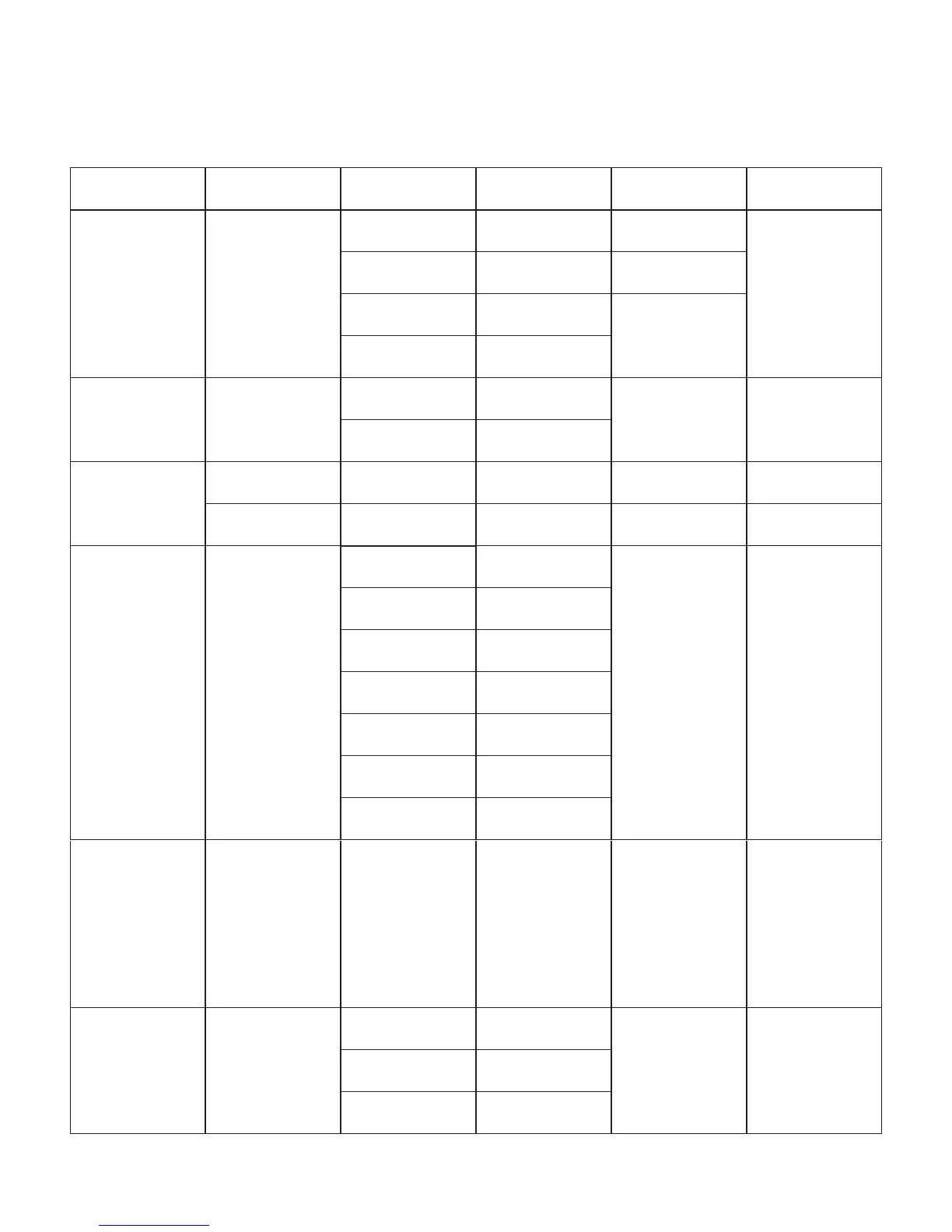
MAIN FUNCTION SUB-FUNCTION SELECTION SUB-SELECTION INSTRUCTION
AUTO
P--
P1
7 Color Switching
Select between 2
switching and 2 fading
built-in programs.
P2
7 Color Fading
P3
3 Color Switching
P4
3 Color Fading
SOUND
ACTIVE
P--
P5
7 Color Sound Active
Use the Audio Sensi-
tivityAdjustmentknob
located on the back
of the fixture.
Select between
2 sound active
programs.
P6
3 Color Sound Active
DMX
CONTROL
3-CH d 1-d512
Select 3-channel DMX
mode (RGB control).
7-CH d 1-d512
COLOR
PALLETTE
C--
C1
Red
Select between
7 static colors.
Thedisplaywill
read C1~C7. The
colors that each of
these represent are
indicated to the left.
C2
Green
C3
Blue
C4
Cyan
C5
Magenta
C6
Yellow
C7
White
PRESET SPEED
(1-4)
S-- 5 1-5100
(the default range is
5050)
This is the speed
range for the 4
switching and fading
built-in programs.
USER COLOR
MIXING
U--
r---
Red
000-100
Combine red, green,
and blue to create a
custom, static color.
g
---
Green
b---
Blue


 To Next Page