APRS 51Track X1C3
GPS/Track/DIGI/BT/USB
Front panel
CHG charging indicator:
Always on: Charging
Off: no charging or charging completed
USB charging socket:
Micro USB phone universal
3.5+2.5 headphone jack
Connect K-type hand microphone
RJ11 socket
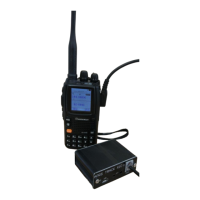
Connecting the HT (cable sequence NC SP PTT GND MIC NC)
Rear panel
POWER Tap the power switch: recessed design to prevent false triggering.
Press to power on or off.
MODE touch function switch: recessed design to prevent false triggering.
Bluetooth switch
Each time you press it, cycle through:
STU status LED light (tri-color lights):
Blue flashing: GPS power is on, positioning
Steady blue: GPS positioning succeeded
Red: launch beacon
Green: Received beacon


 To Next Page