Need help?
Do you have a question about the Venus X1C3 and is the answer not in the manual?
Lists key features of the X1C3, highlighting its APRS capabilities and applications.
Details various functions like APRS Track, Bluetooth, APRS digipeater, Remote, and GPS.
Describes the advanced APRS hardware and software algorithms used by the device.
Details data analysis capabilities, including position calculation and trigonometric functions.
Covers host functions like USB charging, sensors, firmware upgrades, and companion software.
Lists key hardware specifications of the motherboard, including voltage, current, size, and CPU.
Details motherboard features like USB port, power management, GPS module, and connectors.
Describes indicators, sockets, and connections on the front panel.
Details the power switch, function switch, and Bluetooth switch on the rear panel.
Explains the meaning of the tri-color LED lights for status indication.
Details other LED status indications like self-test and power status.
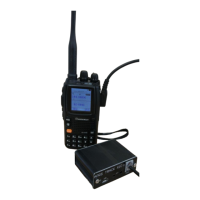
Outlines the steps for connecting the device for setup.
Explains basic settings like CALL sign and SSID.
Describes the 'SPORTS' and 'FIXED' site types for beacon transmission.
Details the function and usage of the GPS switch.
Explains automatic beacon transmission based on heading and speed.
Describes beacon transmission triggered by PTT button press and release.
Details automatic beacon transmission at a set time interval.
Explains beacon transmission based on a set number of seconds within a minute.
Explains how GPS power saving is activated in specific modes.
Explains the use of WIDE1 and WIDE2 for relay forwarding.
Describes MIC-E for compressed data and PTT delay for transmission.
Explains icon character, icon set, and auto icon settings.
Describes custom text for beacons in English and Chinese.
Details optional data included in beacons like mileage, satellite, air pressure, voltage, temperature.
Explains saving real-time mileage with beacon transmission.
Describes the TX test button for manual transmission.
Details Bluetooth data output settings, protocols, and GPS output.
Explains setting repeater names and forwarding conditions for digital repeaters.
Sets the default password for remote operations and describes control capabilities.
Demonstrates sending custom info to close DIGI 1 via beacon commands.
Defines the format for fixed station latitude input.
Defines the format for fixed station longitude input.
Explains setting the height for aircraft tracking.
Describes beacon transmission and distance calculation in fixed mode.
Outlines the steps for connecting and performing a firmware upgrade.
Explains how to view track data on the APRS map via the APRS.IS server.
Details hardware connection steps for setup using serial port debugging software.
Specifies that setup commands require '+' and Enter, followed by reset and output.
Configuration options for COM port, baudrate, parity, etc.
Lists available commands and how to copy, modify, and send them.
Provides essential tips for connecting and using the QQCOM software.
Lists commands and their expected return values and descriptions.
Explains specific commands like HELP, DEMO, CALL, SSID, TIME, and BEACON.
Explains parameters for AT+BEACON command: path, type, lat, icon set, lon, icon, custom info.
Directs users to the 51TNC series guide for firmware upgrades.

 To Next Page
 General