SETUP
Checking the Battery Status
E105 INSTALLATION GUIDE 15
Checking the
Battery Status
To avoid errors, make sure that the e105 has enough power to perform a
transaction. Press and hold down the Backspace (<) key on the keypad to check
the battery status.
Connecting the
e105 to a Mobile
Device
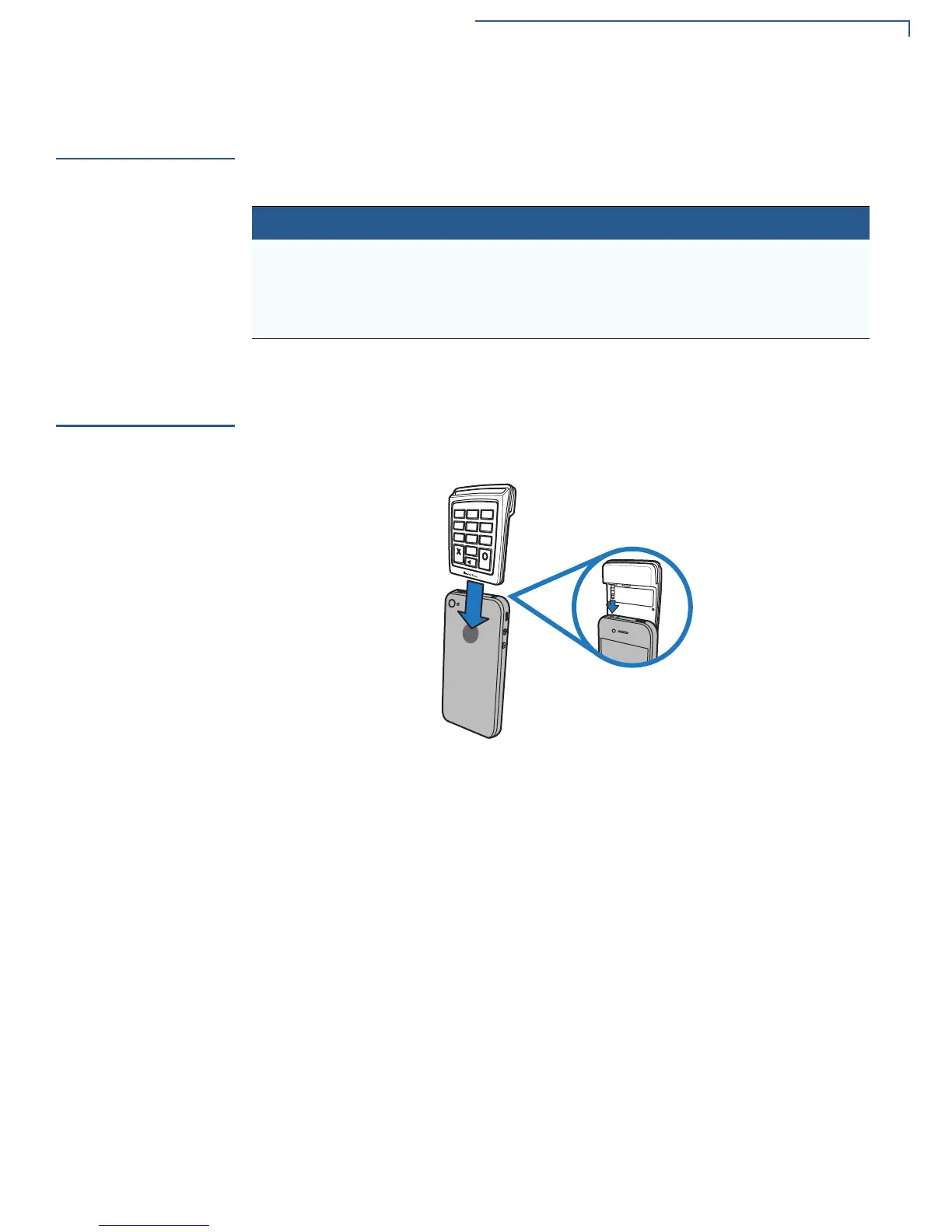
To connect to a mobile device, position the e105 on top of the mobile device with
the screen facing backward. Insert the audio plug on the e105 to the mobile
device’s audio jack in a smooth, continuous motion until it seats firmly. Make sure
that the mobile device has enough power or is connected to a power source as
the e105 does not support pass-through charging.
Figure 3 Inserting the e105 into a mobile device
Table 4 Battery Percentage Status
Percentage LED LED Color Behavior
100% All four LEDs Blue Solid
75% LED 1, LED 2, LED 3 Blue Solid
50% LED 1, LED 2 Blue Solid
25% LED 1 Blue Solid



 To Next Page