SETUP
Manually Resetting the e105
E105 INSTALLATION GUIDE 19
Manually
Resetting the
e105
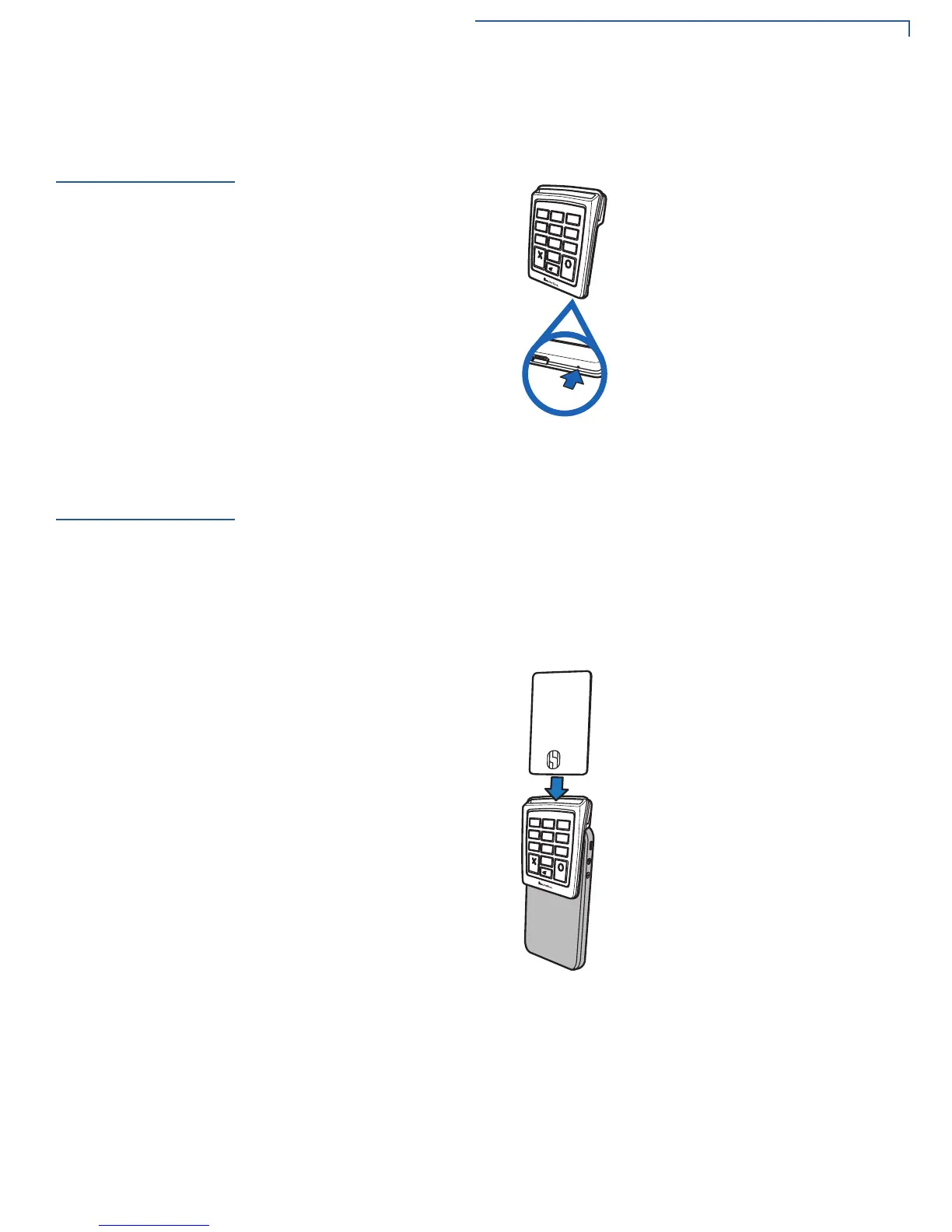
In cases where the e105 fails to respond properly, place a paper clip or a similar
tool in the hole located at the bottom of the e105 to press the Reset Button inside
to reset the device.
Figure 10 Reset Button on the e105
Using the Smart
Card Reader
The smart card transaction procedure may vary from one application to another.
Verify the procedure with your application provider before performing a smart card
transaction.
To Conduct a Smart
Card Transaction
1 Position the smart card with the contacts facing in the same direction as the
e105 keypad.
2 Insert the smart card into the smart card reader slot in a smooth, continuous
motion until it seats firmly.
Figure 11 Conducting a smart card transaction
3 Wait for the application to indicate a completed transaction before removing
the card. Premature card removal invalidates the transaction.
8888888888888888
1
2
3
5
8
0
6
9
4
7
*
*
*
*



 To Next Page