Working with Graphs
68
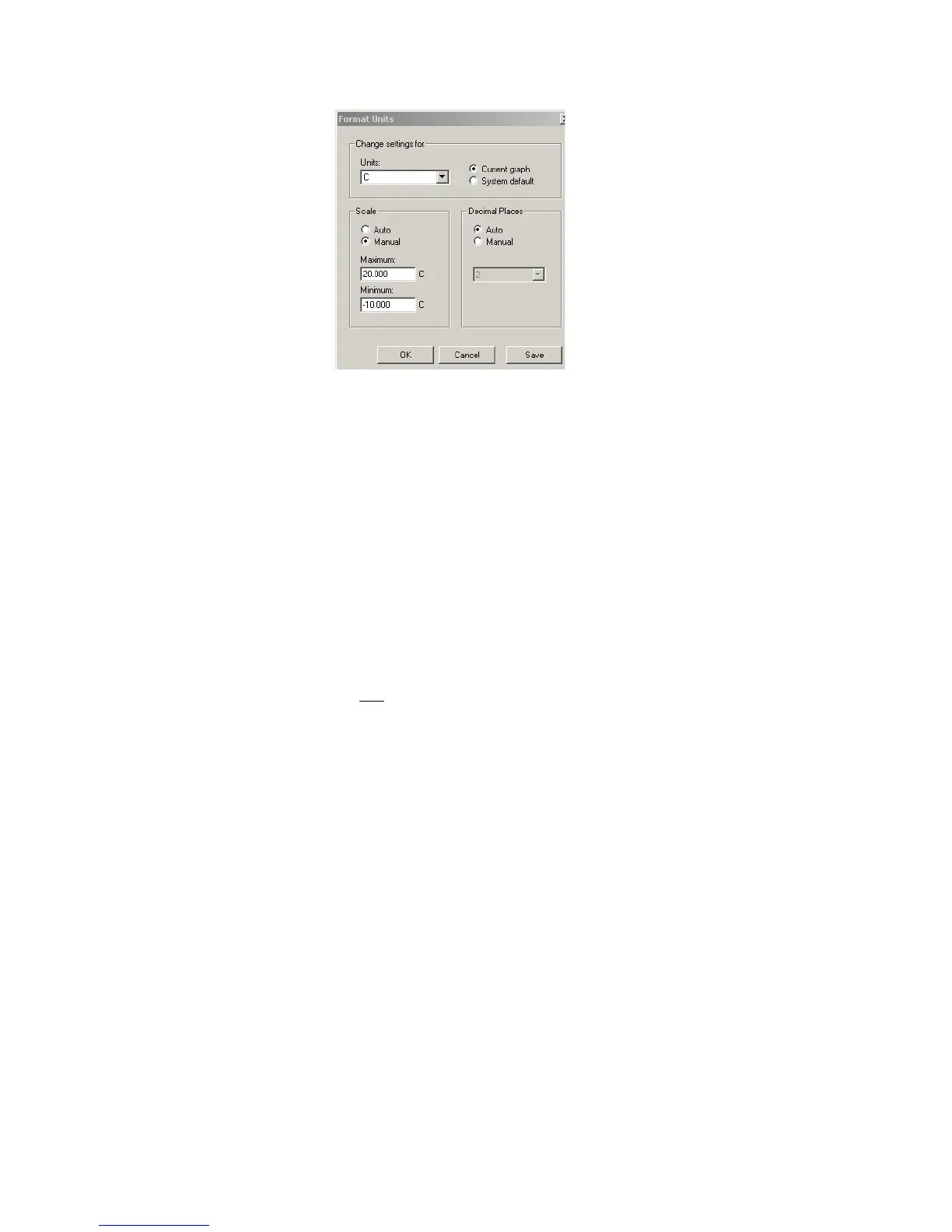
2. Under Units, use the drop-down list to select the desired units of measure-
ment.
3. Choose to apply the settings to the current graph or all new graphs (System
Default) using the appropriate radio buttons. If you select System Default,
the settings entered here automatically apply to other new graphs that use
the same units (that is, °C, °F, and so on).
4. Under Scale, select the Manual button, then enter the maximum and min-
imum values for the axis that you want displayed.
5. Click Save to save changes, and OK to close.
Changing the Decimal Place Precision
To change decimal place precision:
1. Do one of the following:
• With the Graph file you want to modify open, select
Format>Units...
• Right-click the Y-axis units, and select Format>Units...
• Double-click the Y-axis units.
The Format Units window opens.



 To Next Page