You can store up to 500 contacts in your
phone.
How to Create A New Contact
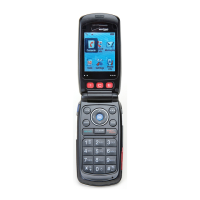
Using the keypad, enter the
phone number of the contact you
wish to save.
Press the Left Soft Key [Save].
Select [New Contact].
Use the Navigation Key to
scroll to one of the following
options then press
to select:
•
Mobile 1 - The primary mobile
phone number. This is the default.
•
Home - The home phone number.
•
Work - The Office phone number.
•
Mobile 2 - The secondary mobile
phone number.
•
Other - The other phone number.
Using the keypad, enter the name
of the contact.
For more information on Entering
Text see page 50.
Press the Left Soft Key [Save].
Contact List
This function enables you to review and
edit all the entries stored in your contact
list.
Press the Right Soft Key
[Contacts] or Left Soft Key
[Menu] ⁄ [Contacts] ⁄
[Contact List]
.
To manage entries first use the
Navigation Key
to scroll to the
Contact, then press the Right Soft
Key [Options] to select from
the following functions.
26 27
CONTACTS CONTACTS







 To Next Page