50 51
Entering Text
This functions enables you to input text
in your phone.
Input Modes
You can select from the following modes
to enter text : Abc/ABC/123/Word/
Symbols.
The default mode for entering text
in a Text Message is the Word Mode.
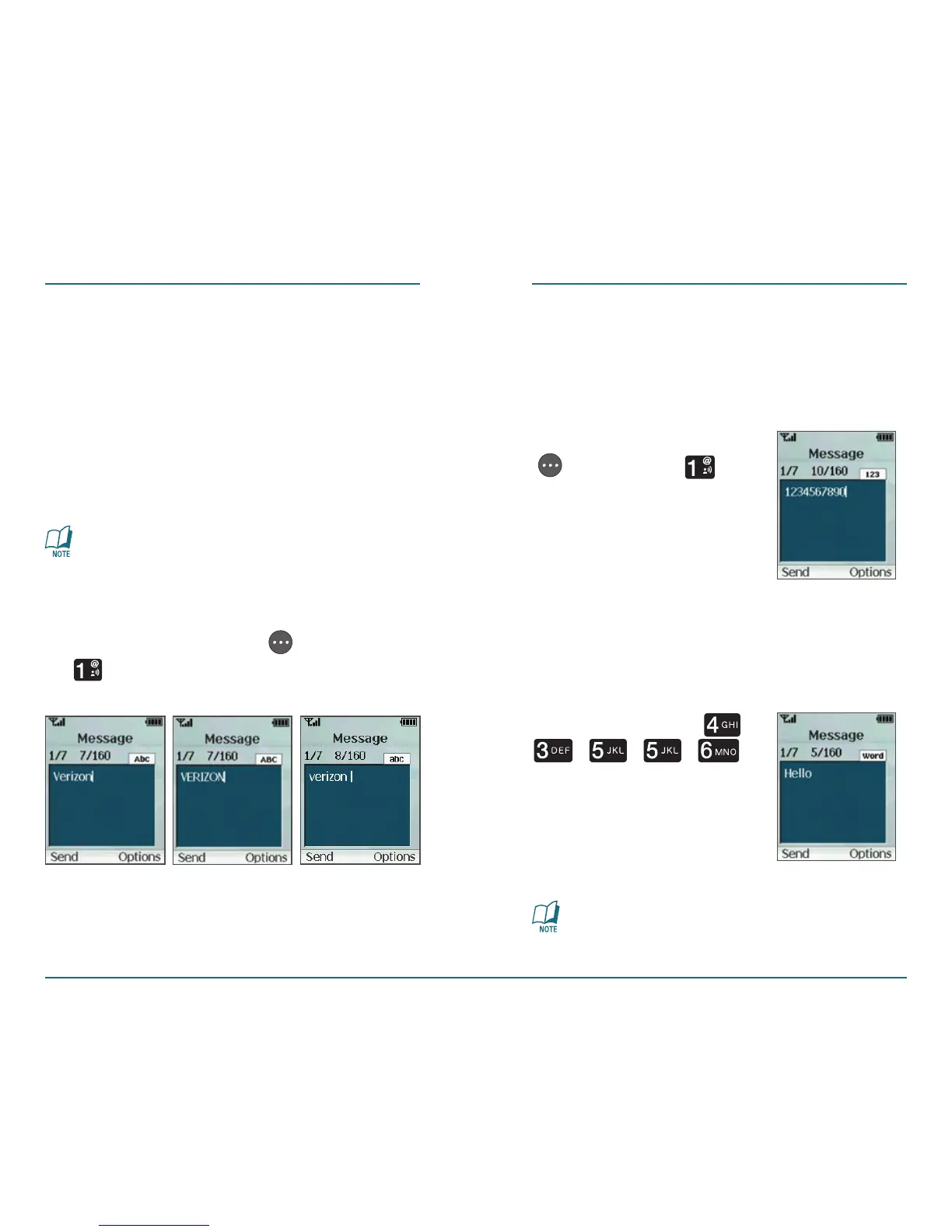
Abc/ABC/abc Mode
Press the Right Soft Key [Options]
⁄ [Entry Mode]. Select Abc for
sentence case or ABC for upper case.
MESSAGING MESSAGING
123 Mode
To enter a number in Abc/ABC or Word
mode, keep pressing the desired number
key until the number is appeared.
Press the Right Soft Key
[Options] ⁄
[Entry Mode].
Word (T9) Mode
The word you are typing appears on the
display. It may likely change with each
key you press.
For example, press ,
, , ,
in sequence to input
”hello”.
Word (T9) Mode is the default mode
for entering text in a Text Message.




 To Next Page