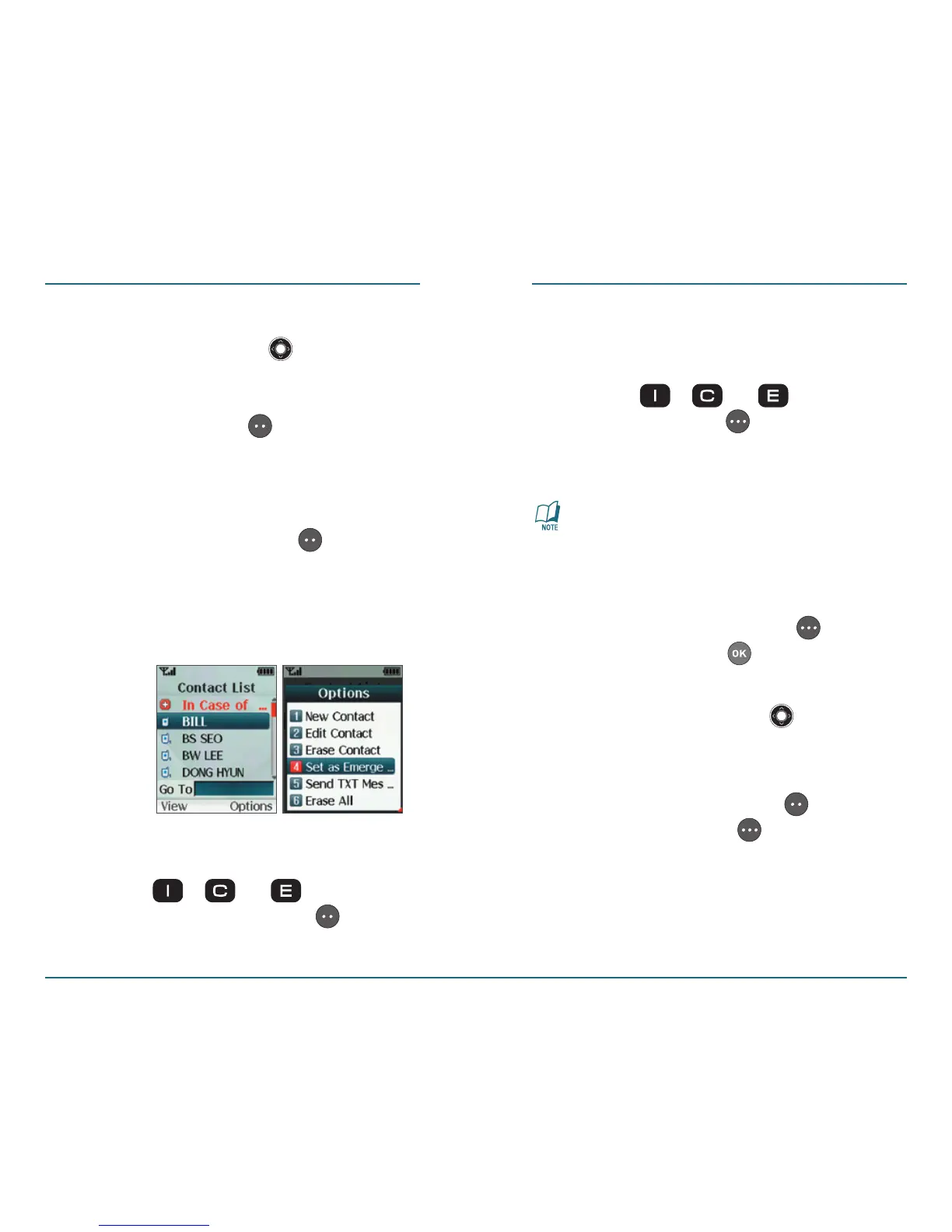
4: If From Contacts is selected, using
the Navigation Key
scroll to
search for a phone number which is
stored in the contacts list, then press
the Left Soft Key [Select].
5: If Enter Number is selected, using
the keypad enter the Name and
Number of the contact, then
press the Left Soft Key
[Save].
Once your phone is programmed
with your information, press and
hold one of these keys to call the
programmed contact.
H
Calling an Emergency Contact
•
Press the , or Key shortly
and press the Left Soft Key
[Call]
to call the assigned caller.
CONTACTS CONTACTS
H �
Sending a Message to an
Emergency Contact
•
Press the , or then press
the Right Soft Key [Message] to
send a message to the emergency
contact.
For further information on sending
Text Messages, see page 47.
H �
Organizing Emergency Contacts
•
1: Press the Right Soft Key
[Contacts]. Press to select [In
Case Of Emergency].
2: Press Navigation Key
up or
down to select the contact you
would like to organize.
3: Press the Left Soft Key
[View]
or Right Soft Key [Options].
Following options are available:
Call, Reassign and Unassign.
•
Call - To call the contact assigned
to that In Case of Emergency Key.
34 35













 To Next Page