Light/Medium Duty OBD-II Harness Installation
Connecting to the OBD-II Port
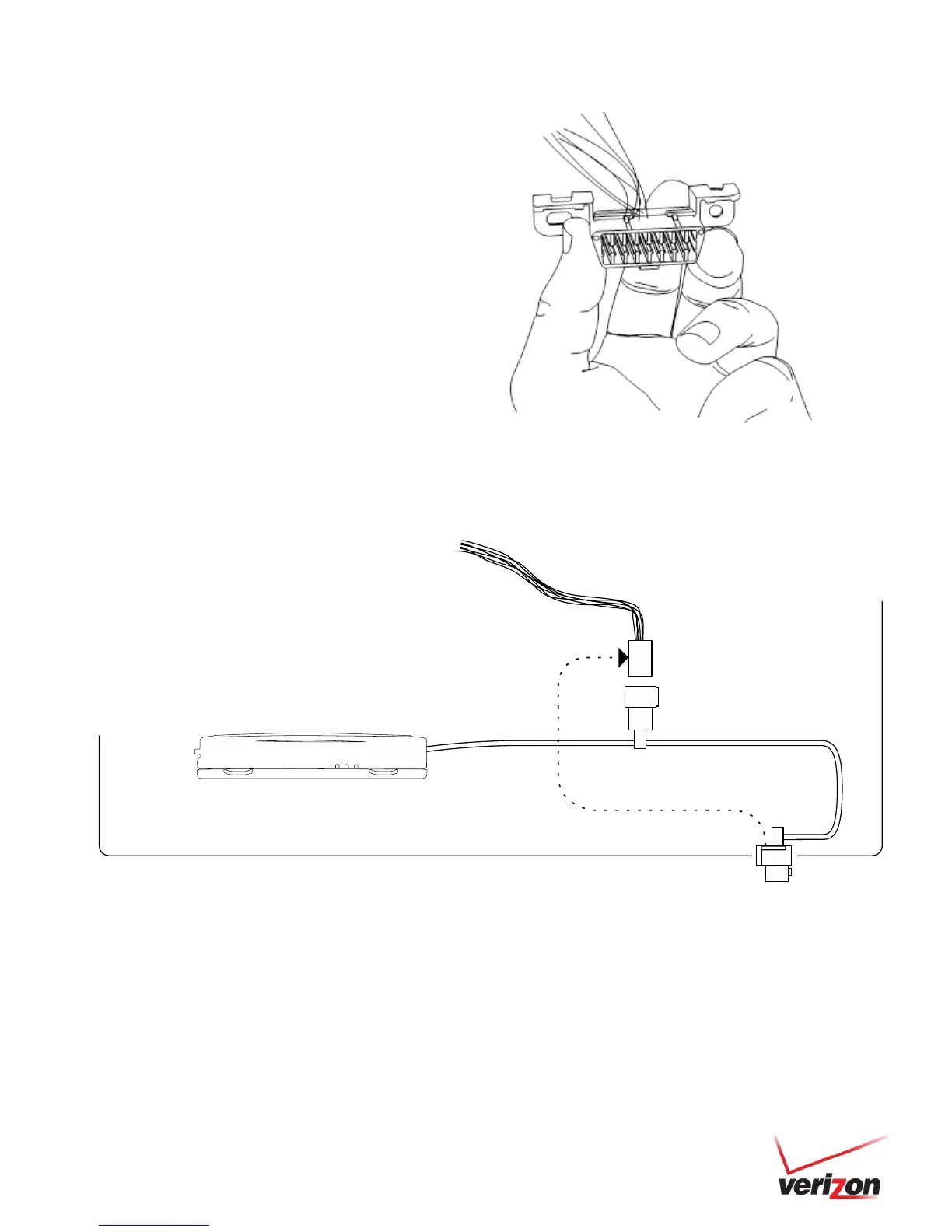
1. With the vehicle’s engine OFF, remove the vehicle’s OBD-II
port. The OBD-II Connector may be hidden behind a hush
panel.
a. To remove the connector, you may need to
remove screws or depress the clips.
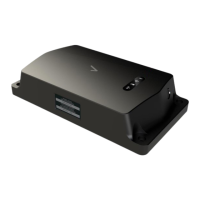
2. Connect the Bypass Connector to the vehicle’s OBD-II port
that was previously removed.
3. Attach the Core Connector to the position where the original
OBD-II connector was installed. Secure it with the screws or
clips removed from the OBD-II Connector’s original position
(if applicable).
• 5500 Series units installed with a light duty harness cannot be installed along with lift gates that are plugged into
the OBD port. Refer to the TIB: Lift Gates and Unit Interference.
• If other devices besides the 5500 series unit need to be plugged into the OBD port, please refer to the TIB: Scan
Tool Detection and Aftermarket Devices.


 To Next Page