Quick Reference Guide MDV 3252-FH
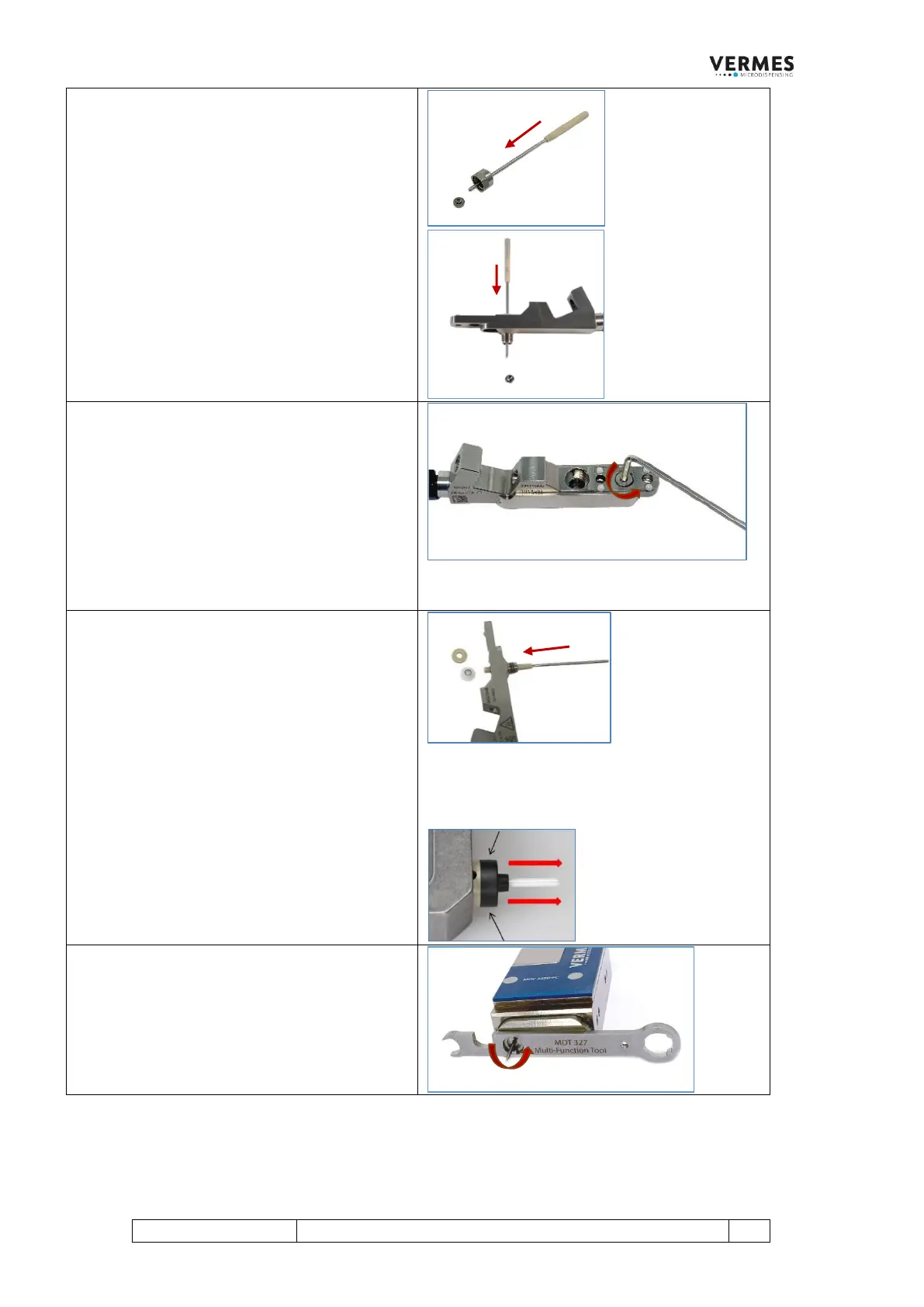
Step 6 (Squeeze out the nozzle insert)
In most cases, the nozzle insert will stay inside
the nozzle fixation nut.
Use the MDT 323 - Nozzle Insert - Squeezing out
Tool TA to squeeze the nozzle insert out of the
nozzle fixation nut.
In case that the nozzle insert is remaining inside
the fluid box, push the MDT 323 through the
bore above the sealing and squeeze the nozzle
insert out.
Step 7 (Remove the heat conducting plate)
Screw off the fluid box front screw to remove
the Heat Conducting Plate from the fluid box
body. Use the MDT 329 or a hexagon socket key
(size 2).
INFORMATION!
The isolation body is delivered with a heat
conductive plate, which can mount directly
onto the fluid box.
Step 8 (Squeeze out tappet sealing and tappet
centering piece)
Squeeze the tappet centering piece and the
tappet sealing out from the fluid box body. Use
the wider end of the MDT 323 - Nozzle Insert -
Squeezing out Tool TA.
IMPORTANT NOTE!
When using a Tappet Sealing LX, there is no
tappet centering piece.
In case the Tappet Sealing LX got stuck on the
tappet, remove the Tappet Sealing LX carefully
from the tappet by hand. Press the sides of the
tappet sealing slightly (see black arrows) to
make sure it does not become upended.
Step 9 (Screw out the tappet)
Screw out the tappet (counter-clockwise). Use
the MDT 327 - Multi-Function Tool (as shown)
or the MDT 310 -Tappet Changing Tool.
IMPORTANT NOTE!
Do not break the tappet!



 To Next Page