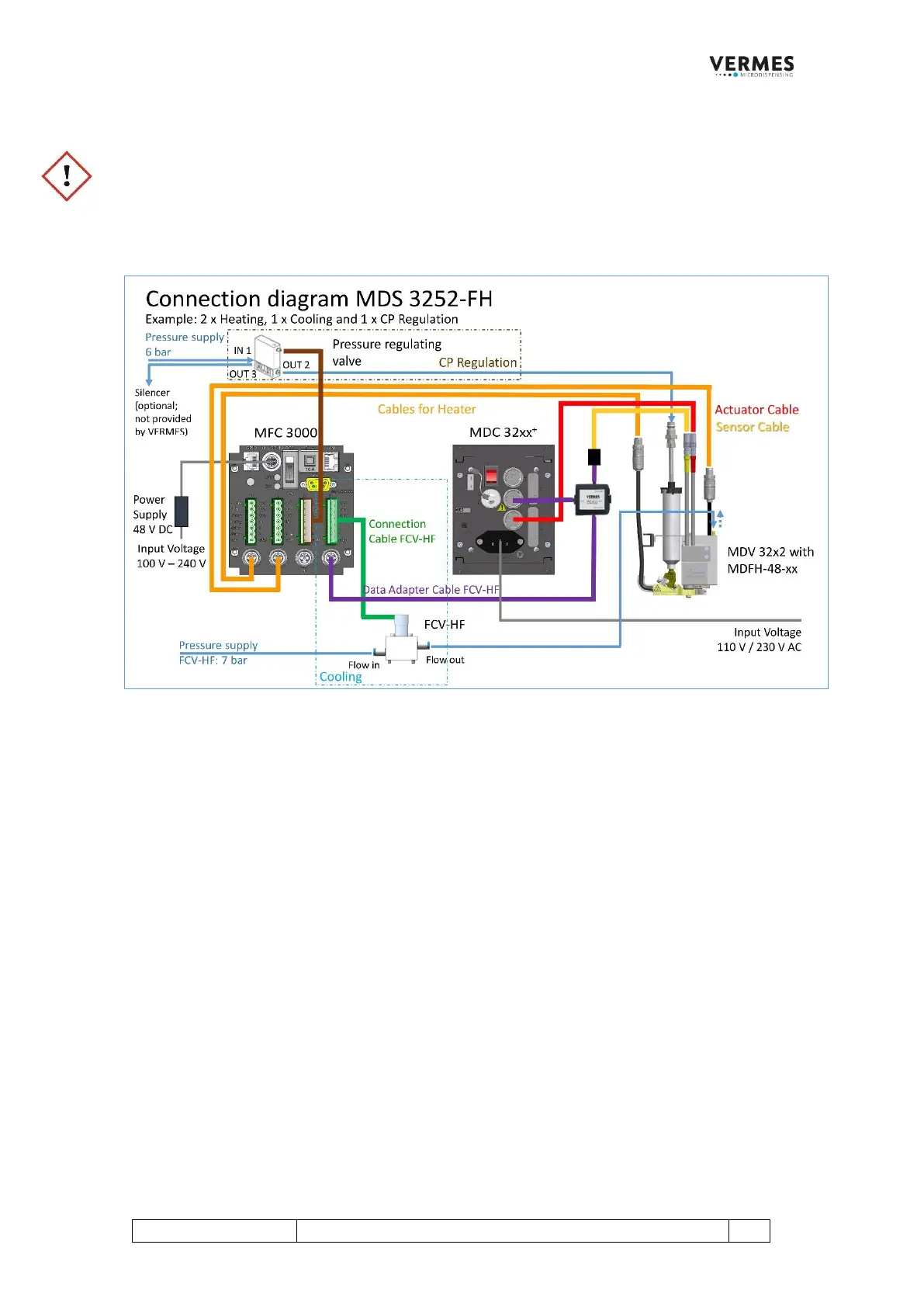
3. Wiring of the MDS 3252-FH
IMPORTANT NOTE!
For cooling, use only compressed air tubes of at least 6 mm diameter, to guarantee a sufficient air flow.
1. Connect all the cables according to the complete setup in the picture below.
2. Turn on the MFC by connecting it to a power supply. Wait until the MFC is ready.
3. Turn on the cooling channel:
Press the [enter]-key to get in the menu.
Press the [→]-key to select your cooling channel (in the diagram: Ch4).
Press the [enter]-key to get in the Ch4 menu. With the [←]-key and the [→]-key switch through different
settings.
Press the [enter]-key and then the [↑]-key or the [↓]-key to change the setting. Confirm with the [enter]-
key.
Set Temp: Set your target temperature (50 °C is recommended, if using a nozzle heater; if you do not use a
nozzle heater, set the temperature close to the setting of the cooling system, but it also depends on your
application).
Channel ON/OFF: Set to ON
Cooler ON/OFF: Set to ON
Now turn on the MDC.
4. Set the temperature(s) and turn on the heater channel(s):
Select the heater channels (in the diagram: Ch1 and Ch2). See above (No. 3) how to change the settings.
Set Temp: Set your target temperature (same as the operating temperature).



 To Next Page